Daily overview
Cash register daily overview manual
This manual helps you to correctly open, interpret, and close the daily overview in the cash register system. This overview provides insight into the balance, payment flows, and cash transactions of a specific day.
1. Logging into the cash register system
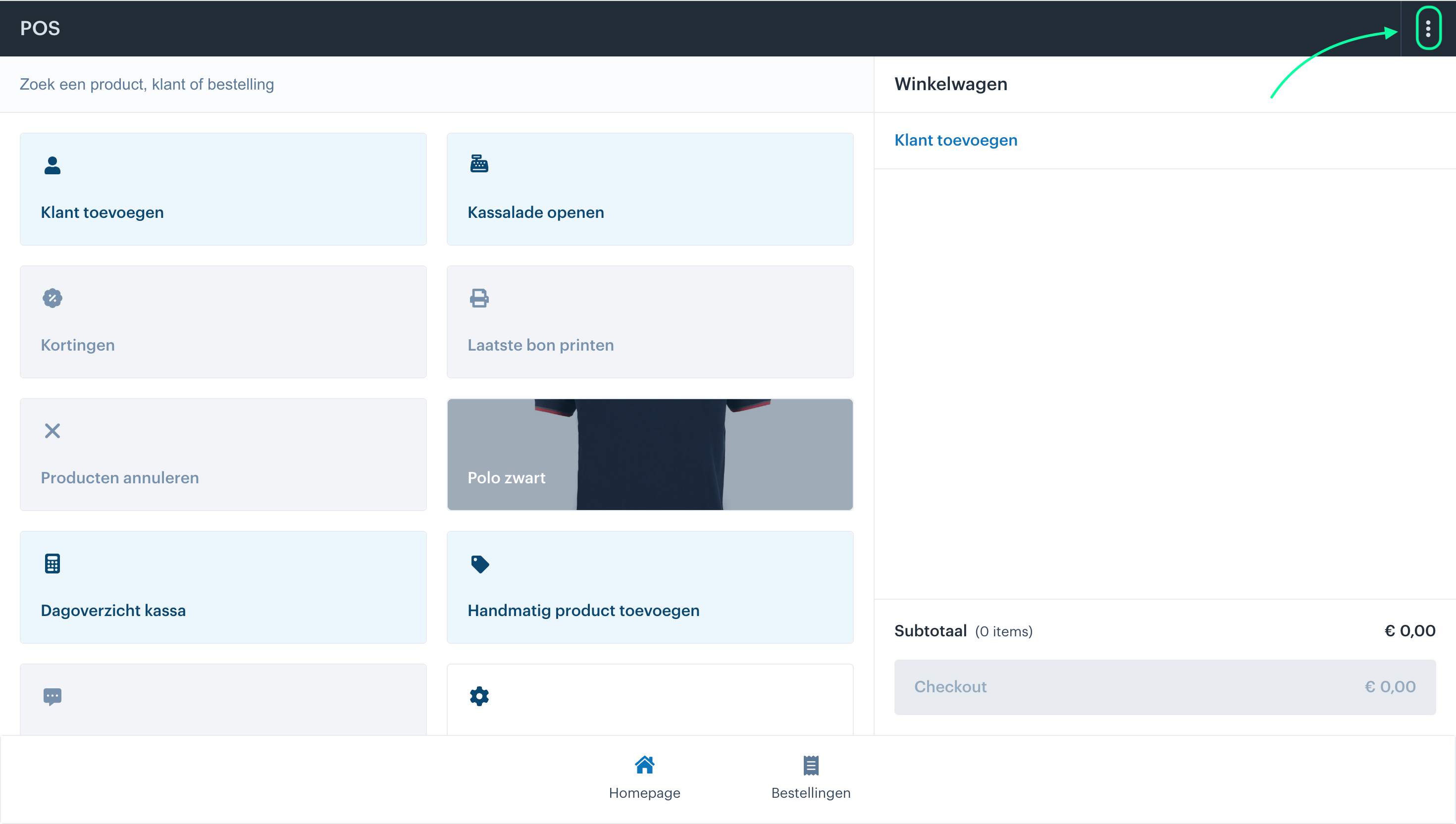
Step 1: Open the cash register system via pos.afosto.app.
Step 2: Click on the 3 dots at the top of the screen

2. Open daily overview
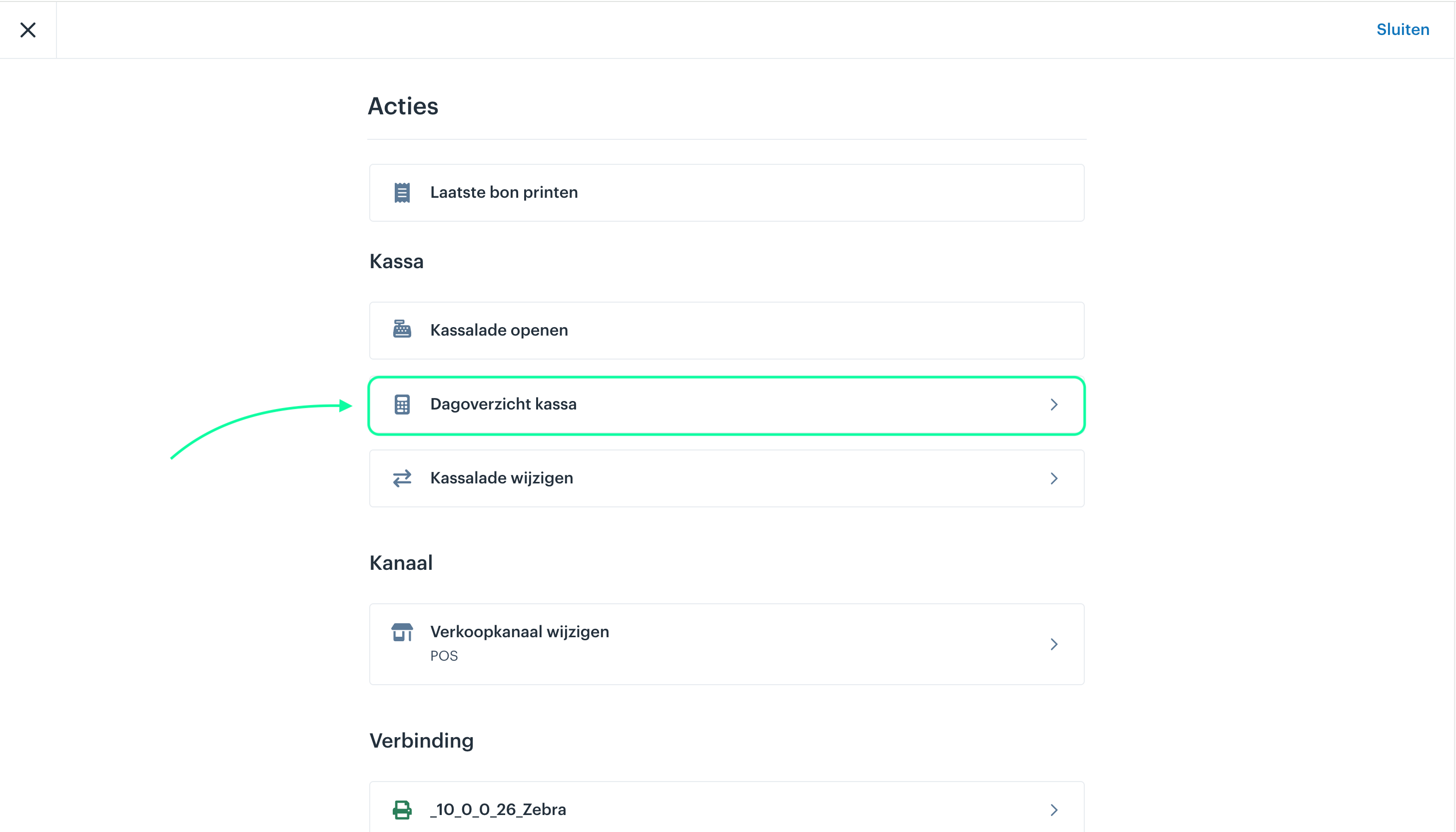
- Navigate to: Cash register>Cash register daily overview

in the current screen you now get a number of options that you can work with

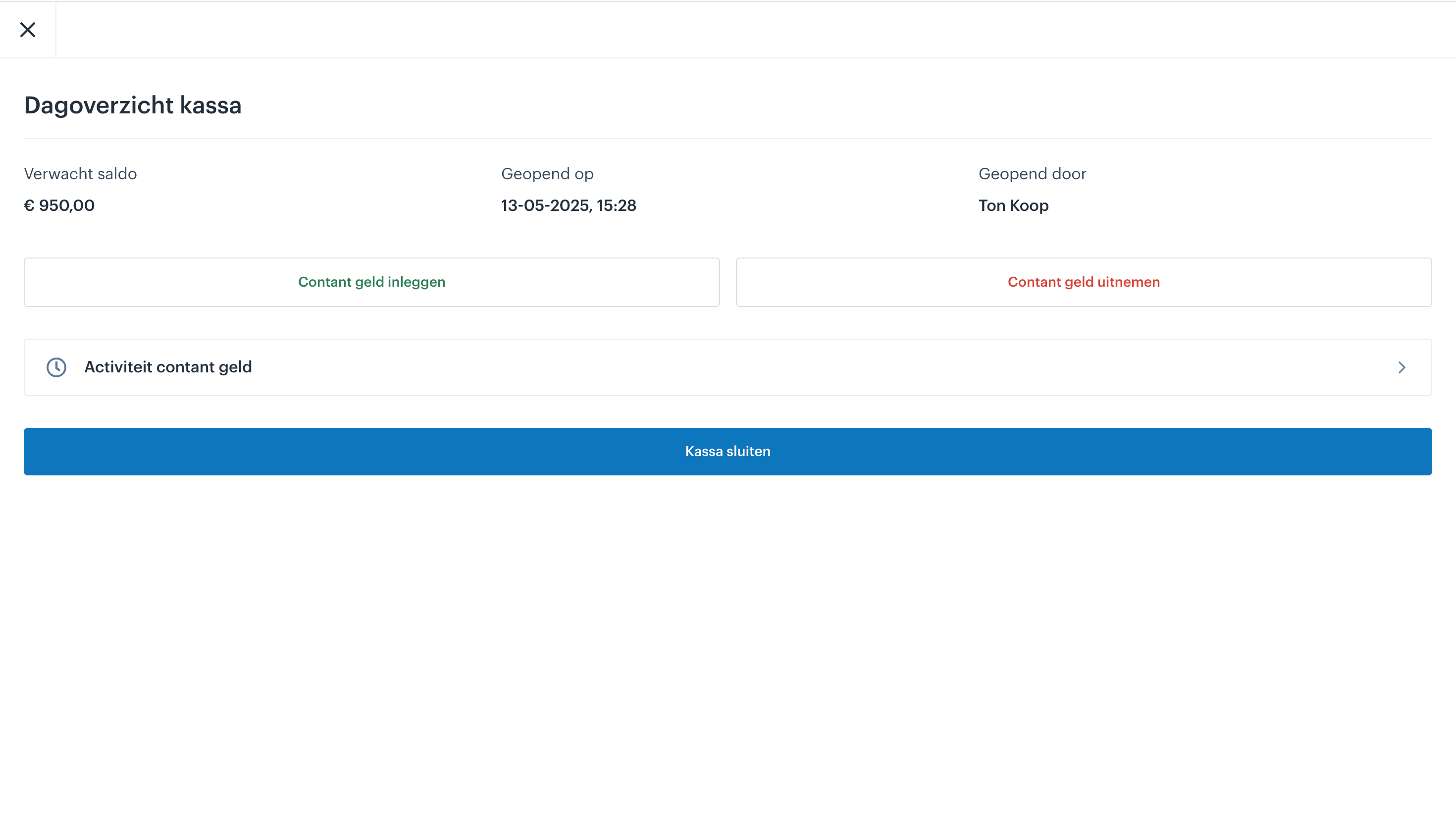
Option 1: Insert cash, This may be necessary when you notice that you have too little cash in your cash drawer during the day. With this option, you can add cash to your cash drawer so you can continue to give customers change.
Option 2: Withdraw cash, this can occur if, for example, you have too much money in the cash drawer and need to skim it off. For safety reasons, it is often standard practice not to keep more than a certain amount in your cash drawer, so if you exceed this during the day, you can withdraw money.

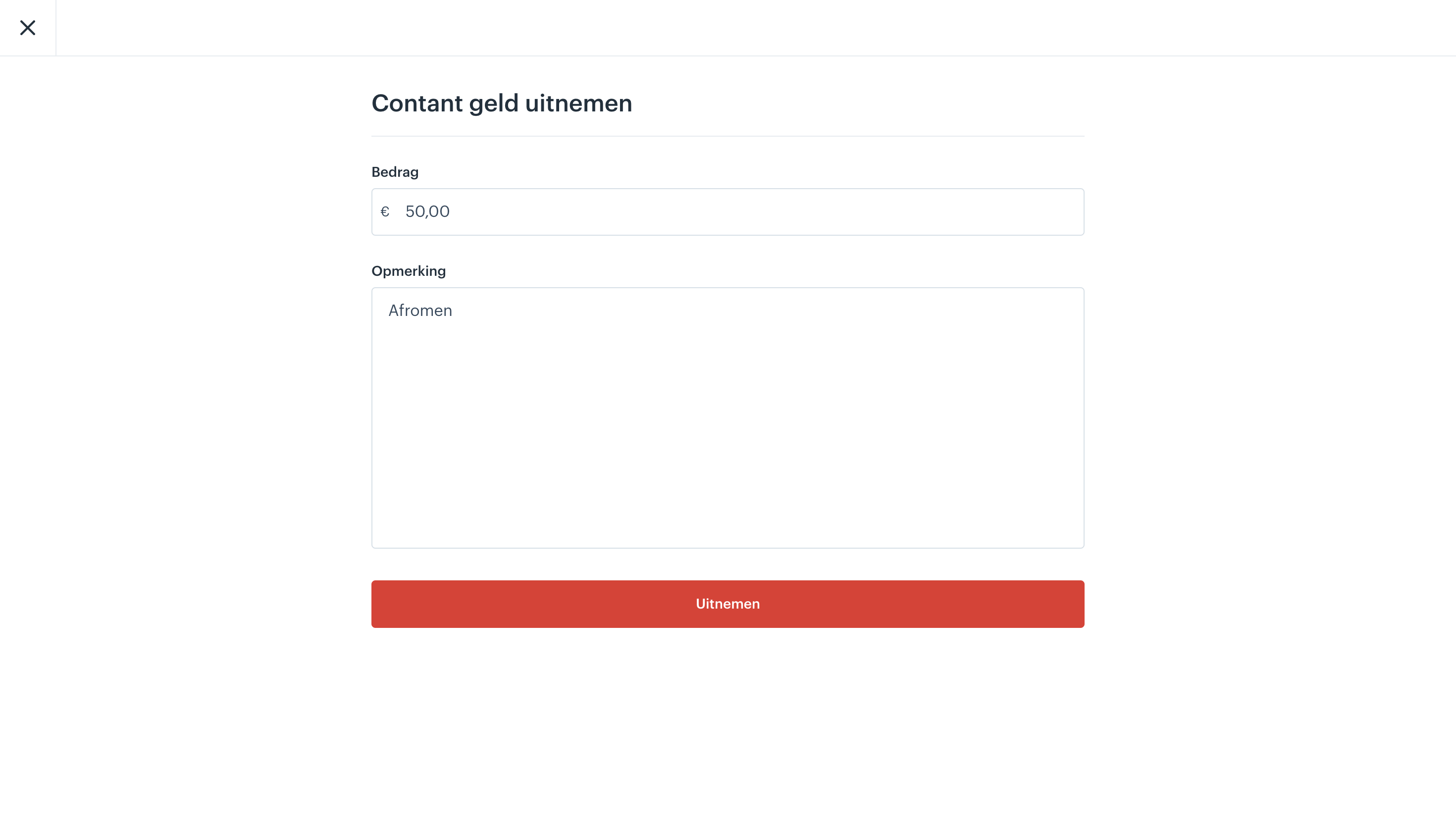
In the example above, we will skim off 50 euros because we have too much money in the cash drawer. If you want to take money out of the drawer for another reason, you can add that as a note.
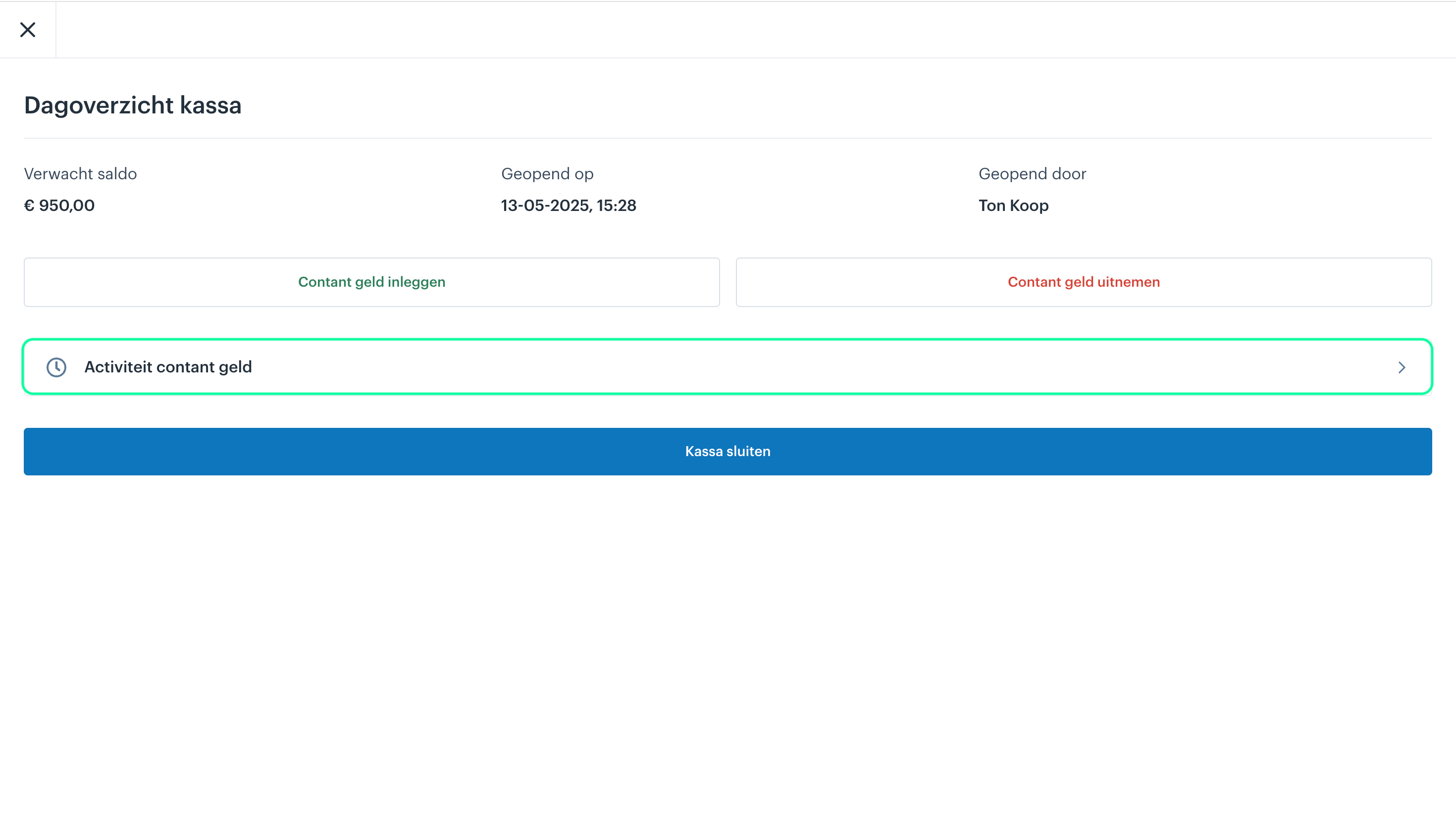
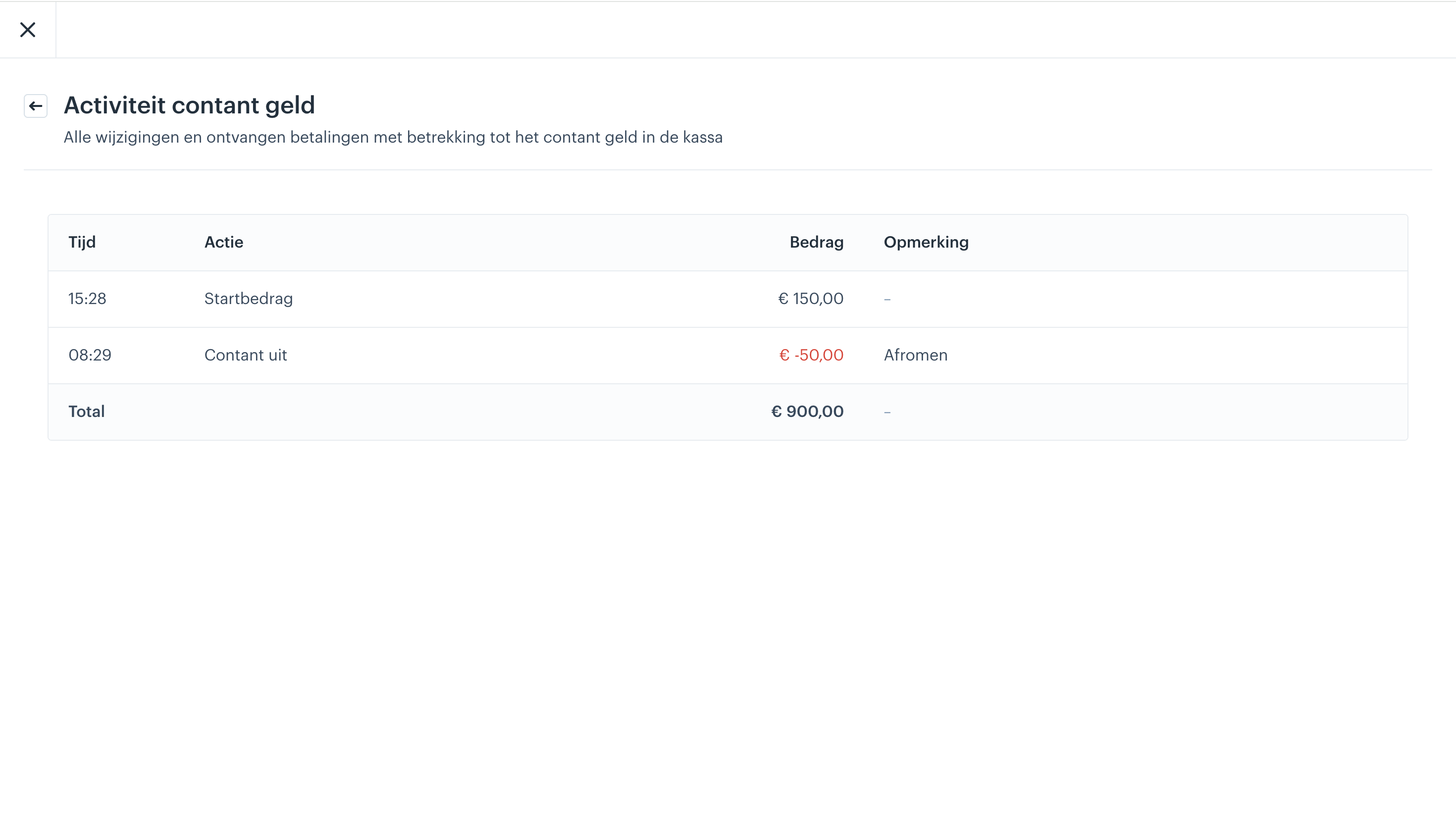
If we go back to our daily overview, we can also view all activities related to cash. To view this, select "Cash activity".
The following overview shows all changes and received payments related to cash.
3. Contents of the daily overview
The daily overview shows, among other things:
- Expected balance
- Opening date
- Employee
- Cash activity
4. Close cash register (if required)
- Click on ‘close cash register’.
- Enter the actual cash amount you have in your cash drawer.
- Enter the amount to be skimmed to balance the register
- Click on ‘Close cash register’.

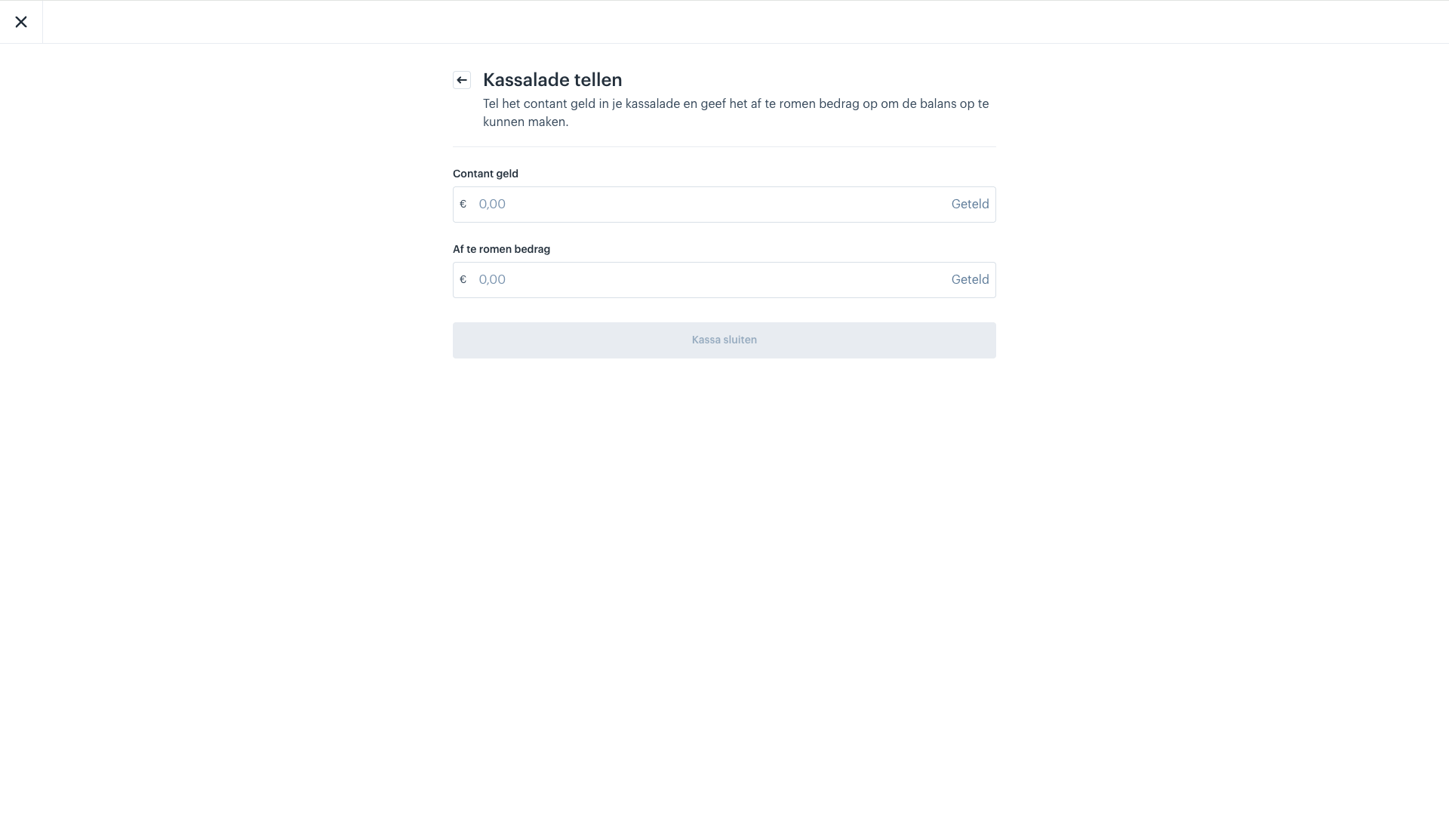
You will then receive an overview of your daily closing (you can also print this)

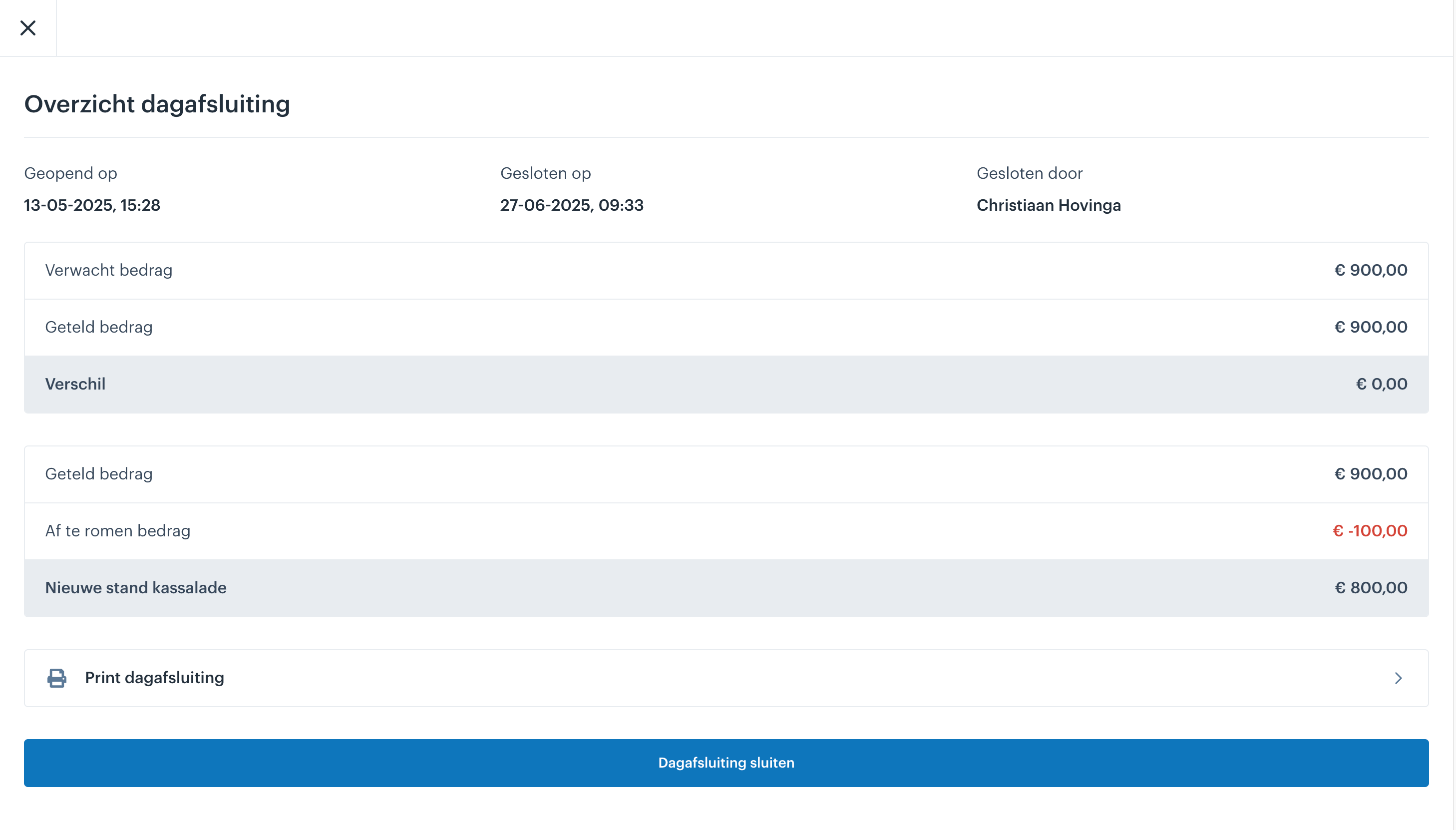
After closing, the daily overview is locked and can no longer be modified.
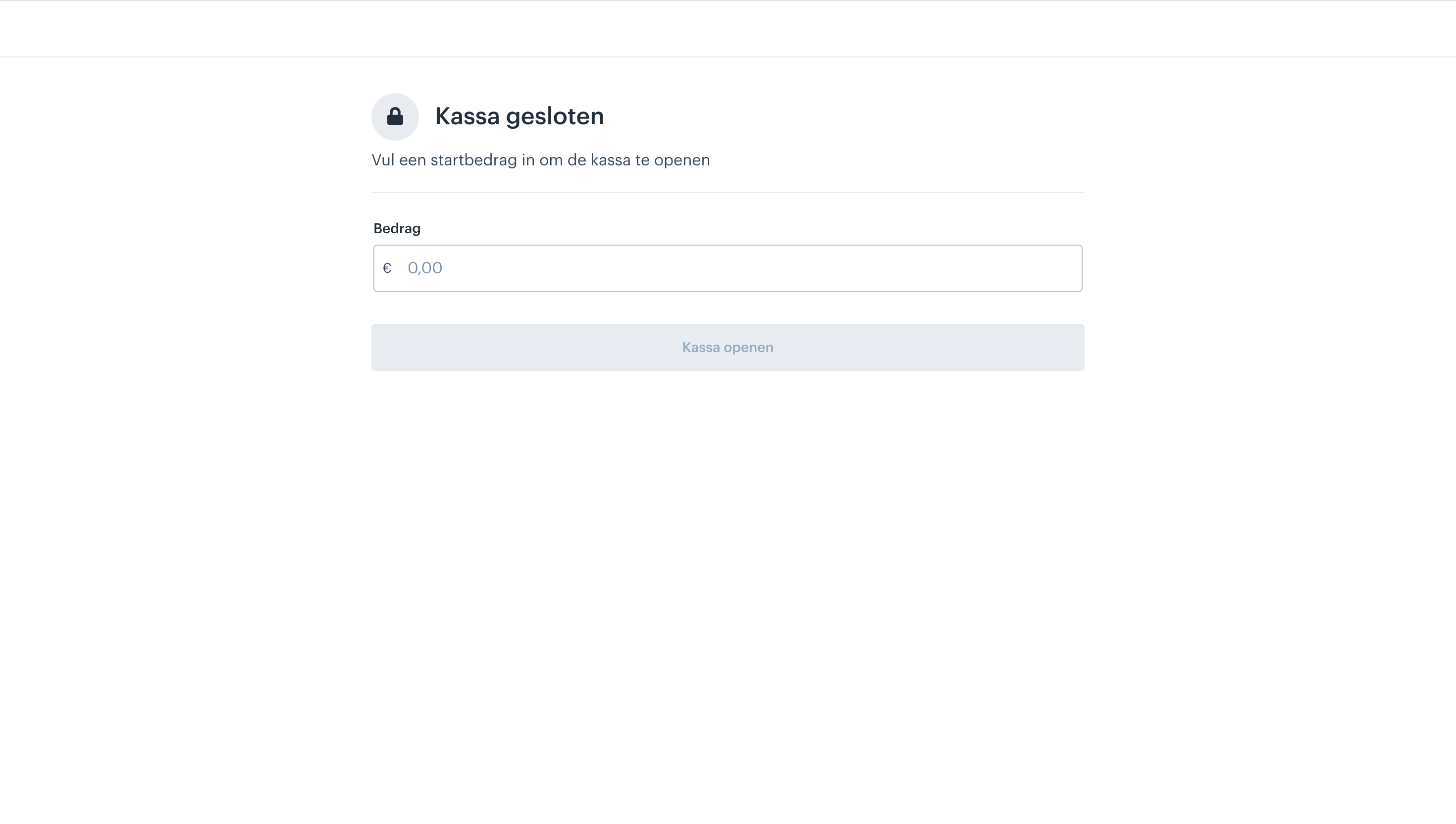
After that, your cash register is closed and you can enter a new starting amount to open it again.