Afosto CMS - Apps - Expected delivery time
With the Expected delivery time plugin you can generate expected delivery times for each shipping method and delivery address. These can then be shown on the product page of your webshop.
- The Expected delivery time plugin can be found in the Afosto dashboard under "Shipments".

- The plugin shows per warehouse an overview of the available shipping methods and delivery options

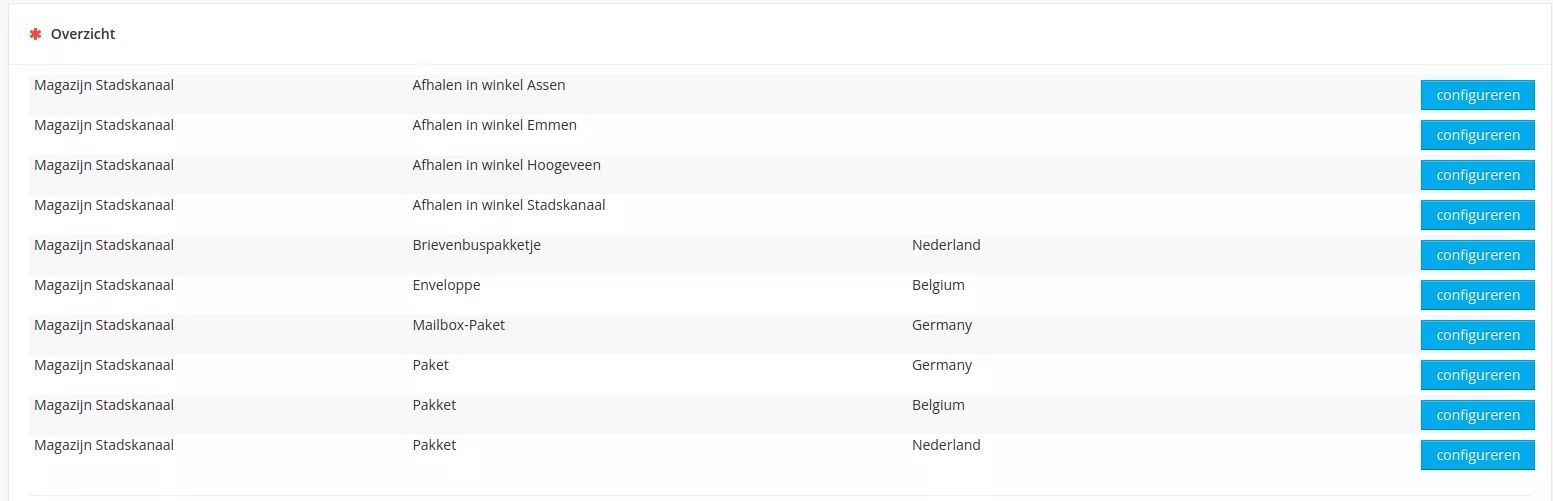
- As an example we will take the delivery option 'Mailbox package - Netherlands' from warehouse Stadskanaal.

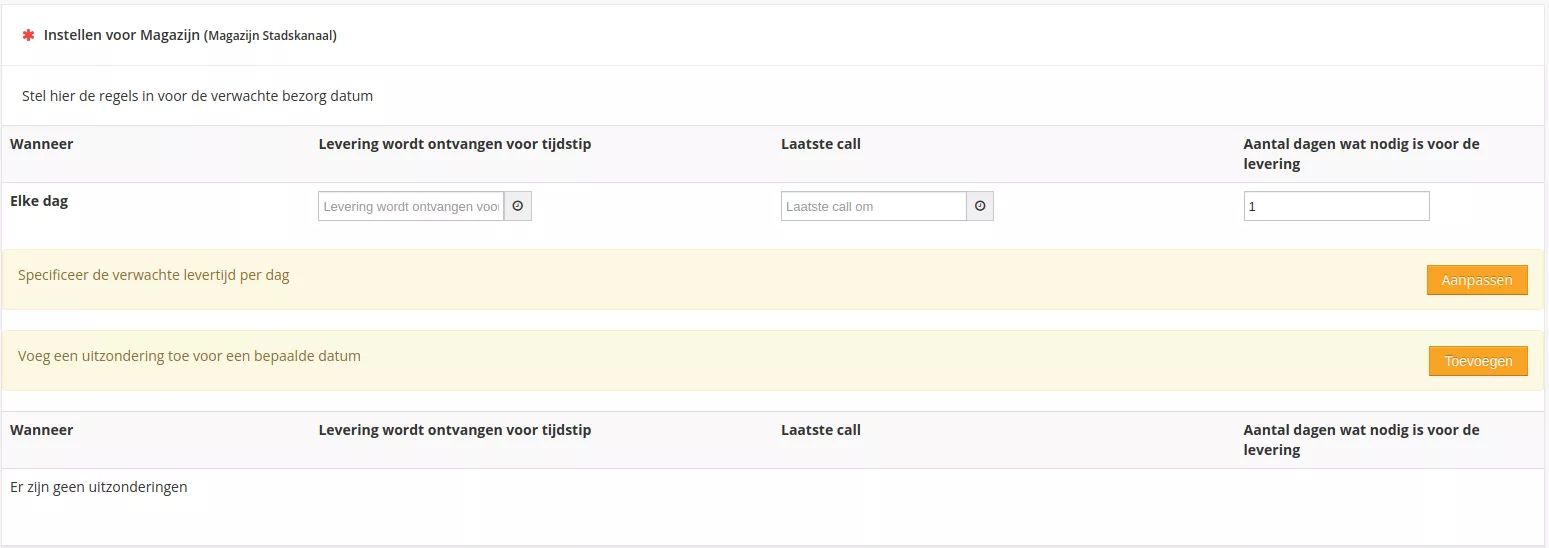
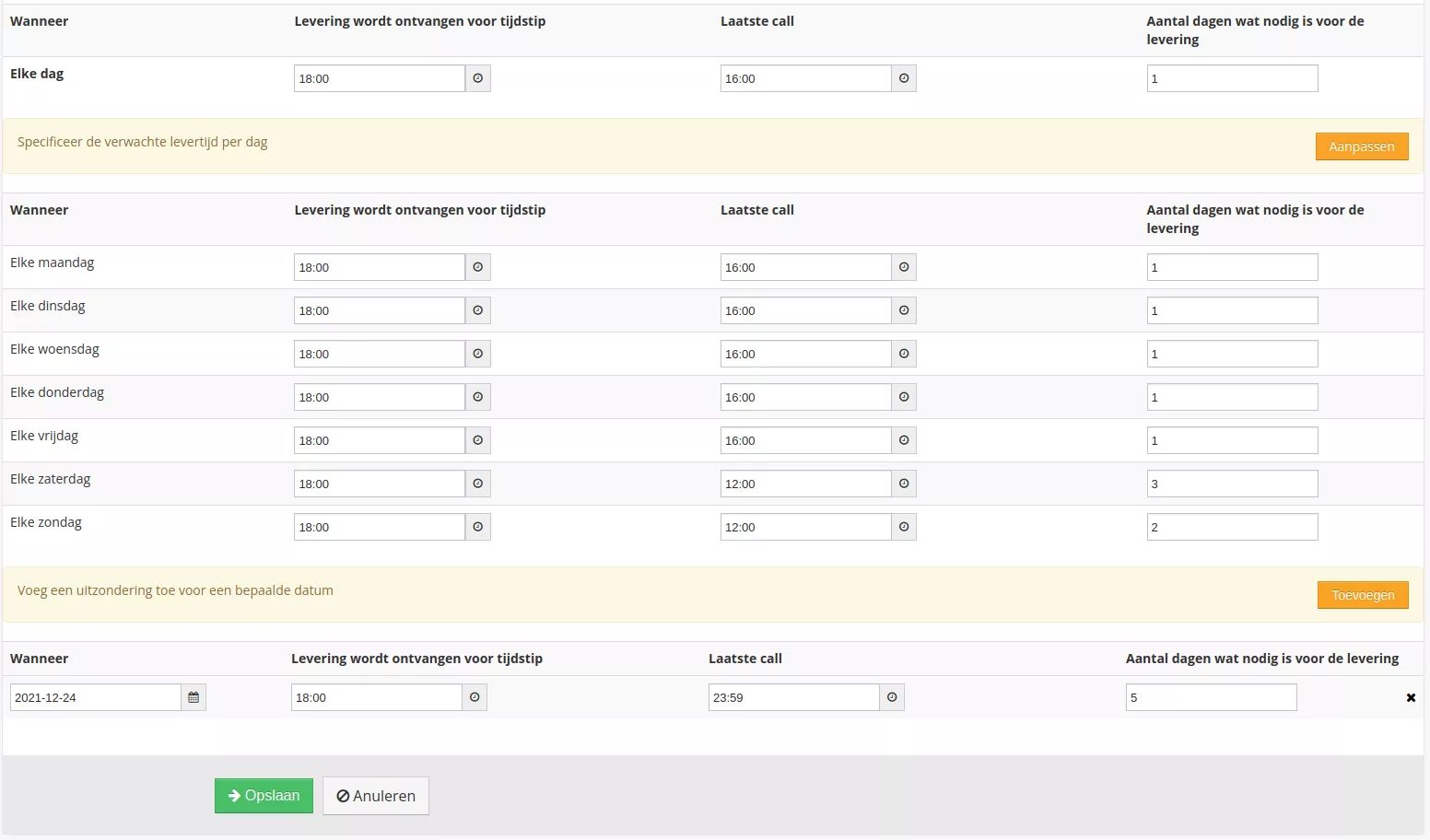
- On this page three data can be entered:
- The delivery time that applies as standard in case none of the times below suffices
- The delivery times specified per day
- Exceptions
- There are four values per time line that can be entered:
- When: Day of the week
- Delivery is received before time: The latest delivery time to the customer
- Last call: The time by which an order must be received if this day is included in the shipment
- Number of days needed for delivery: How many days are needed for shipment
In the case of the letterbox package from Stadskanaal, the schedule could look like this: