Shipping labels via QLS
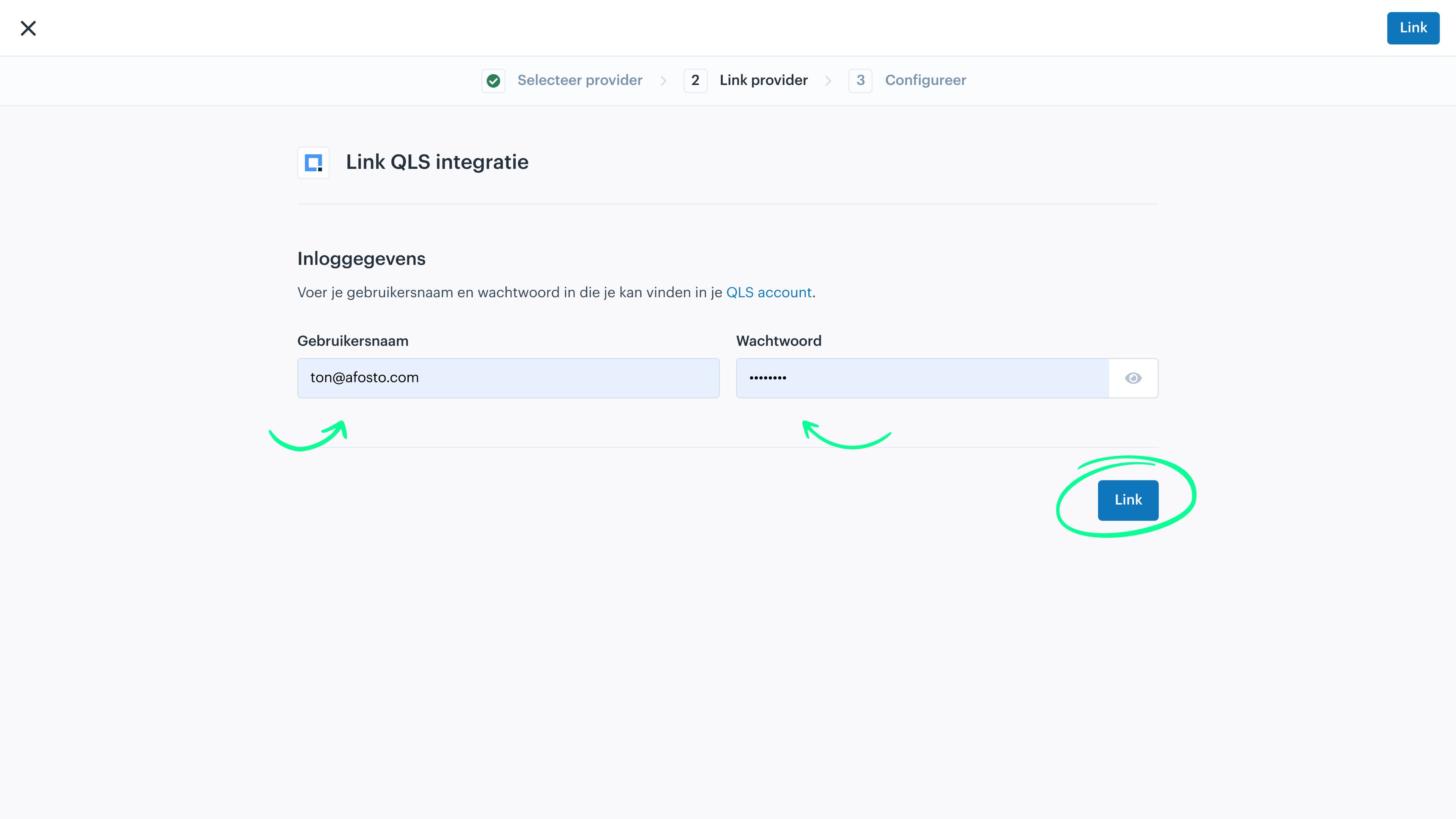
In this guide, we explain how to create the connection between Afosto and shipping labels via QLS. In Afosto, go to QLS under Apps. Then click Add. In the window that opens, enter your QLS username and password, and click Link.

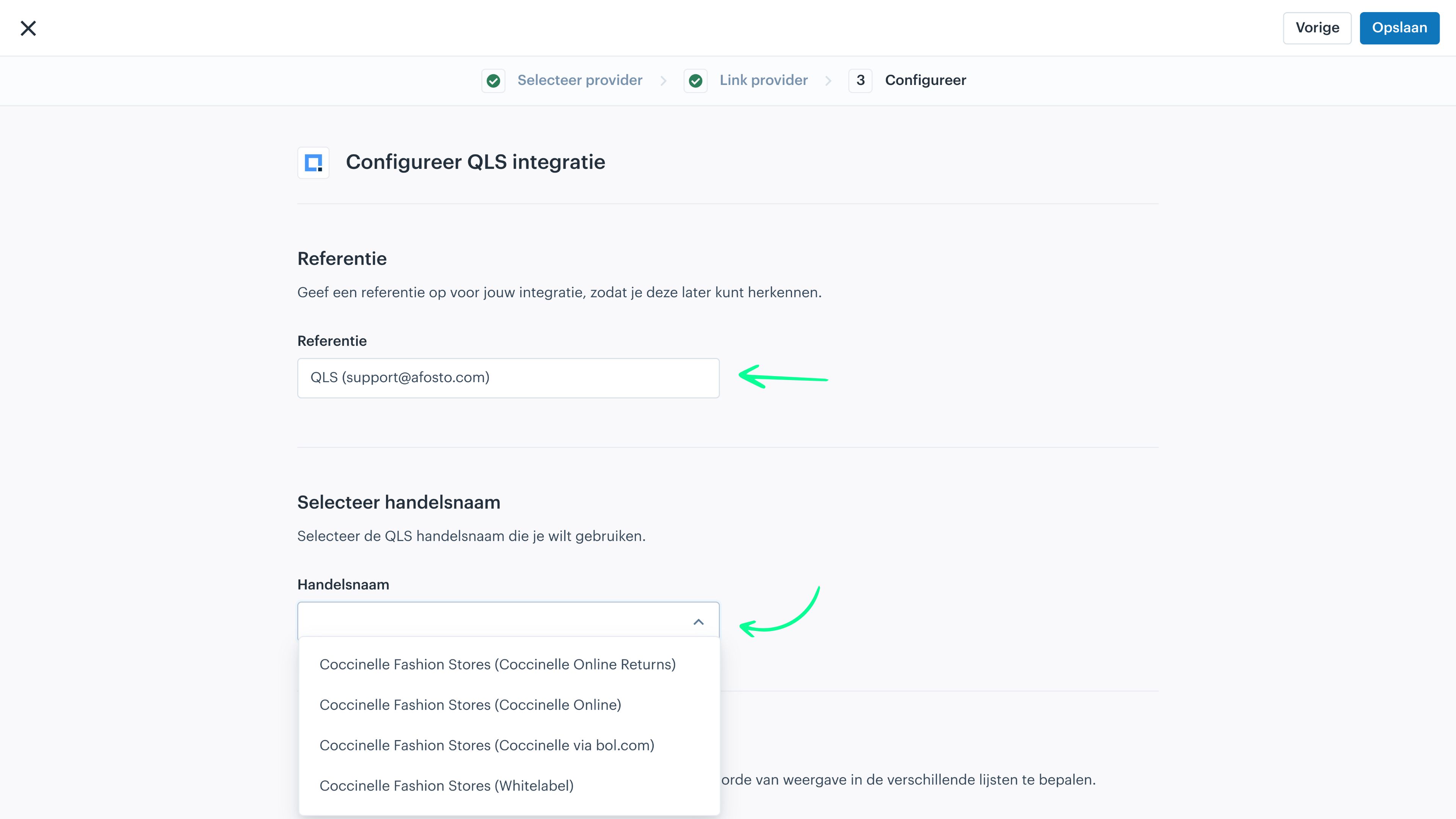
In the next screen, you can give your connection a name. Then, you need to select your correct QLS trade name. These are listed in the dropdown that opens.
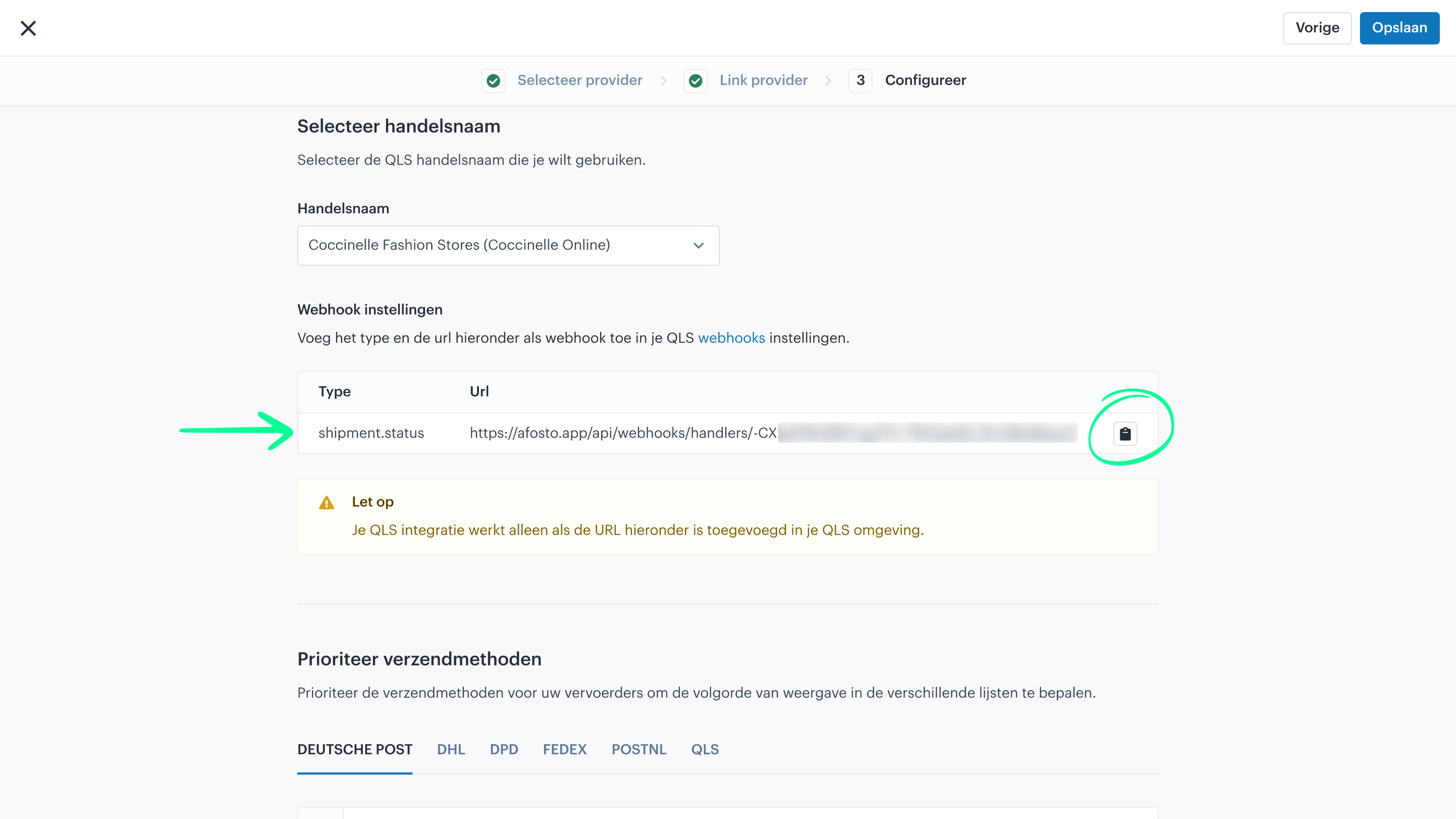
Once you have selected a trade name, a URL will appear on the screen that you need in your QLS account. Copy this URL.
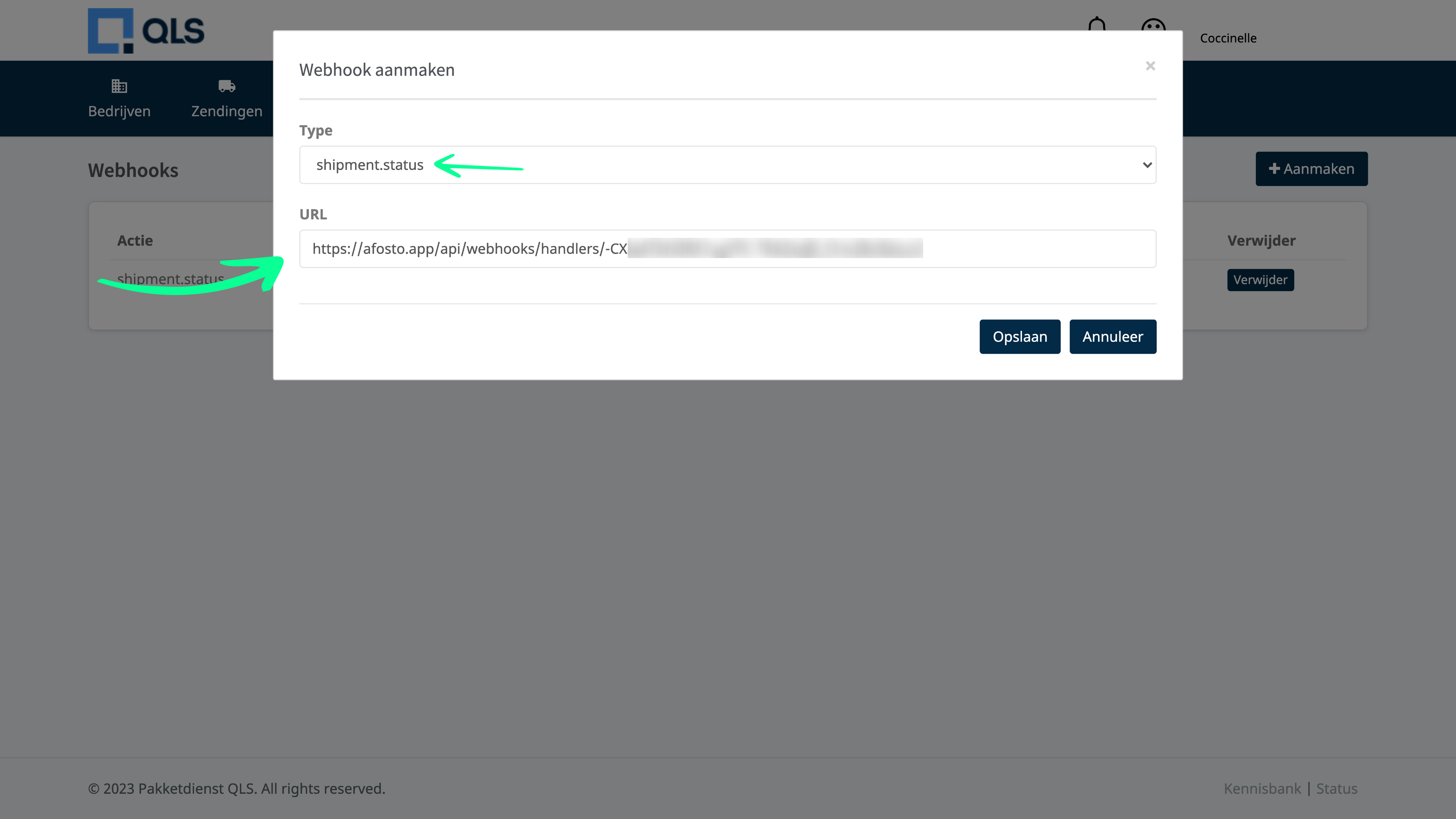
Go to your own QLS environment and log in. Once logged in, click on 'Settings' in the menu and choose 'Webhooks'. The screen below will open. In the top right, click 'Add'.
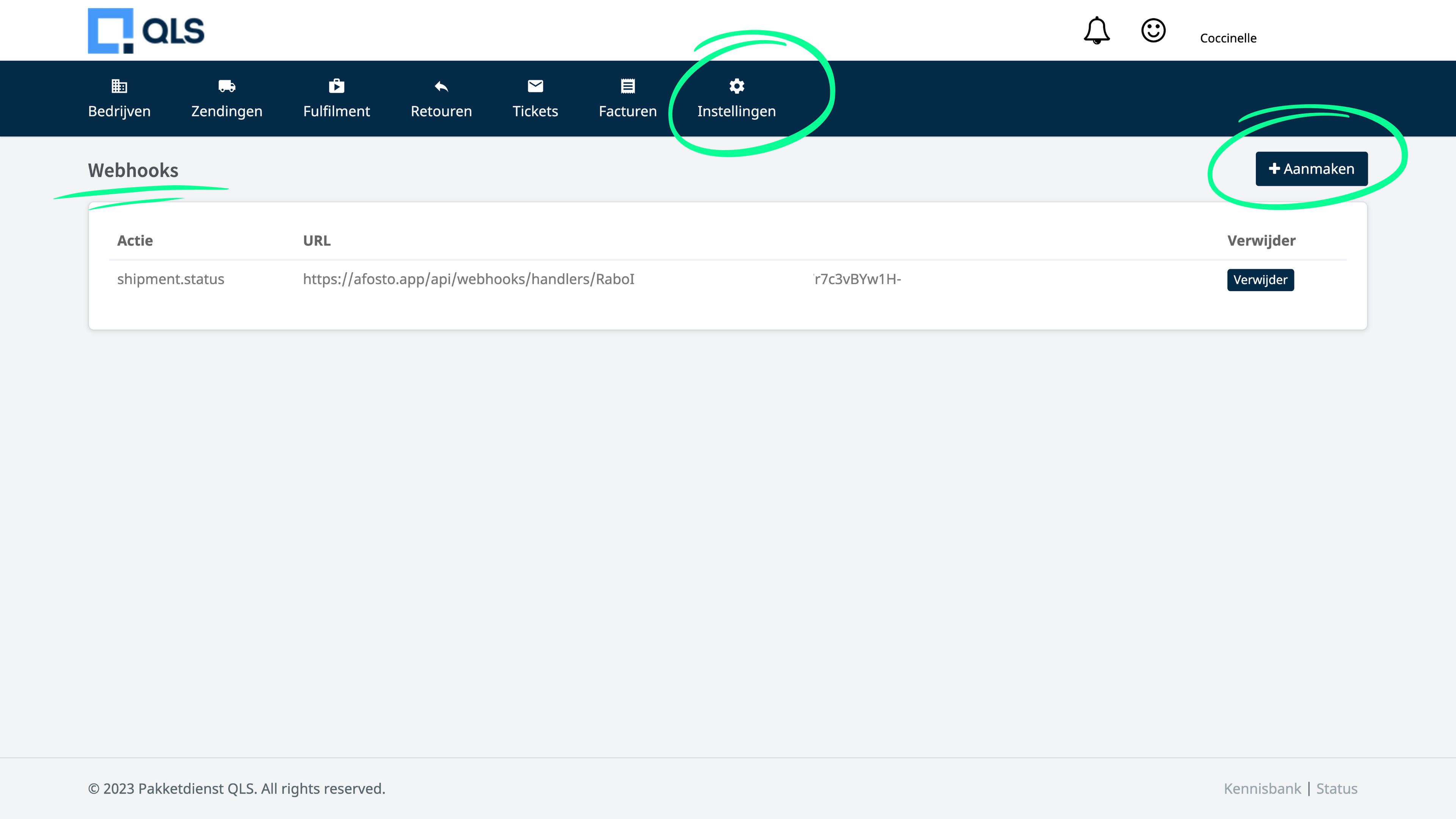
Once you have clicked Add, you need to do two things. In the top field, select 'shipment.status'. In the field below, paste the webhook URL that you just copied from Afosto.