

One checkout for store and webshop, synced in real time
Afosto POS connects your point of sale directly to your inventory, webshop and marketplaces. No more double entry, no more stock differences between your channels.
What is a POS system for retail?
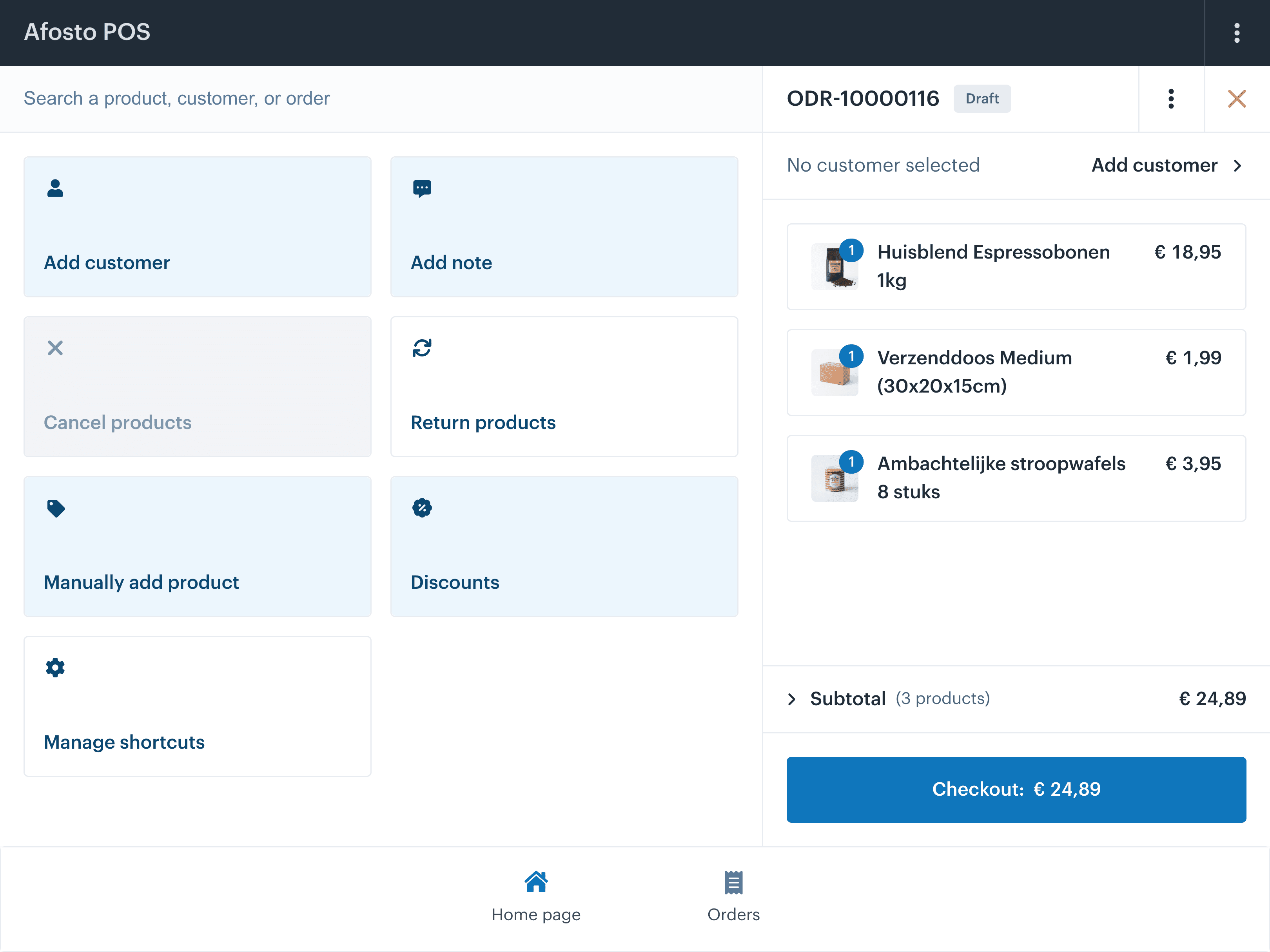
A POS system (point of sale) is the software you use to record in-store sales, process payments and update your inventory. With most checkout systems that is where it stops: your store register sits apart from your webshop, your marketplaces and your accounting.
Afosto's POS works differently. It is not an island, but part of one platform that manages your store, webshop, marketplace stores and inventory in a single place.
Why that matters for a retailer with multiple locations:
- Picture this: you have 3 stores and a webshop. A customer buys something online and picks it up in the store. With a standalone checkout system, someone has to adjust the inventory manually in two systems. With Afosto POS that is a thing of the past. Inventory adjusts automatically across all channels the moment a checkout transaction is completed.
- Your staff never have to check whether a product is still available online. They see it right on the checkout screen.
- Returns or exchanges between locations? The stock movement follows along automatically.
The result: less manual work every day, less chance of overselling, and customers who trust you because you always know what you have.
Afosto in numbers
Scalable for retail with ambitions
locations managed on one platform
to open a checkout session and process the first transaction
real-time inventory sync between store and webshop
for checkout, webshop, WMS, marketplaces and customer data
What Afosto POS does that a regular checkout does not
Real-time inventory updates across every channel
Every checkout transaction updates your central inventory instantly. Your webshop, marketplace stores and other locations see it right away: no overnight batch sync, no manual corrections.
Multiple locations, one dashboard
Manage checkouts, staff and inventory for all your locations from a single place. You see per location what is selling, what is running low and what needs to move to another store.
Customer recognition at the checkout
Afosto POS recognises existing customers at the checkout. Purchase history, loyalty points and open online orders are visible right away, even if the customer ordered online earlier.
Integration with marketplaces and Exact
Your in-store sales run in the same data stream as your marketplace orders. So you never have to merge your revenue by hand for your accountant or analytics.
Headless checkout for in-store screens
Set up an order kiosk or in-store screen so customers can look up, add or order products themselves. The same engine as your webshop, no separate application.
Offline mode with automatic sync
Lose your connection? Afosto POS keeps working. As soon as the connection is back, all transactions sync automatically. No downtime, no data loss.
FAQ
Frequently asked questions about Afosto POS
Straight answers for retailers weighing up a new point of sale system.
Does Afosto POS work if I already have a webshop on Shopify or WooCommerce?
Yes. Afosto POS can run alongside your existing webshop through an API connection, so your inventory stays in sync. Many retailers do choose to migrate their webshop to Afosto as well, precisely because they then have one combined data stream for checkout, shop and marketplaces, with no intermediary connections that can fail.
How long does it take to set up Afosto POS in an existing store?
Most retailers are up and running within a working day. You import your product catalogue through a CSV or the API, connect your payment terminal and open your first checkout session. Setting up multiple locations, user roles and stock locations takes 1 to 3 days on average, depending on how complex your assortment is.
Does the checkout system still work if the internet connection drops?
Afosto POS has an offline mode. Transactions are stored locally and, as soon as the connection is restored, everything syncs automatically. That way you never have to interrupt a checkout session because of connection issues.
Is Afosto POS suitable for retailers with multiple locations?
Afosto is built specifically for retailers with 1 to 50 locations. You manage every location from a single dashboard: per store you see the inventory, the daily revenue and the open transfers to other branches. Staff log in with their own account and only see what is relevant to their location.
How does Afosto POS compare to Lightspeed?
Lightspeed is a mature checkout system, but it stands apart from marketplaces and from WMS functionality. Afosto combines checkout, stock recording, WMS, webshop and marketplace connections in one platform. Retailers who need extra connections at Lightspeed for their e-commerce channels often choose Afosto as an alternative.
What does Afosto POS cost?
Afosto works with a subscription model that scales with usage. You start with a free account and can try out the POS functionality right away. You will find the pricing for paid plans on the pricing page.
Checkout, webshop and inventory as one, without manual retyping
Create a free account and see for yourself how Afosto POS works in a real retail setting. Or book a demo if you would rather ask a few questions first.