

Manually marking invoices as paid
To manually mark your invoices as paid, follow these steps:
Go to Afosto.app and navigate to Sales > Orders
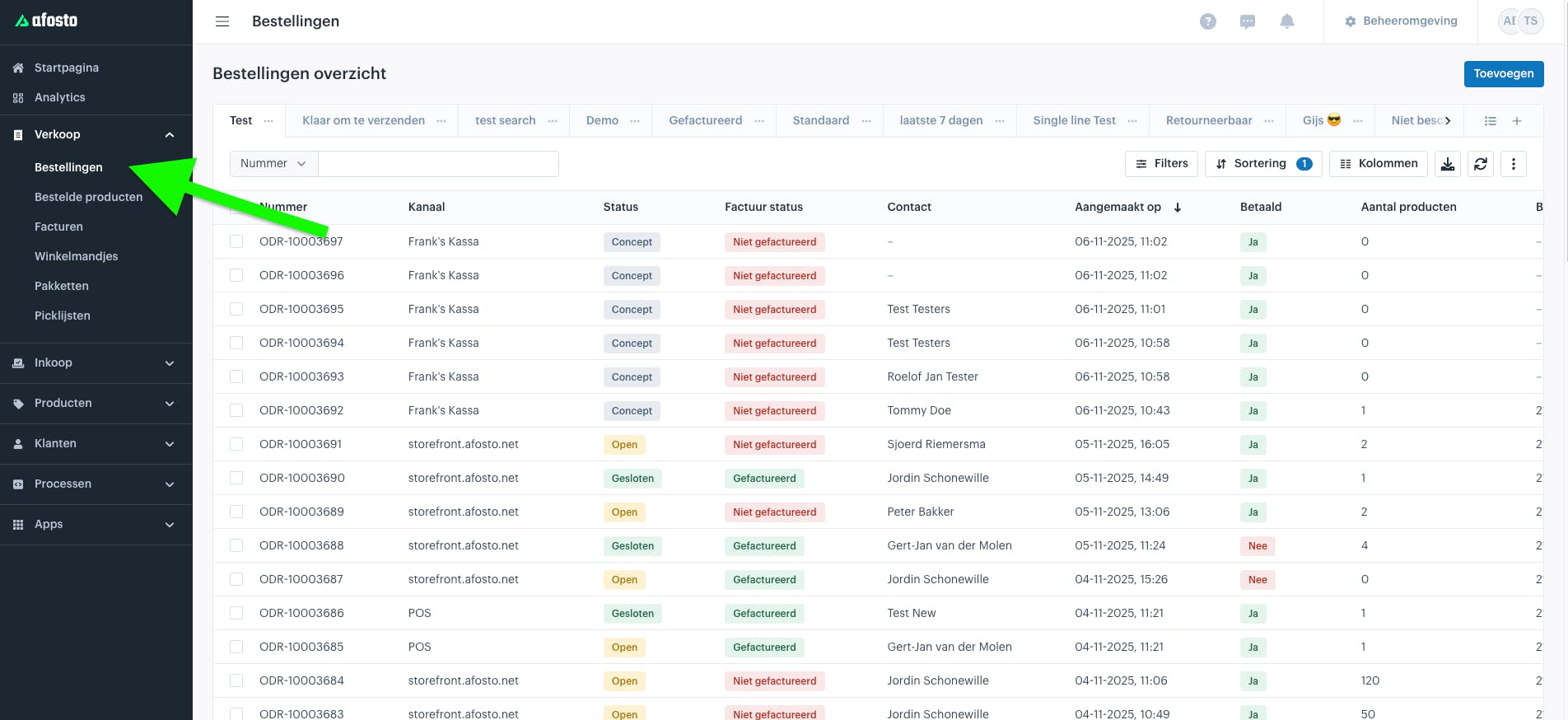
Open the specific order for which you want to mark the invoice as paid
Scroll down and click the three dots below "Paid"
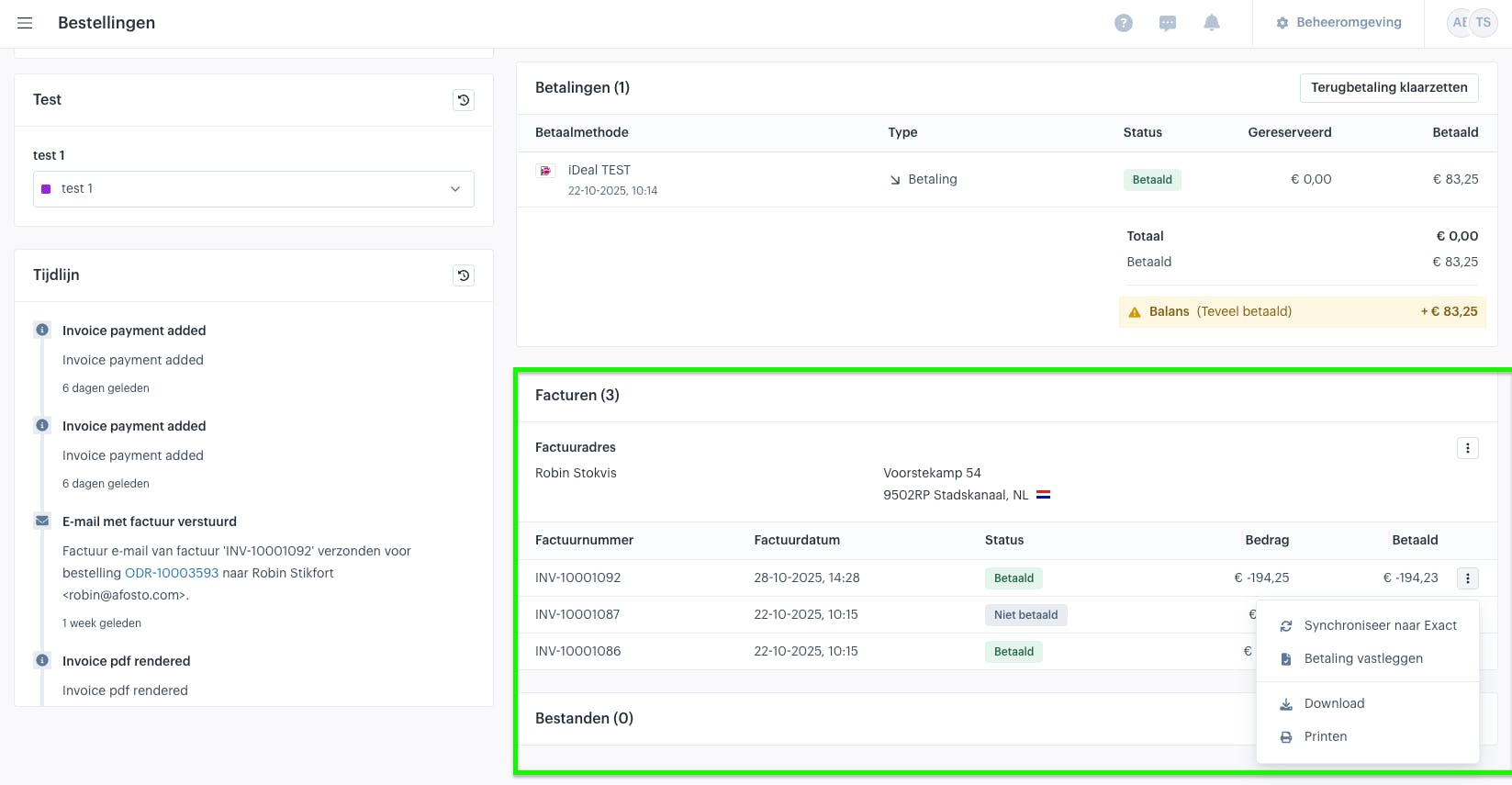
Click "Record payment" and your invoice will be marked as paid
About Afosto
Till, webshop, bol and Kaufland on one stock.