

Activating accounts
Customer accounts can be imported into Afosto, but because passwords cannot be transferred, new accounts must be activated. Customers need to set a new password via an activation link that is sent to them. Sending this email must be handled by an email marketing tool (such as Klaviyo).
The activation link must be constructed as follows:
{account domain}/activate?email={email address}
It is also possible to send an activation link to your customers directly from their contact record in Afosto. Follow the steps below to do so.
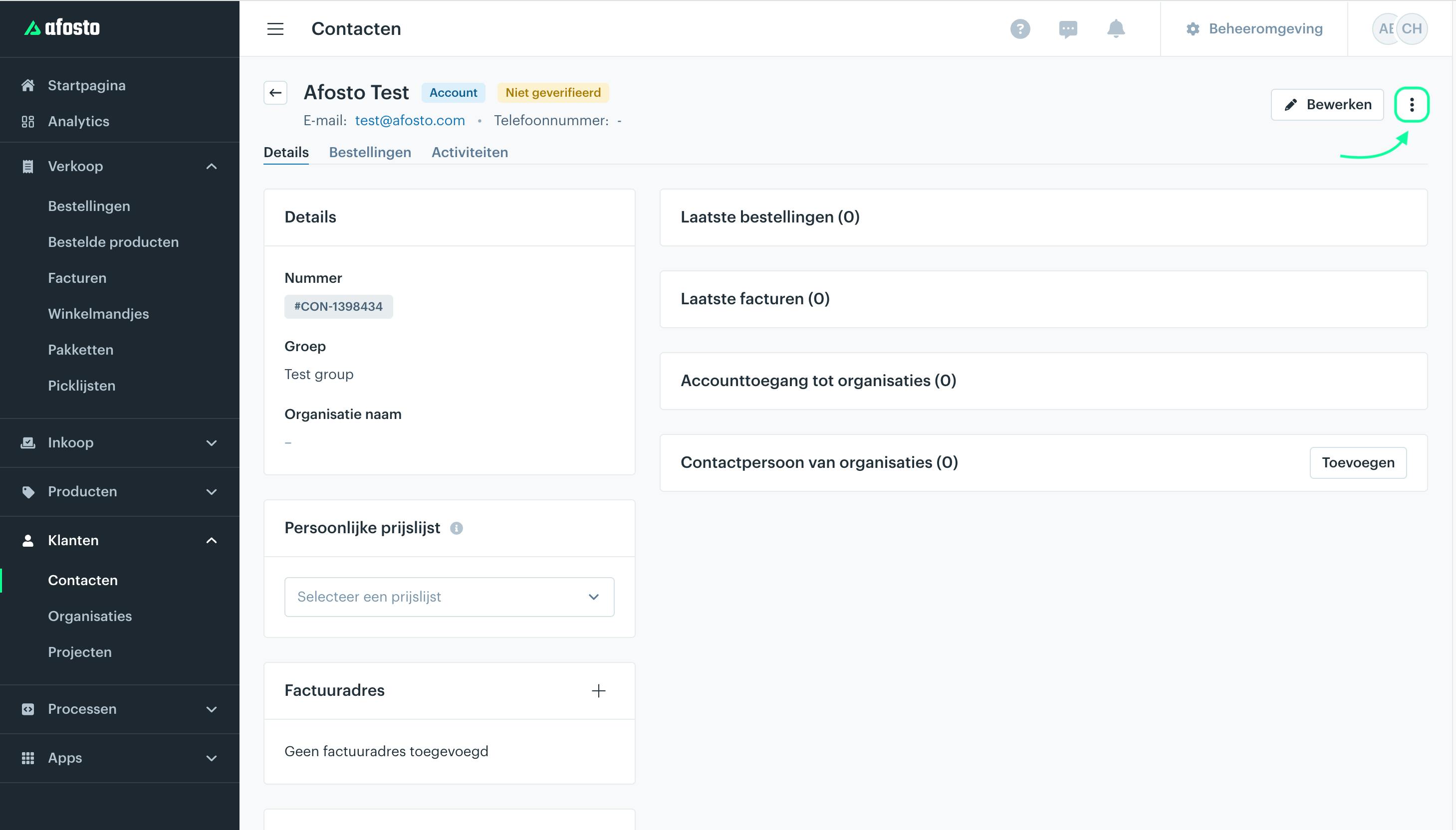
Step 1: Select the contact you want to send the activation link to and click the three dots.
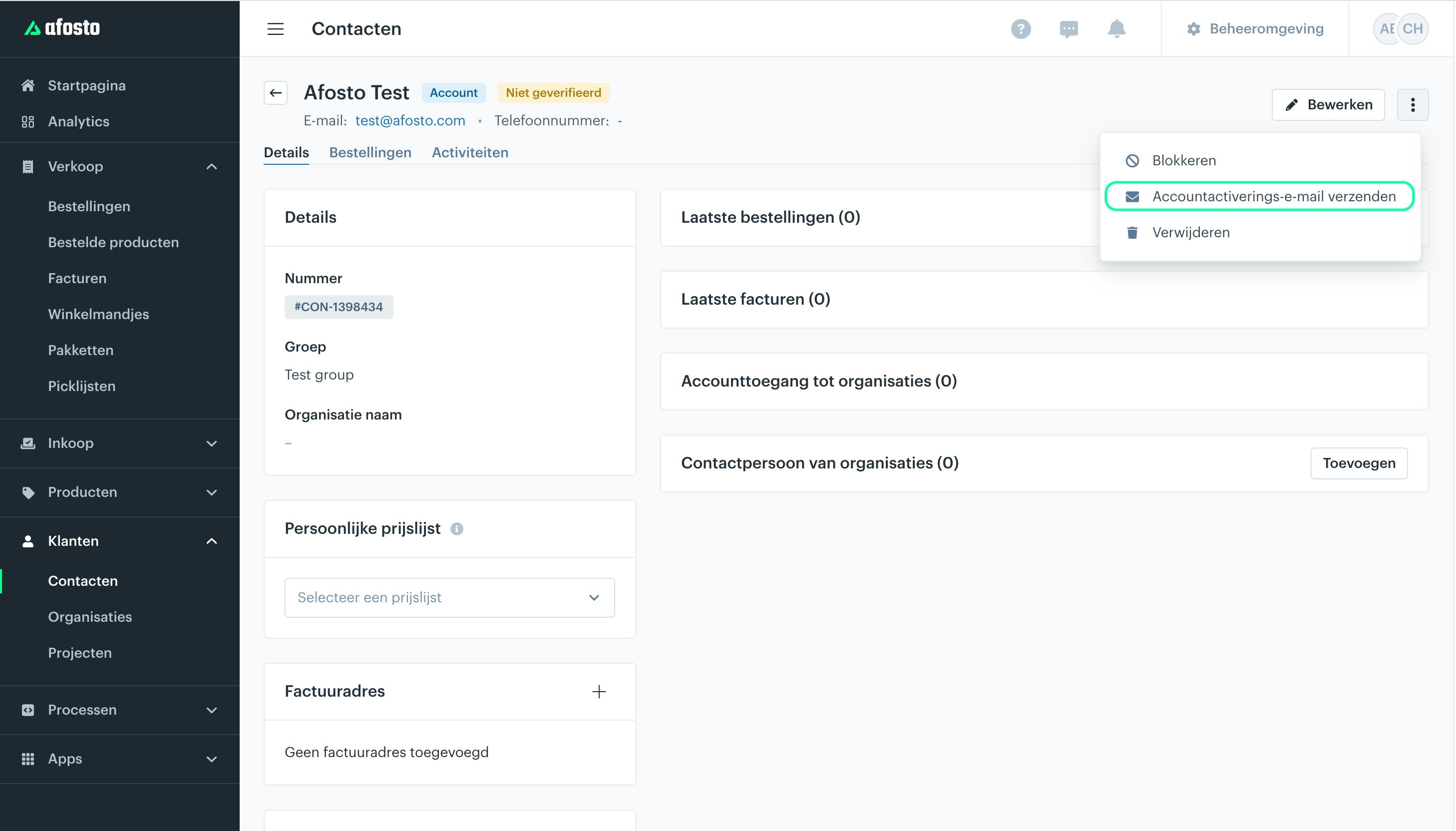
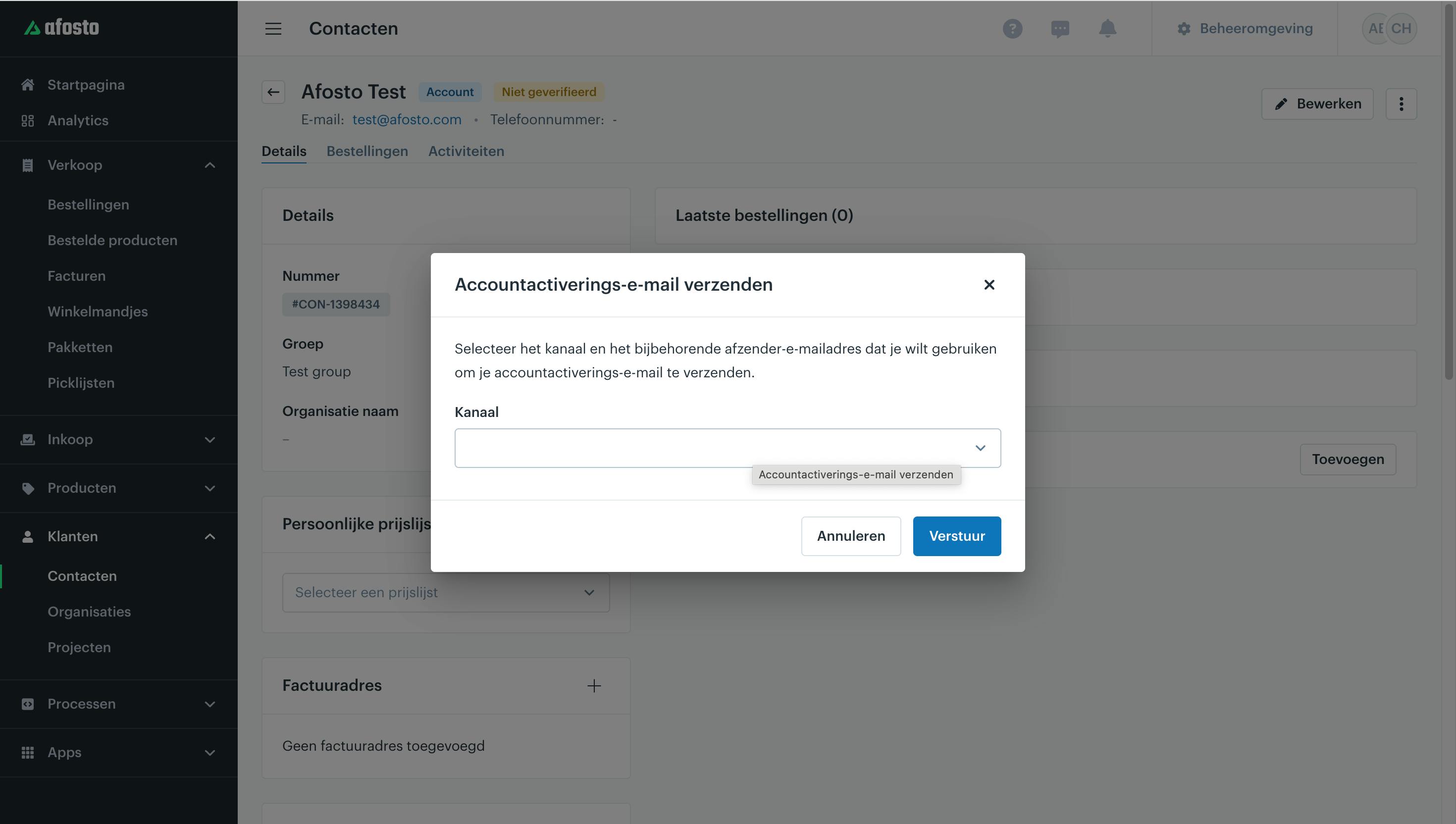
Step 2: Select the channel you want to use and send the activation email.
Account domain: This is the domain of your customer account environment, configured in the sales channel. Example: https://account.afosto.com/
Note: check your sales channel settings to find the correct domain. You can find it here: https://admin.afosto.app/channels/
Email address: This is the email address of the imported contact in Afosto.