

Setting Up the Account Area
Set up an account area on your storefront in four steps, so customers can view their orders and manage their details, addresses and preferences.
Set up an account area on your storefront to allow customers to view their orders, update account information, and manage addresses and preferences. To set up an account area in Afosto, you need to complete the following four steps:
-
Add a storefront sales channel to Afosto.
-
Verify ownership of your main domain.
-
Configure the subdomain for the account area.
-
Assign the subdomain to the sales channel.
Adding a Storefront Sales Channel
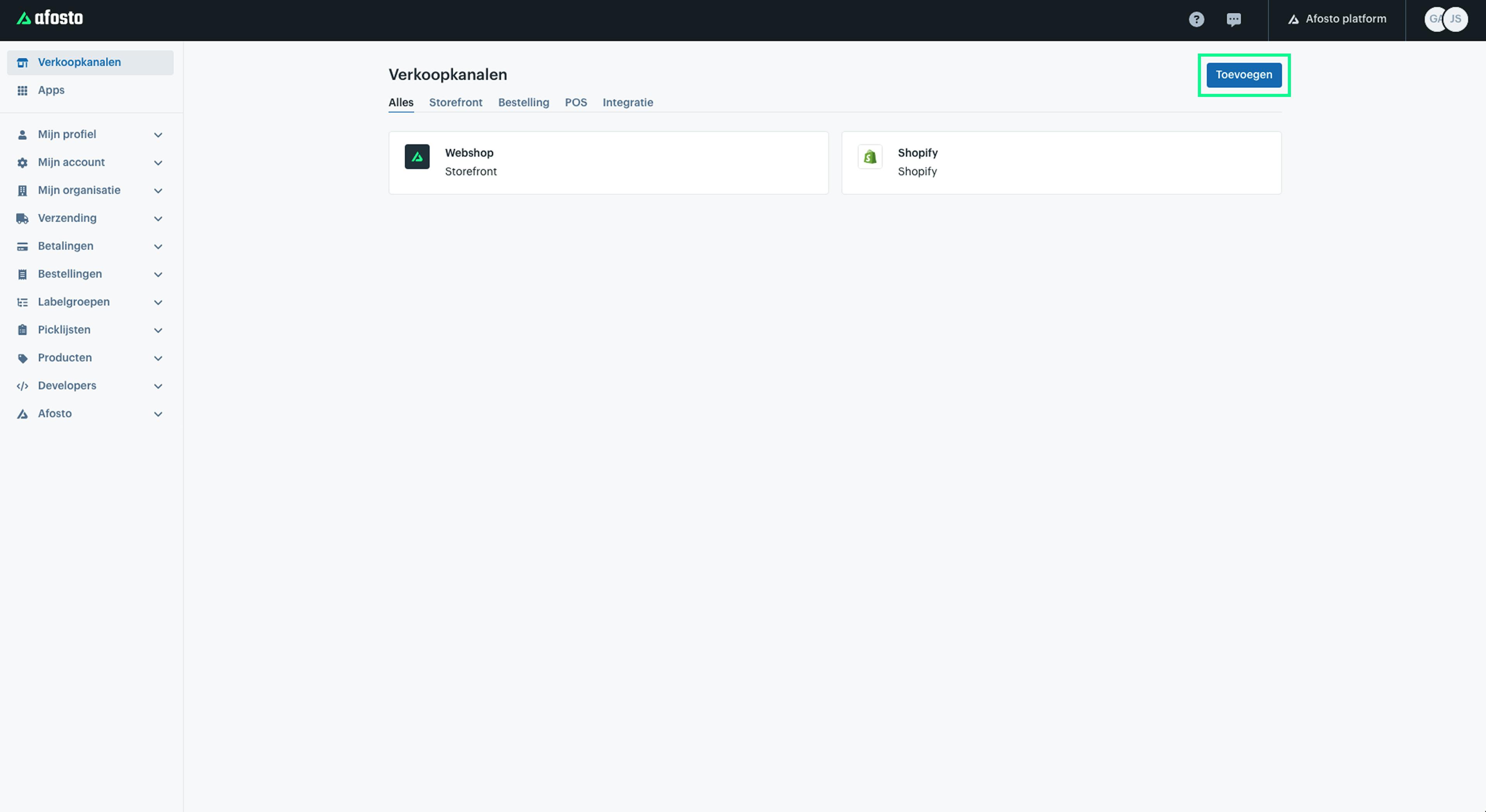
The first step in setting up an account area is to add a Storefront sales channel. Go to ‘Sales Channels’ in the Afosto management interface, click ‘Add’, and select ‘Storefront’ as the channel type.
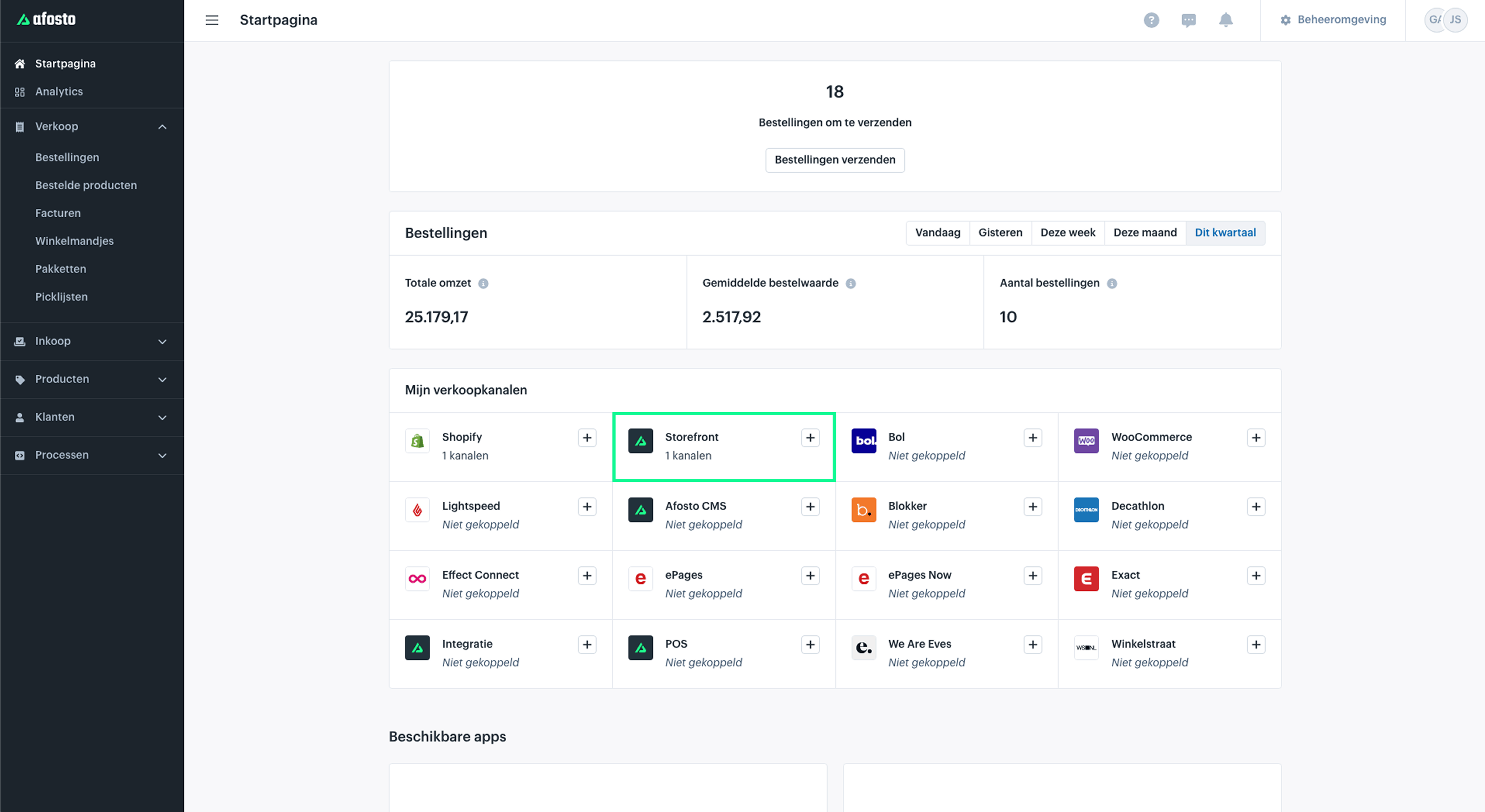
Alternatively, go to the ‘Homepage’ in the Afosto platform and click the ‘plus’ button next to ‘Storefront’ to add a new channel.
Read more about adding
Verify Main Domain Ownership
To set up an account area, you first need a verified subdomain. For this, you must—if you haven’t done so already—verify the main domain. This is done by confirming that you are the owner of the domain, allowing our system to verify access. Go to ‘Domains’ in the Afosto management interface. Read more about 'Adding Domains'.
Configure Subdomain
After verifying ownership of your main domain, you can add options for how you want to use the domain:
-
Outgoing emails
-
Account area
-
Hosted checkout
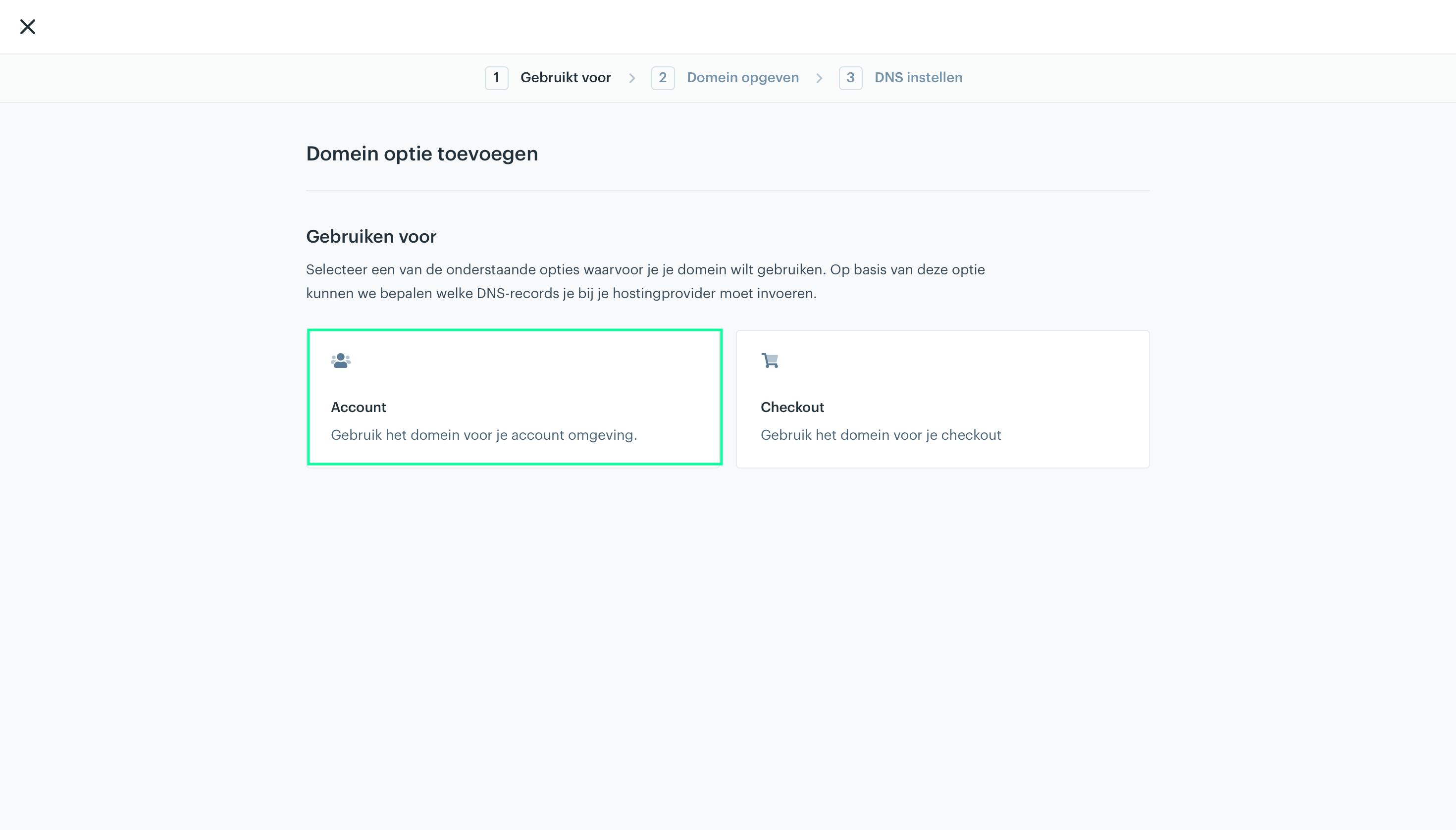
To set up the account area, choose the option: Account.
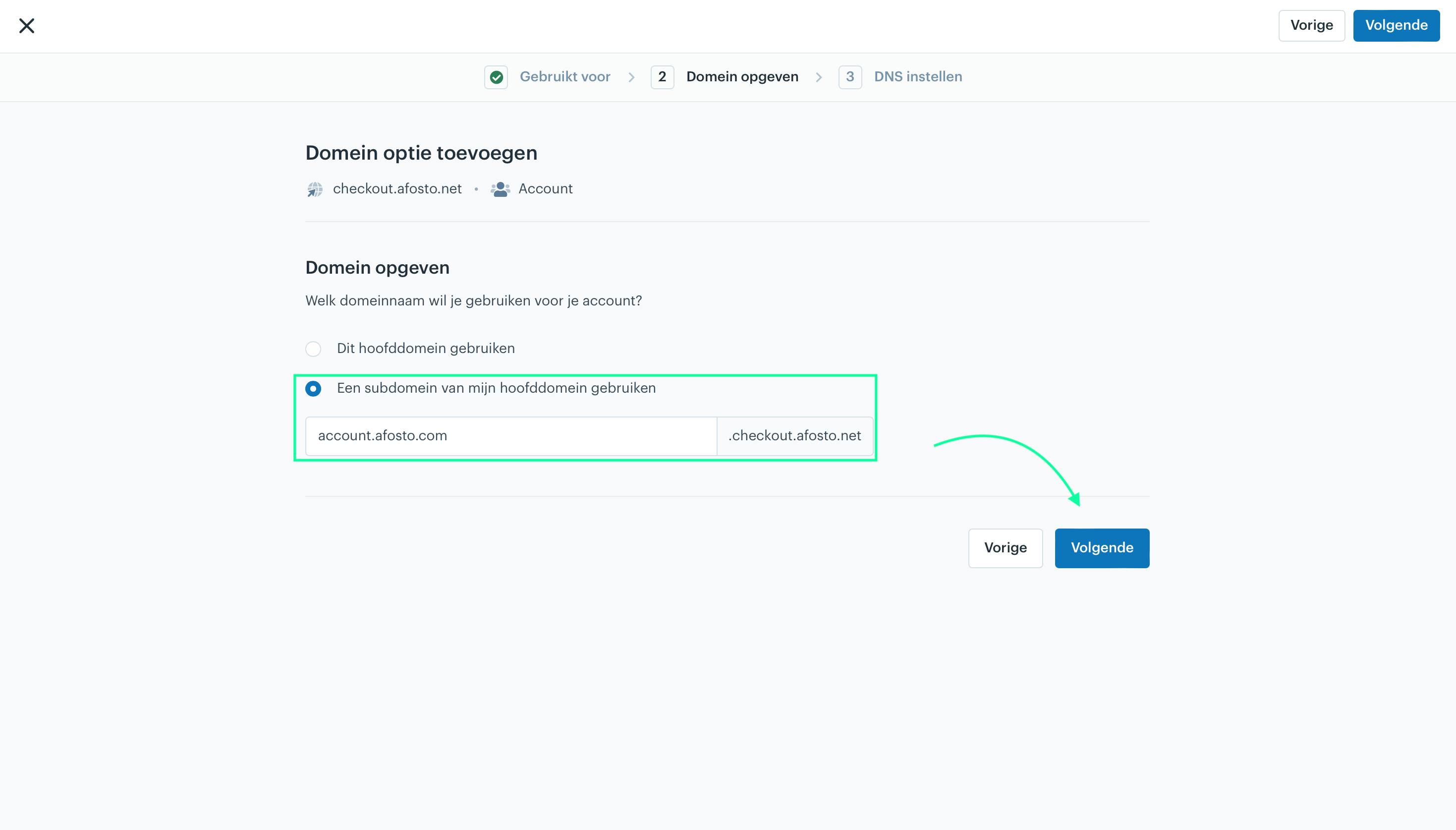
In the next step, choose to use a subdomain of your main domain and enter the subdomain. For example: account.afosto.com.
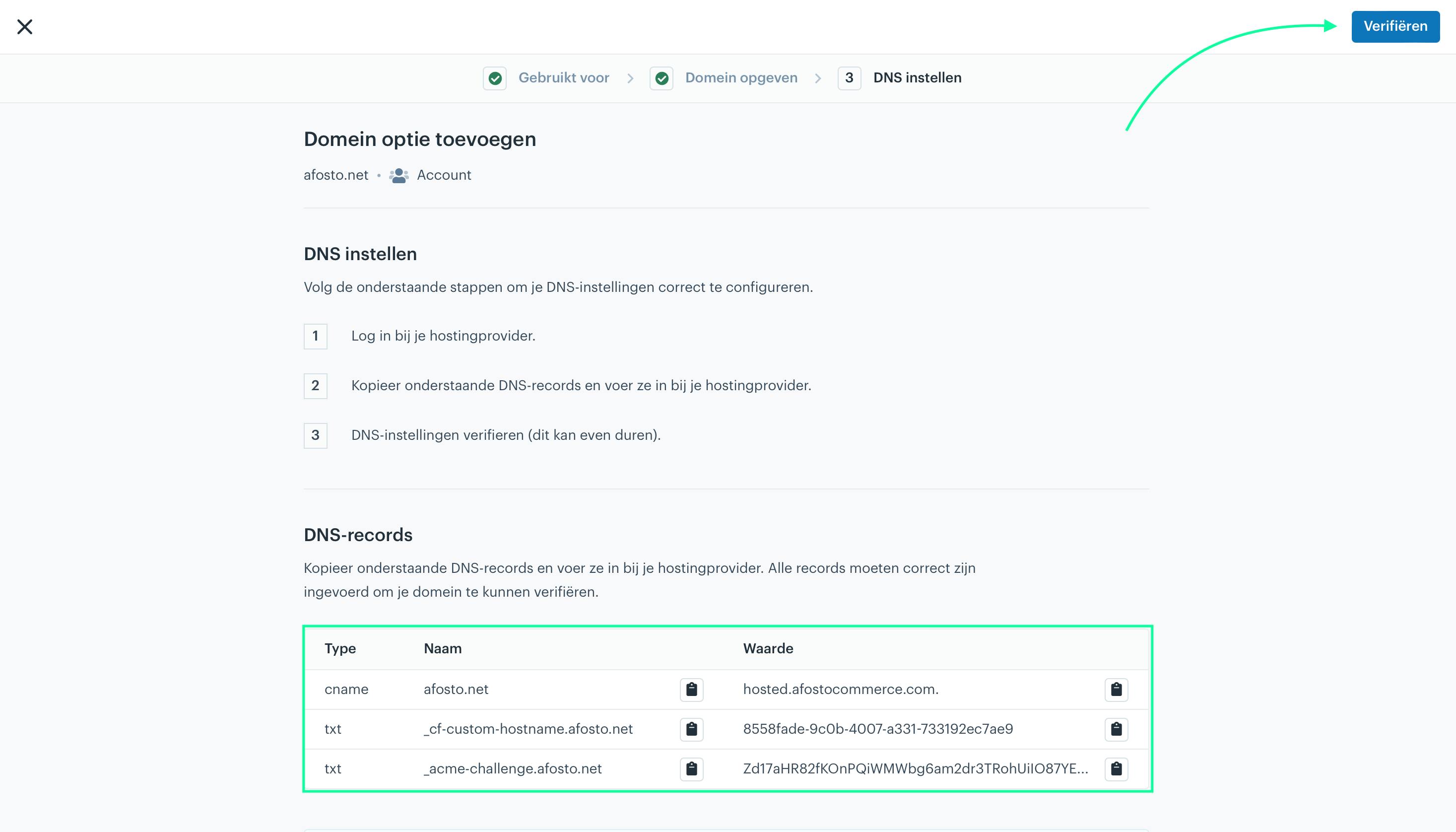
Finally, enter the DNS records with your hosting provider to point your environment to the desired (sub)domain.
Add Subdomain to Your Sales Channel
The final step is to assign the subdomain to the storefront sales channel you added. Use the subdomain for the account that you set up and verified in the previous step. Once added, your account area is configured and can be accessed via the URL you just set, for example: account.afosto.com.
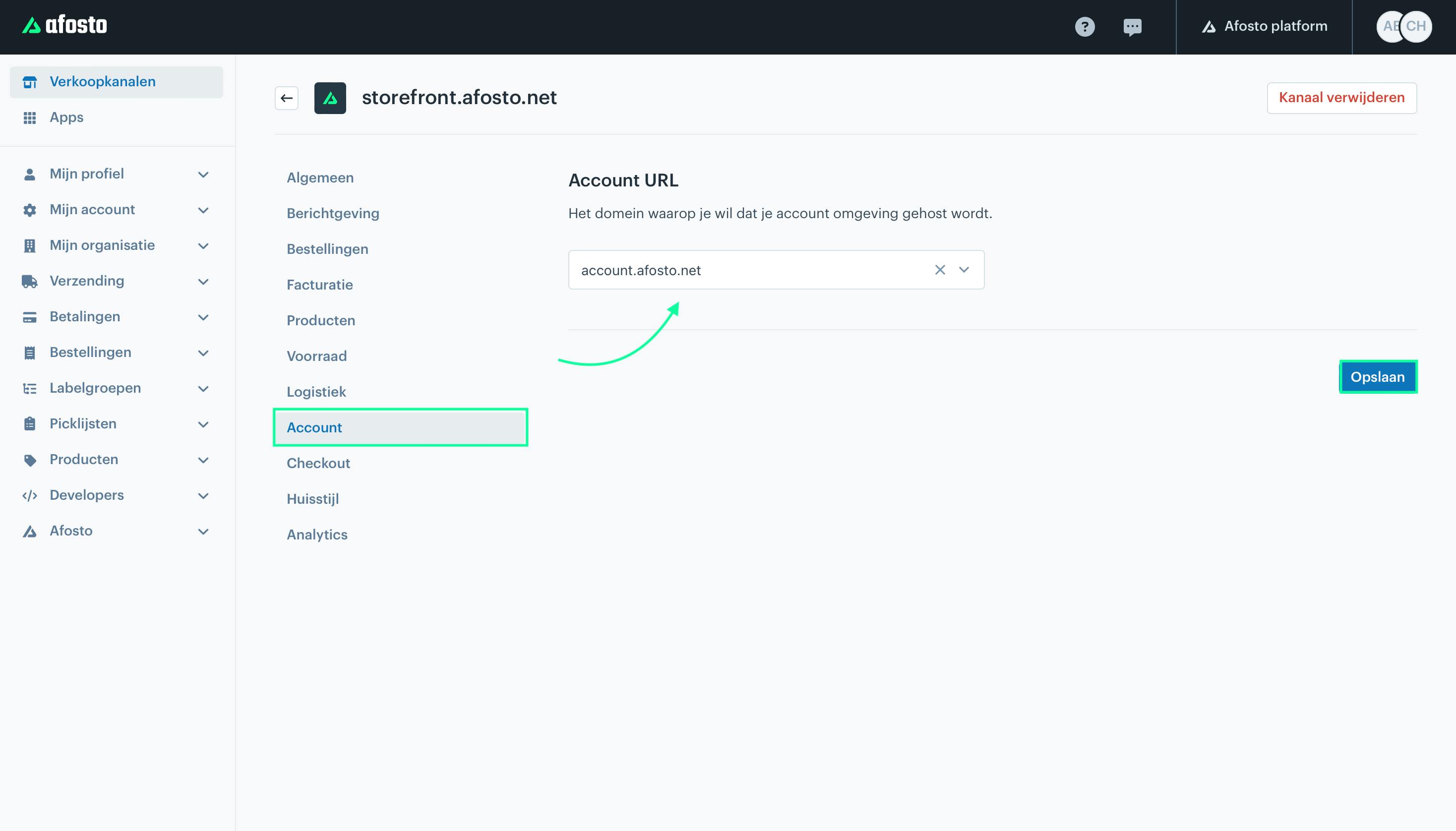
To add the subdomain of the account area to your sales channel, go to ‘Sales Channels’ in the Afosto management interface and select the desired storefront sales channel. Then navigate to: Account → Account URL. Select the subdomain here and save your changes.
About Afosto
Till, webshop, bol and Kaufland on one stock.
Related documentation
Registering and Logging In to an Account
How customers register and log in to the account area of your webshop, and how they log in directly during checkout.
Request account
There are two options for creating an account on your webshop: The customer can create an account themselves and then log in immediately.