

Afosto CMS - Apps - reCAPTCHA
Read here how to set up reCAPTCHA for an Afosto webshop
Nothing more annoying than your mailbox full of spam, coming from your contact form. Google has a service that checks that you are not a spam-sending bot, through a tool called reCAPTCHA. This tutorial covers creating reCAPTCHA credentials and setting up the plugin on the Afosto environment.
##Create reCaptcha credentials To use reCAPTCHA you need to create credentials. This can be done via the following link:
-
Fill in a recognizable label under Register a new site, for example: Afosto reCAPTCHA.
-
Choose the option reCAPTCHA V2 and from the options that appear select 'I am not a robot'.
-
Next, enter the url of your site(s) under Domains.
-
Enter your email address
-
Save the settings
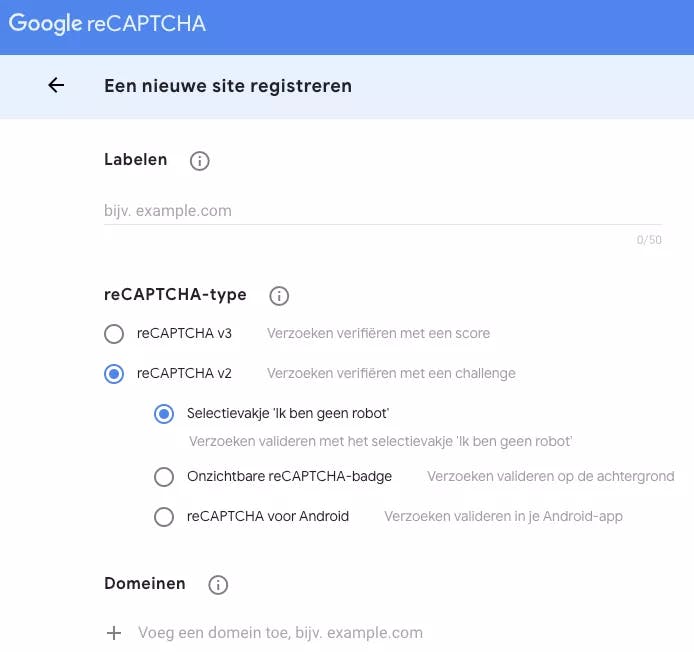
As soon as you click register you will be taken to the screen with your unique credentials.
##Settings
On your Afosto dashboard, go to "reCAPTCHA" under "Apps".
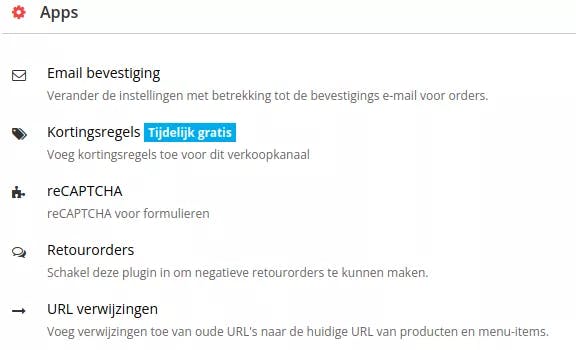
Enter the credentials you obtained when creating reCAPTCHA.
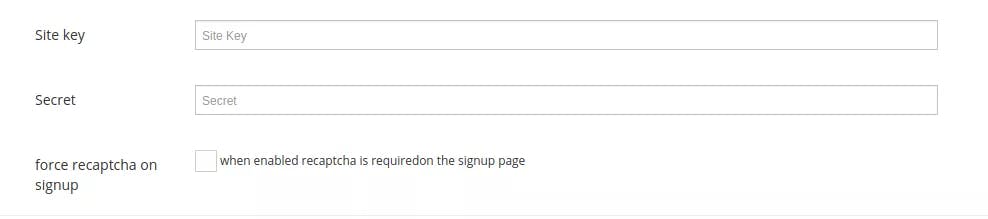
Site key
Enter the site key you obtained during the creation process.
Secret
Fill in the secret key you obtained during the creation process.
The plugin is now set, from now on you will not receive any spam in your inbox.
About Afosto
Till, webshop, bol and Kaufland on one stock.
Related documentation
Loyalty Campaigns
Beheer loyalty campagnes op je kassa, webshop en instore schermen met Afosto
Afosto CMS - Apps - Filter sorting
You can read how to adjust the sorting of filters per page in the Afosto CMS here.
Image Importer
On this page we explain how to set up app messaging for afosto.io
On this page we explain how to set up app messaging for afosto.io