

Shipping labels via QLS
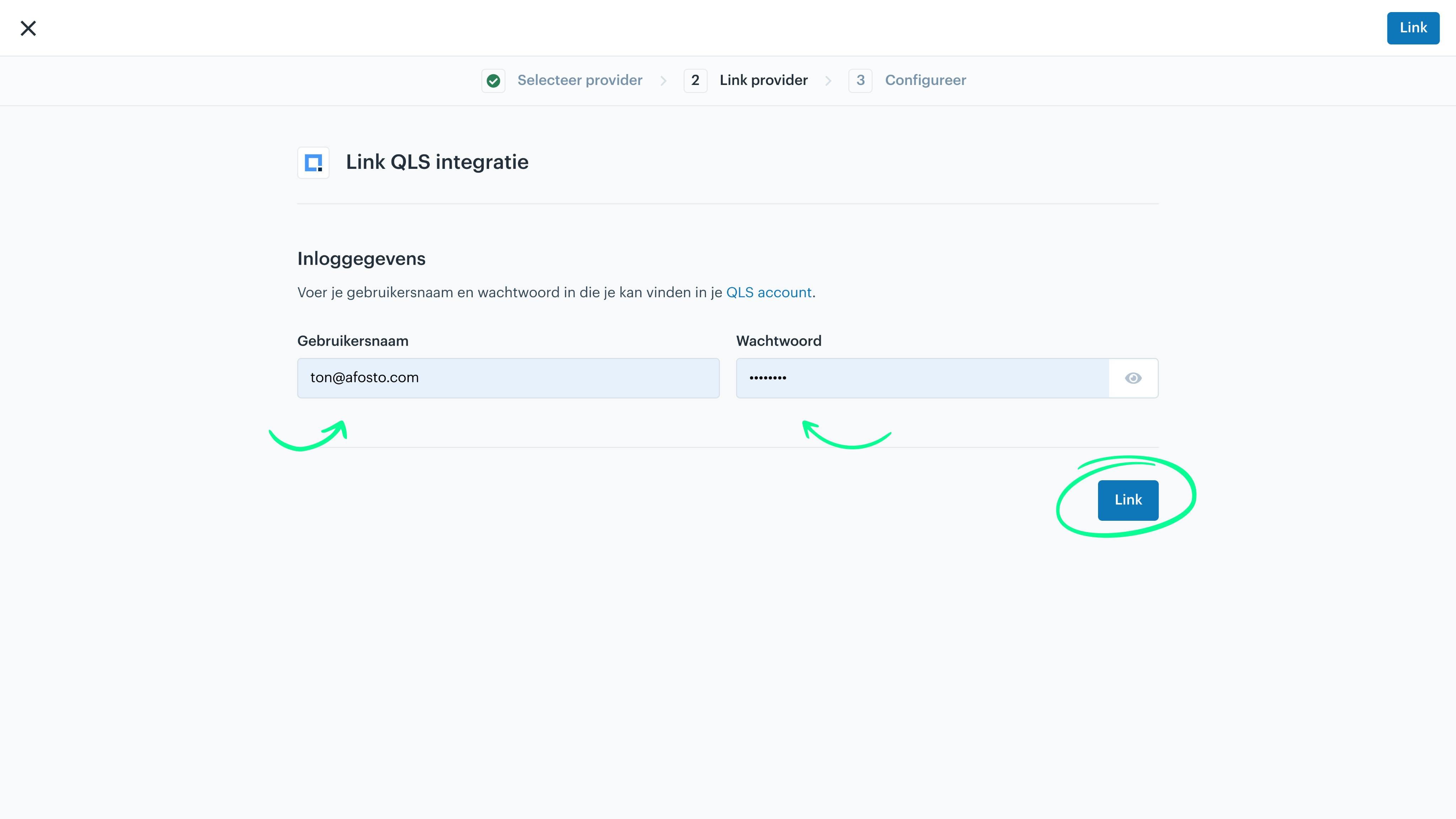
In this guide, we explain how to create the connection between Afosto and shipping labels via QLS. In Afosto, go to QLS under Apps. Then click Add. In the window that opens, enter your QLS username and password, and click Link.
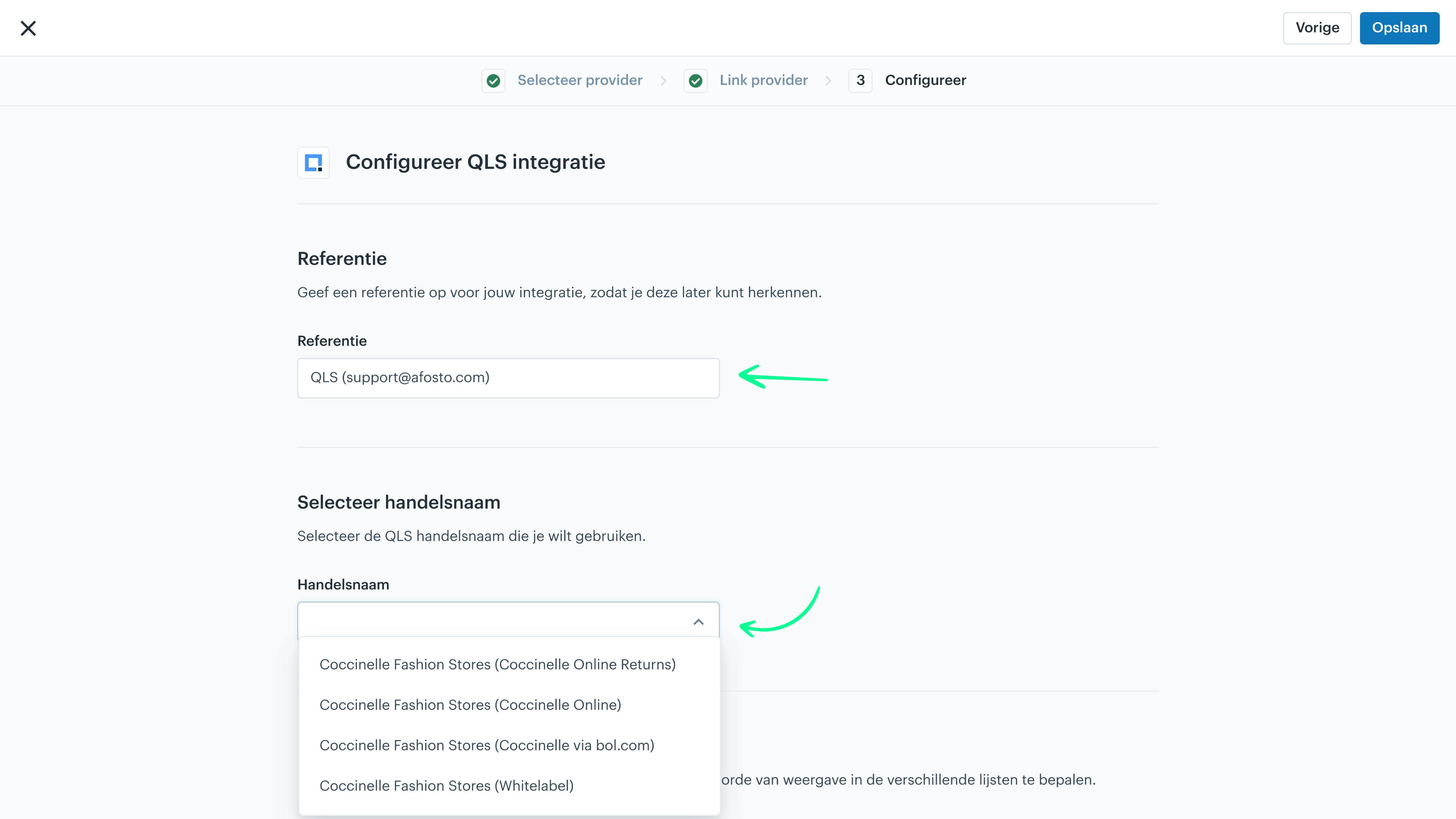
In the next screen, you can give your connection a name. Then, you need to select your correct QLS trade name. These are listed in the dropdown that opens.
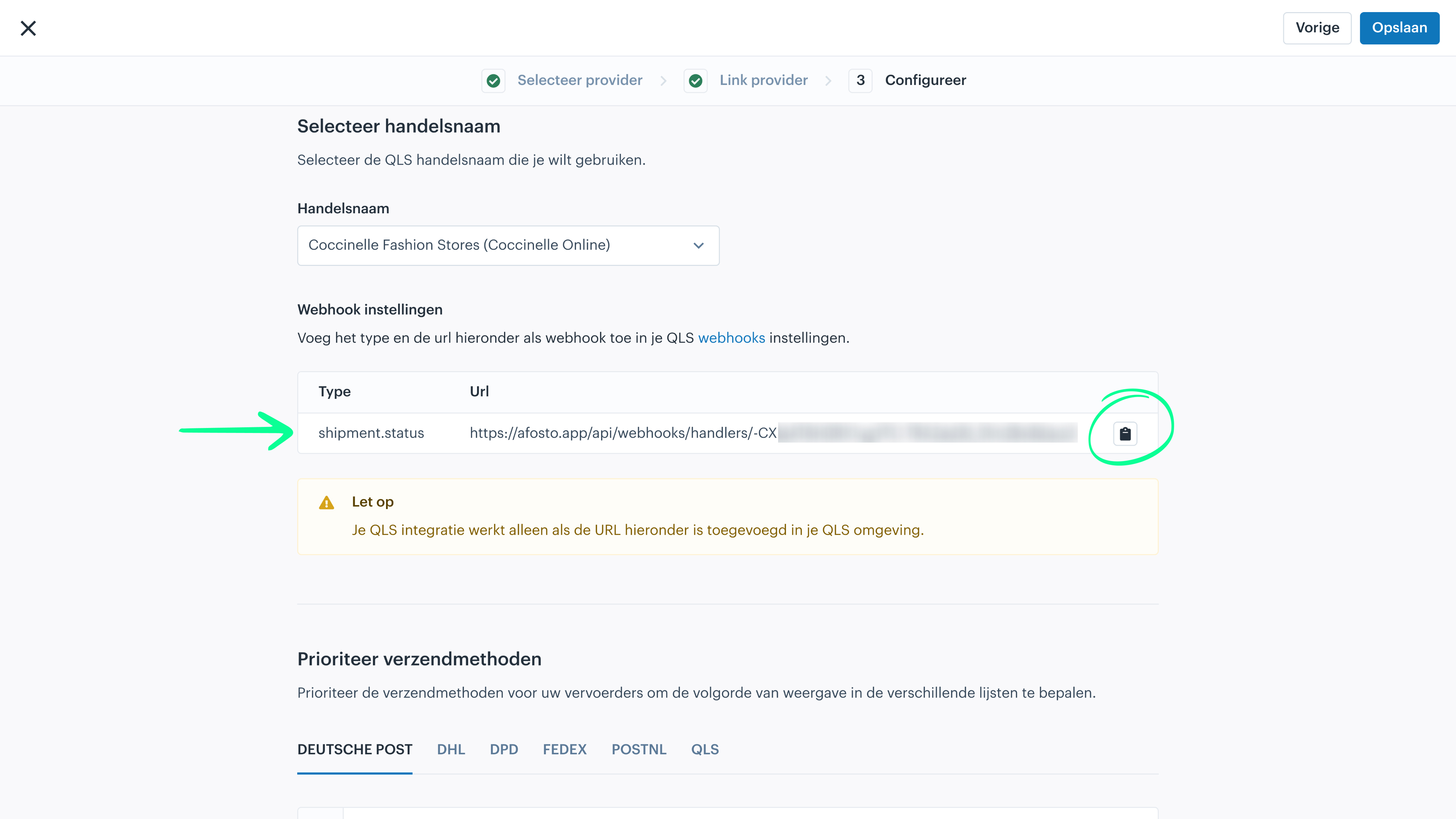
Once you have selected a trade name, a URL will appear on the screen that you need in your QLS account. Copy this URL.
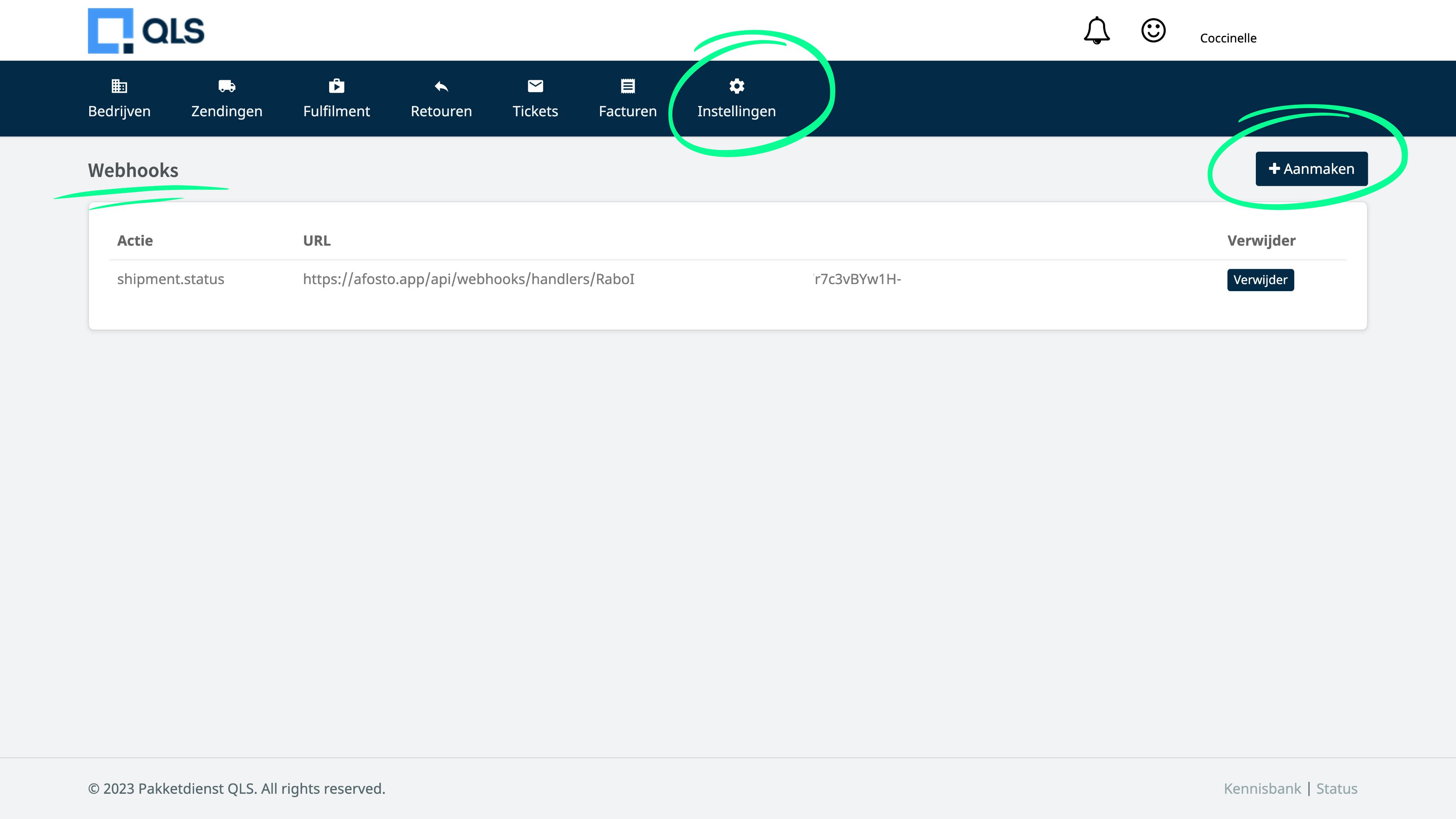
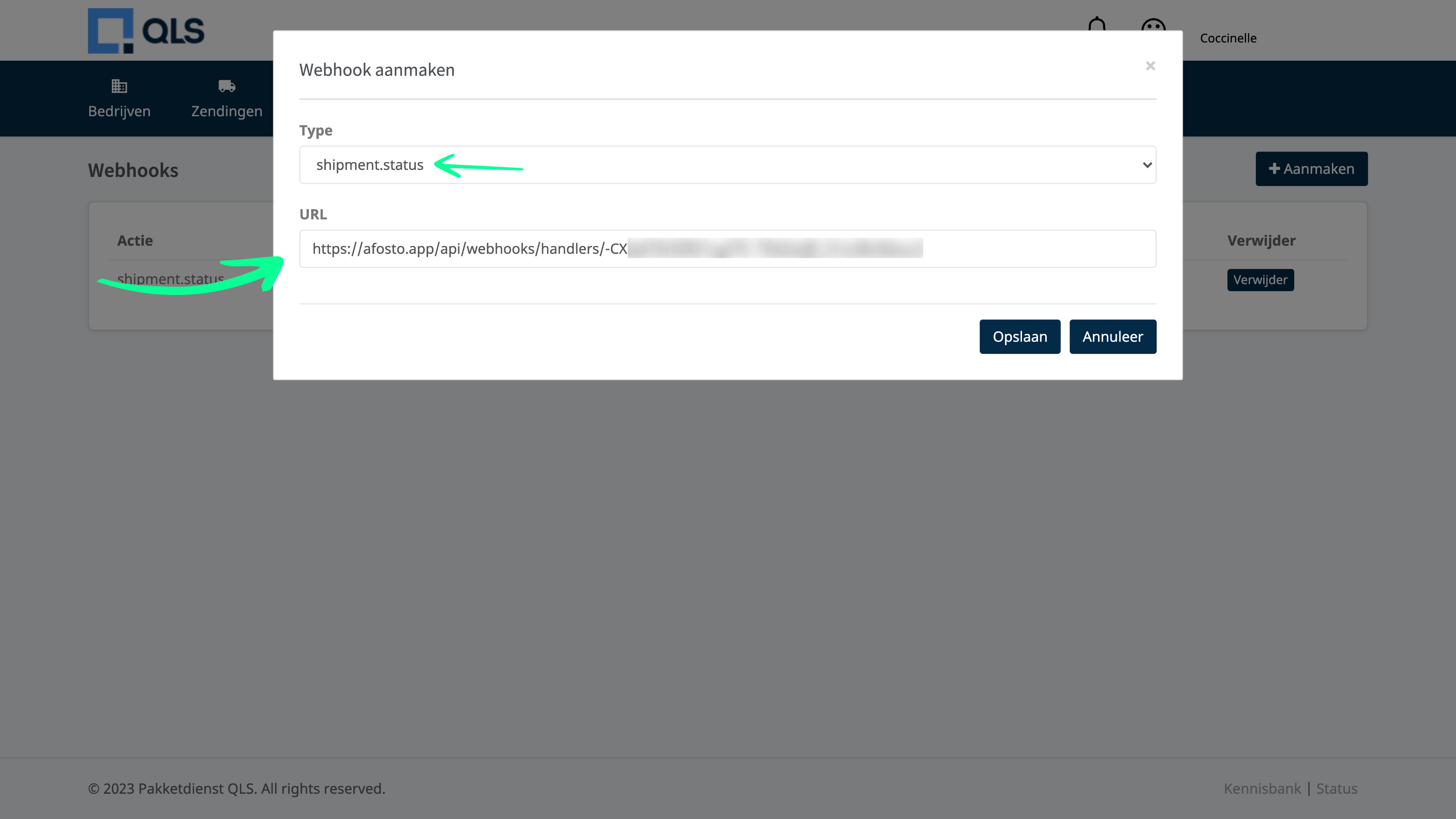
Go to your own QLS environment and log in. Once logged in, click on 'Settings' in the menu and choose 'Webhooks'. The screen below will open. In the top right, click 'Add'.
Once you have clicked Add, you need to do two things. In the top field, select 'shipment.status'. In the field below, paste the webhook URL that you just copied from Afosto.
About Afosto
Till, webshop, bol and Kaufland on one stock.
Related documentation
Pay App connection with Afosto OMS
Step-by-step guide on how to connect Pay.nl to your Afosto environment and easily activate payment methods like iDEAL, PayPal, and Klarna for your webshop.
Afosto POS
Guides for the Afosto POS: open it at pos.afosto.app, connect a printer and PIN terminal, open the cash drawer and install the POS as an iPad app.
Afosto shipping label provider
Use the Afosto shipping label provider app to automate the check-in and check-out process of packages to be picked up. Easily link the app via 'Shipping methods' or 'My organization' and follow our step-by-step instructions to get started. Improve efficiency and customer satisfaction with Afosto.
Mollie
Learn how to connect Mollie to your Afosto environment and easily activate payment methods like iDEAL, Credit Card, and Klarna for your webshop.