

Silvasoft connection
The connection between Silvasoft and Afosto ensures that invoices from Afosto are synchronized to Silvasoft. This way, your accounting stays up-to-date with everything happening in Afosto.
Add App
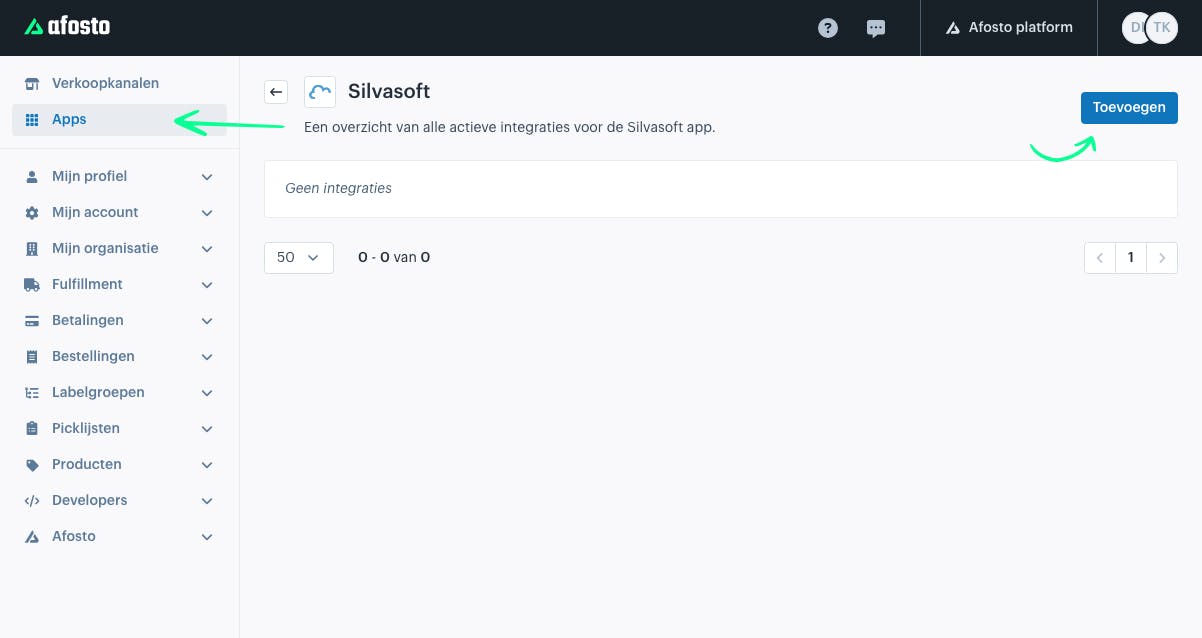
To add Silvasoft, go to Apps in the Afosto admin environment.
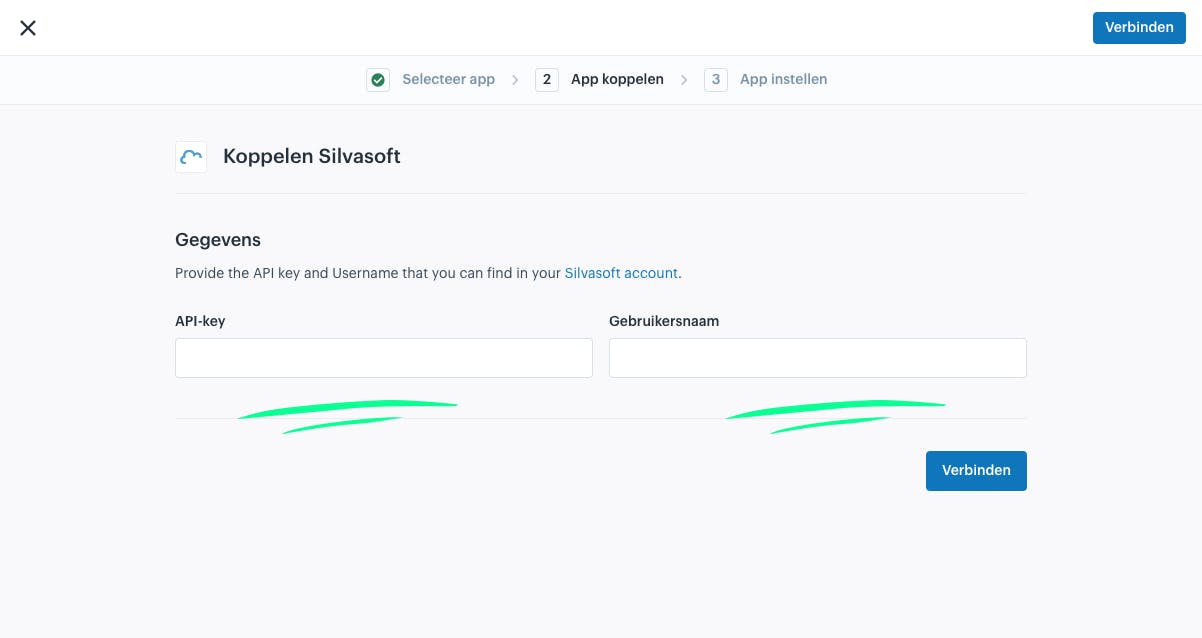
Next, enter your API key and username, which you can find in your Silvasoft account.
Once the app is connected, you need to fill in the following settings:
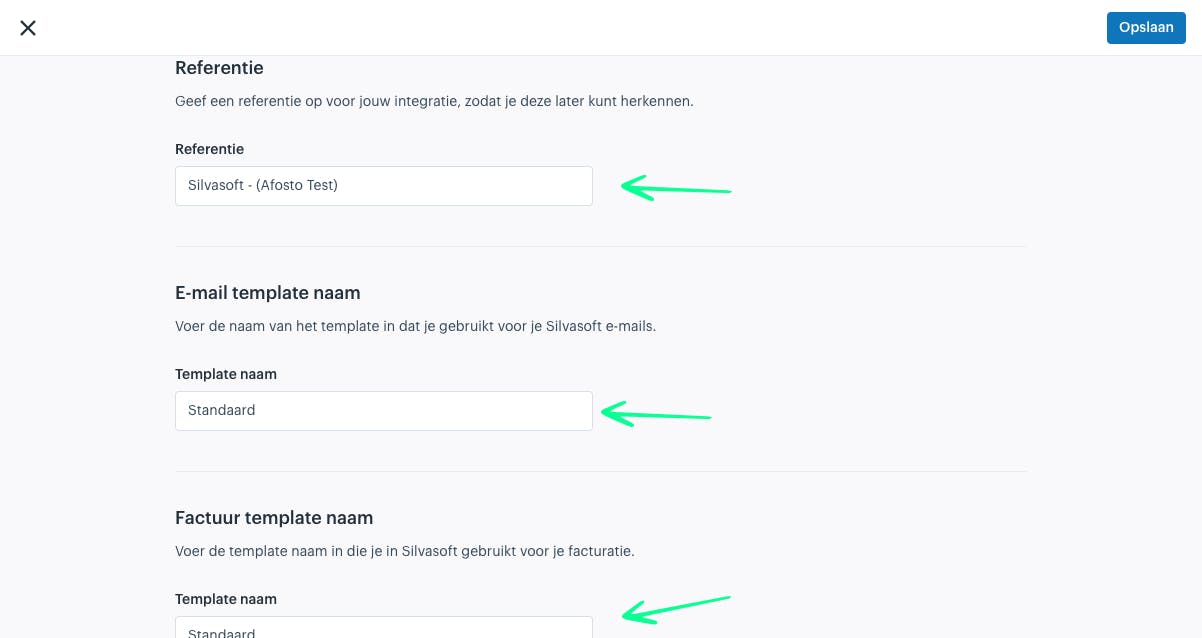
Integration name: enter a name that is easy to recognize. This is especially useful if you have multiple connections.
Templates In Silvasoft, you have the option to set up templates for your emails and invoices. If you have set this up, you need to enter the name of the template in the fields in Afosto. This ensures it is always displayed correctly in Silvasoft. For more information, see the documentatie of Silvasoft.
Email template name: If you leave this empty, the default template will be used. Invoice template name: If you leave this empty, the default template will be used.
Once the connection is set up, the invoice generated in Afosto will automatically be sent to Silvasoft as soon as it is created.
About Afosto
Till, webshop, bol and Kaufland on one stock.
Related documentation
Pay App connection with Afosto OMS
Step-by-step guide on how to connect Pay.nl to your Afosto environment and easily activate payment methods like iDEAL, PayPal, and Klarna for your webshop.
Afosto POS
Guides for the Afosto POS: open it at pos.afosto.app, connect a printer and PIN terminal, open the cash drawer and install the POS as an iPad app.
Afosto shipping label provider
Use the Afosto shipping label provider app to automate the check-in and check-out process of packages to be picked up. Easily link the app via 'Shipping methods' or 'My organization' and follow our step-by-step instructions to get started. Improve efficiency and customer satisfaction with Afosto.
Mollie
Learn how to connect Mollie to your Afosto environment and easily activate payment methods like iDEAL, Credit Card, and Klarna for your webshop.