

Create Pick List
With the Afosto WMS app, you can easily create pick lists for collecting orders in your warehouse. A pick list is the first step in the picking process: it determines which items need to be collected and where they are located.
In this guide, we explain how to manually create a pick list in the app.
Step-by-step: Creating a Pick List in the WMS App
-
Open the WMS app on your scanner or desktop via scan.afosto.app.
-
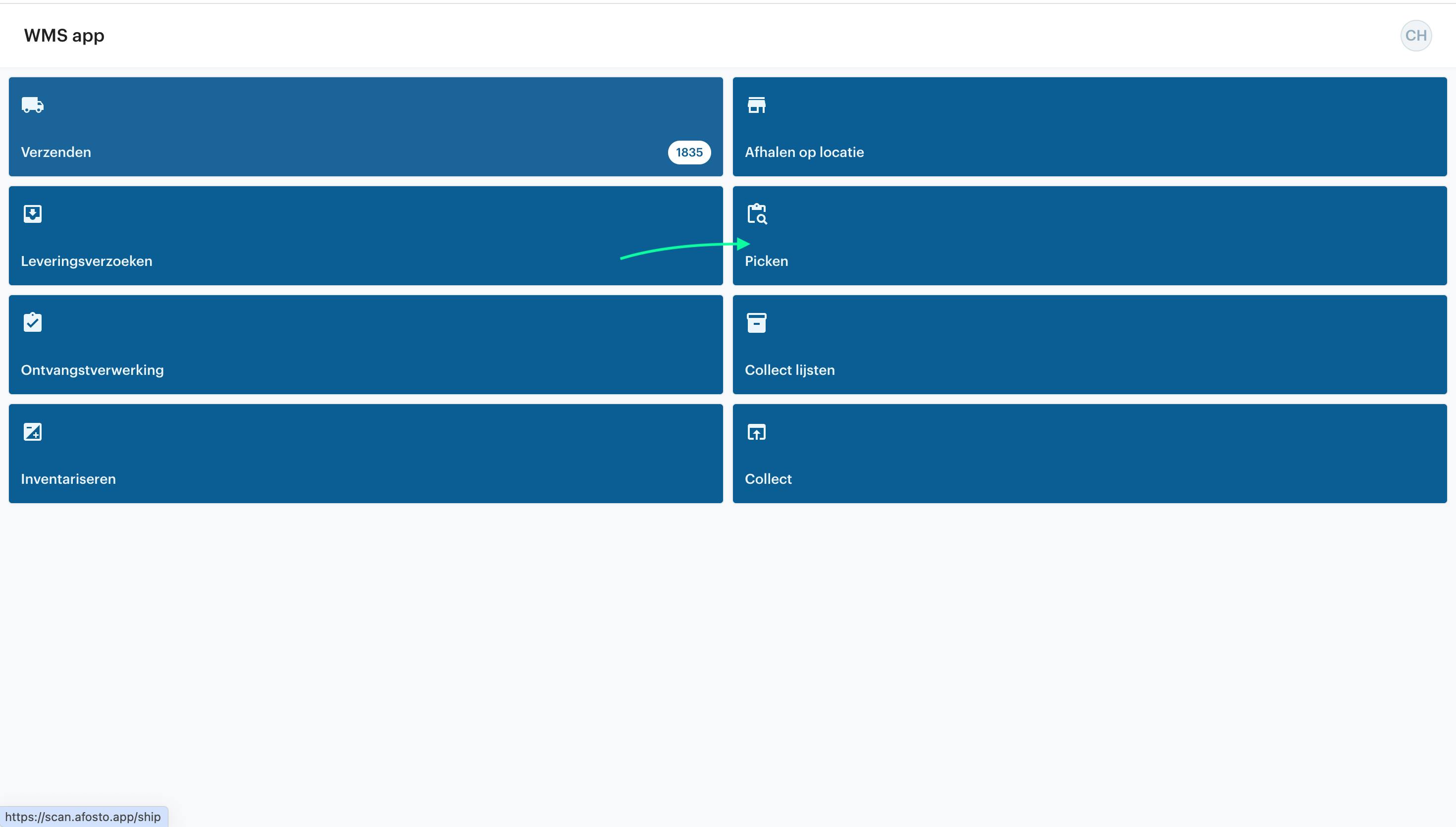
Navigate to ‘Picking’ in the main menu.
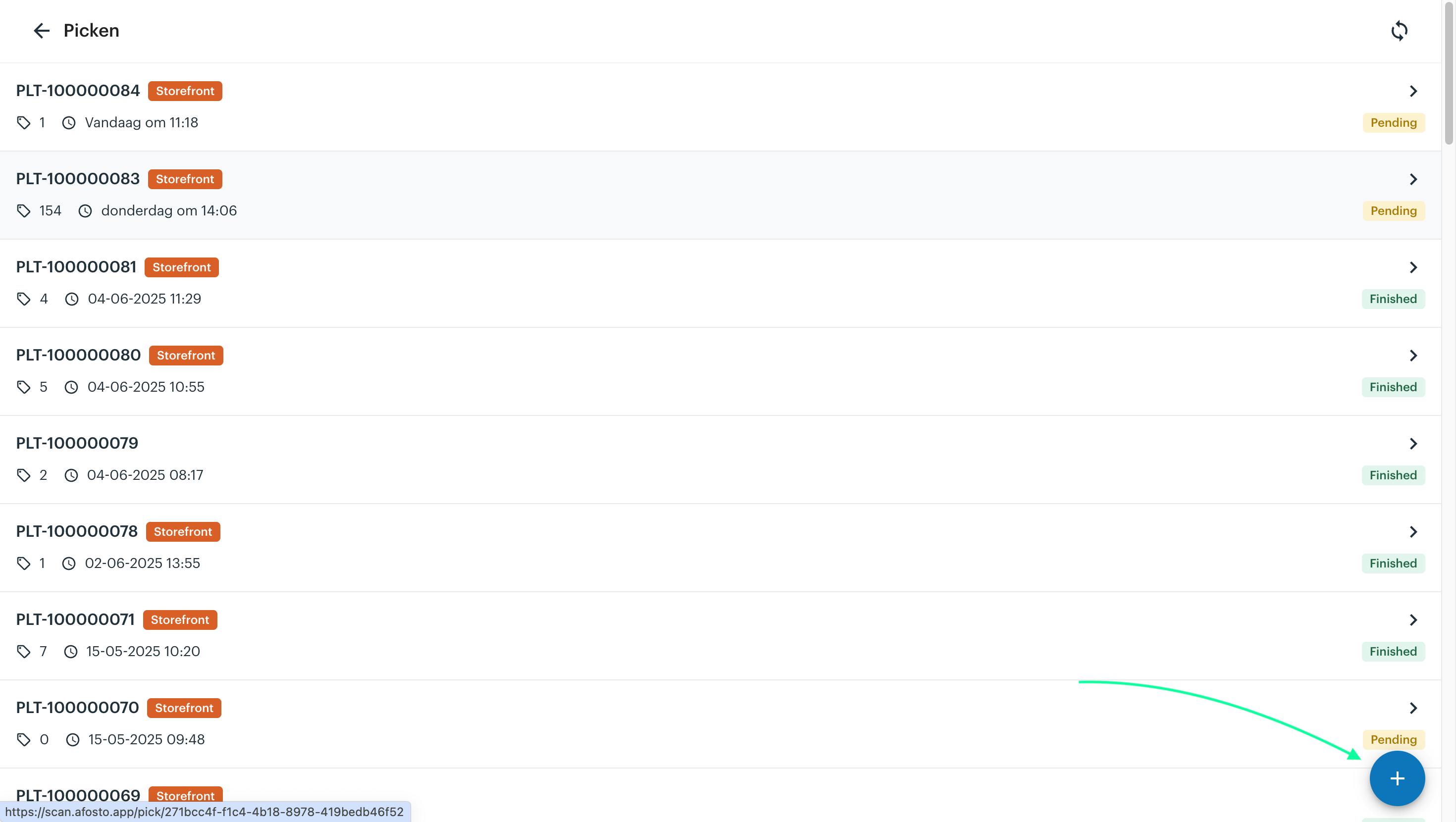
Click the + icon in the bottom-right corner of the screen.
-
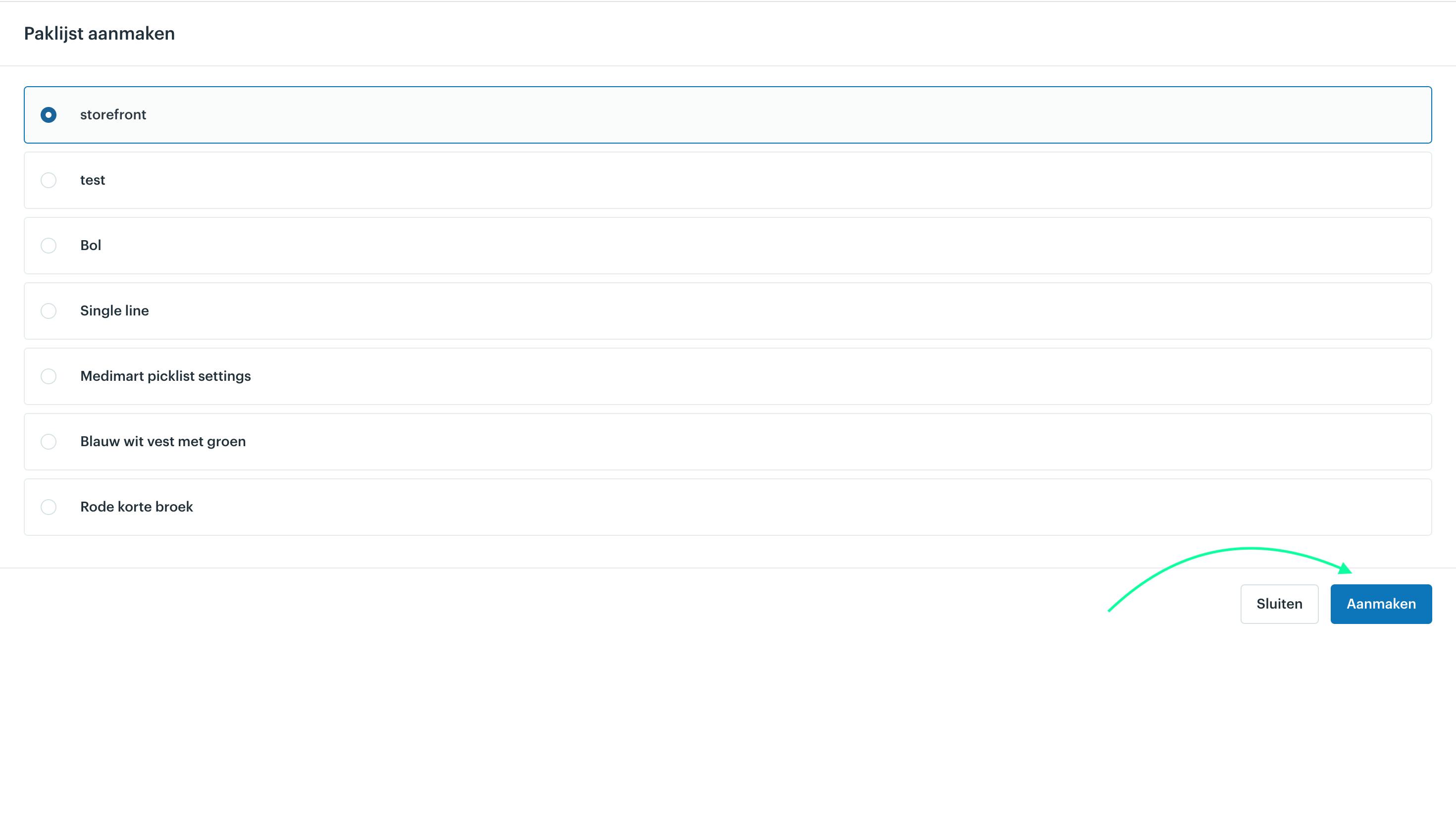
Select the pick list you want to pick.
-
Confirm your selection and click “Create.”
The pick list will now appear in the overview. The app will display the following information:
-
Item
-
Warehouse location
-
Quantity
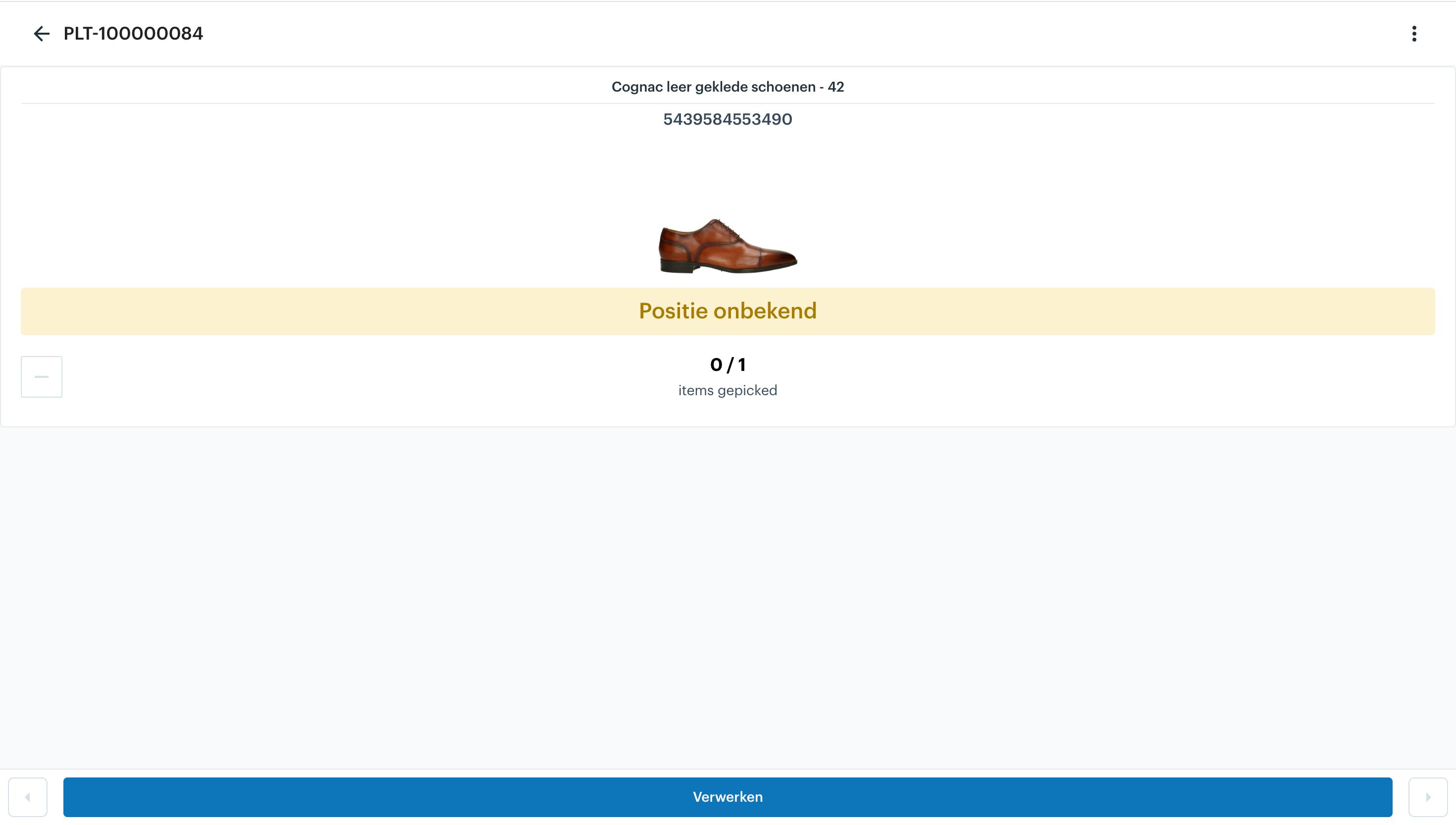
You have now created a pick list in the WMS app. This list is ready to be picked using a scanner or mobile device. After picking, you can continue processing the order, for example by generating shipping labels and packing slips.