

Multiple Packages per Shipment
Multiple Packages per Shipment
With this feature, you can split products across multiple packages during the shipping process, allowing multiple shipping labels to be generated.
Principles
-
You can create multiple packages during the shipping process.
-
Products are assigned to these packages.
-
Products in different packages receive a separate tracking number.
Process
-
Pick and ship your products until box/package 1 is full.
-
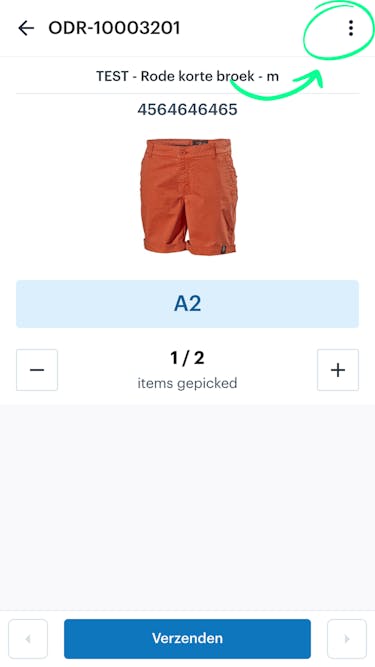
Click on the three dots in the top-right corner of the screen.
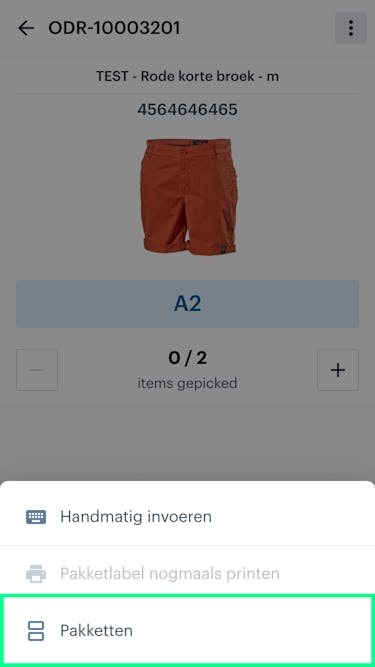
Click on ‘Packages’.
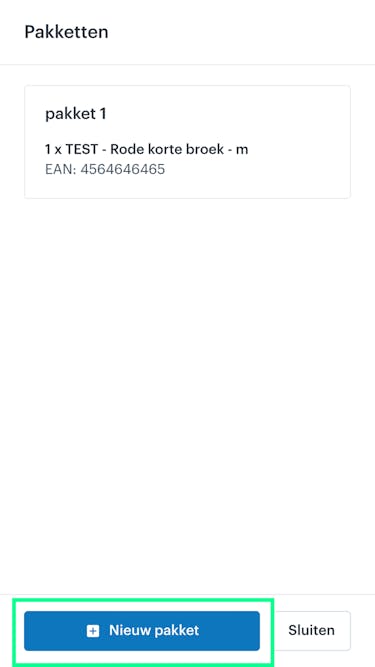
All products packed so far are in Package 1. In the screen, click ‘New Package’.
A new package is added, and the products you pick from that point on will go into the new package.
This is displayed in the top-right corner of the screen.
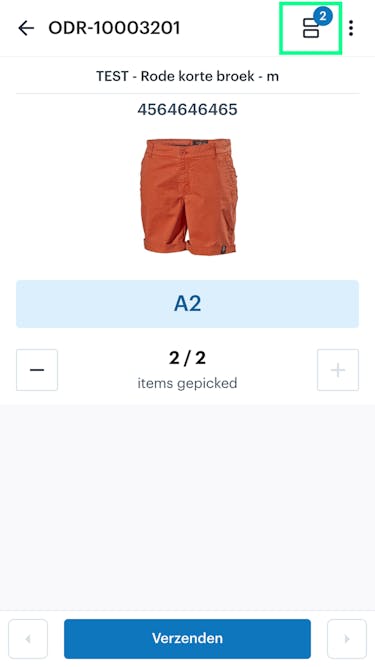
Two shipping labels will now also be generated during the shipping process.