

Sendcloud API keys
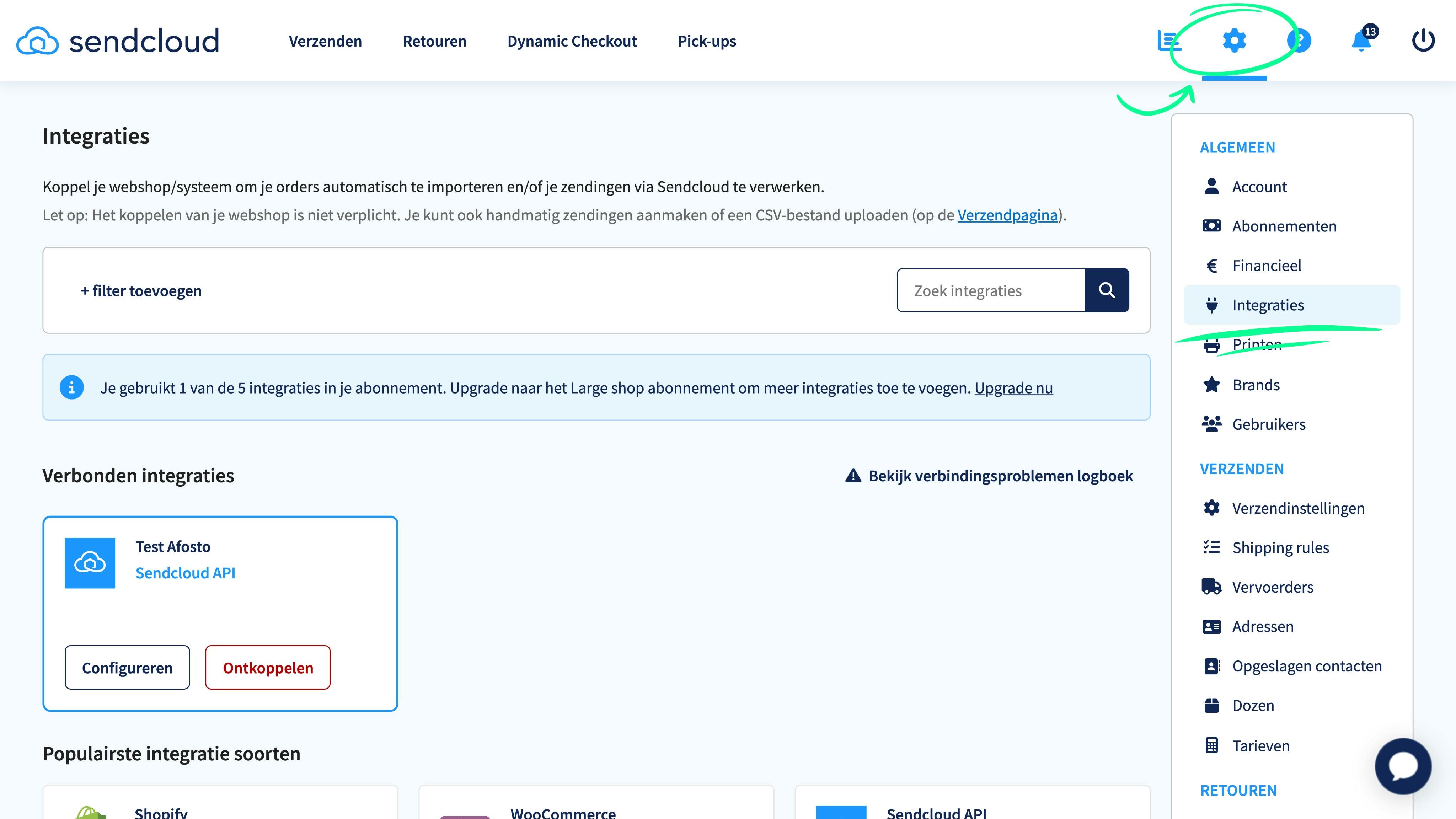
In Sendcloud, go to settings (the gear icon at the top right of your screen) and then click on 'Integrations' in the right-hand menu. A screen with all possible integrations will open.
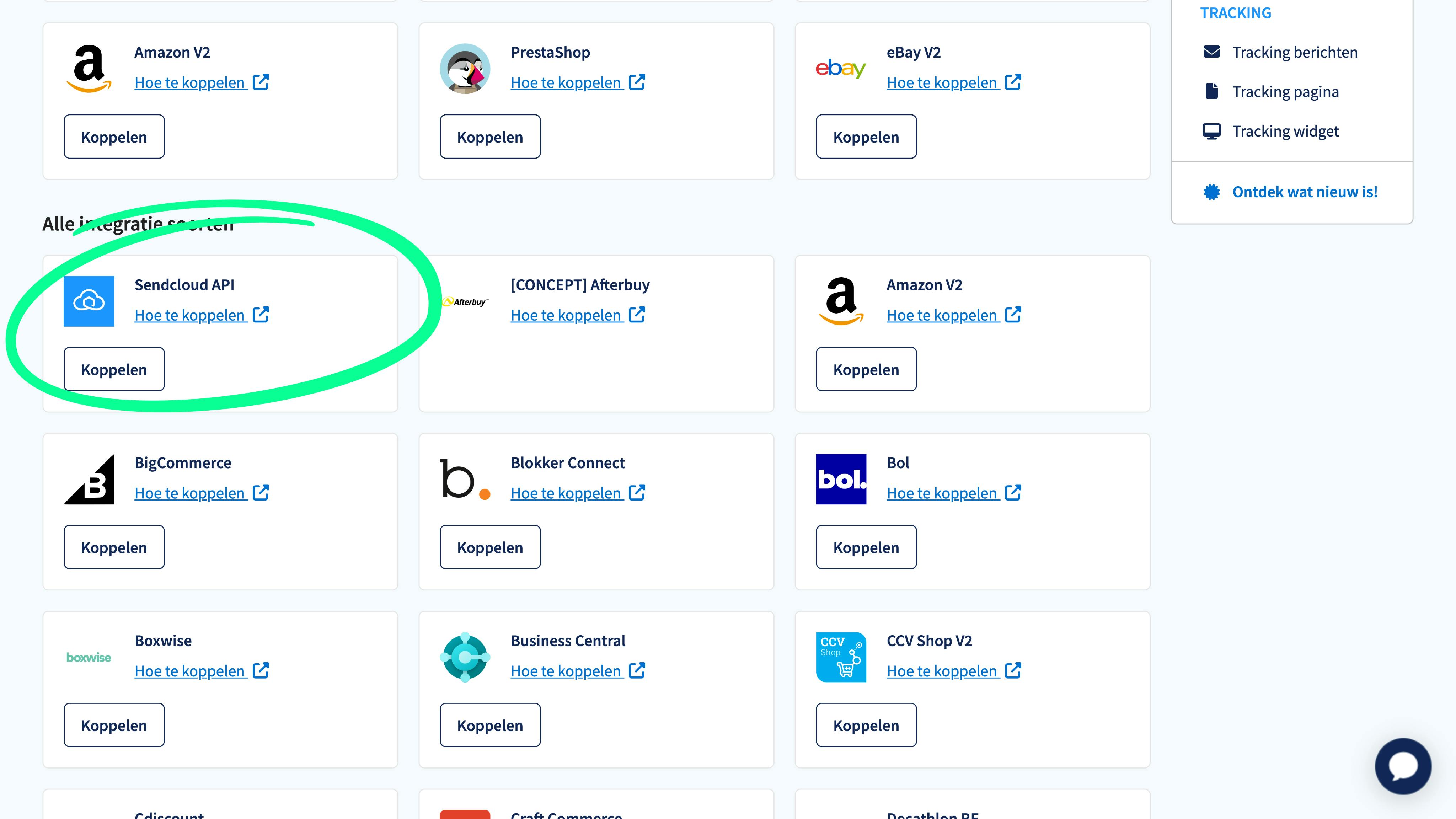
Scroll down until you see the 'Sendcloud API' box. Then click on 'Connect'.
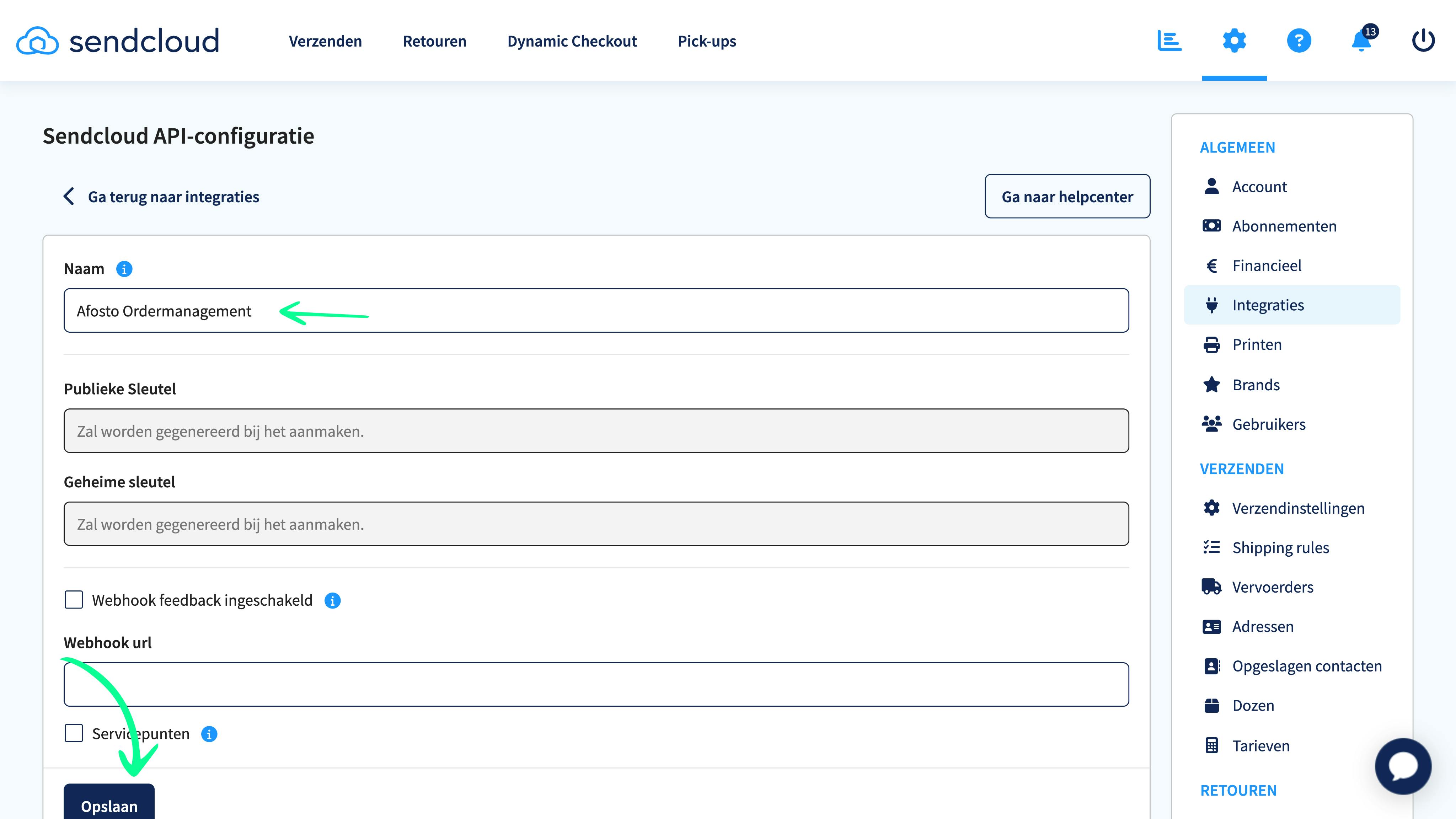
Enter a name for the integration that you can easily recognize. For example, Afosto Ordermanagement. Then click save. You need to do this to generate the API keys.
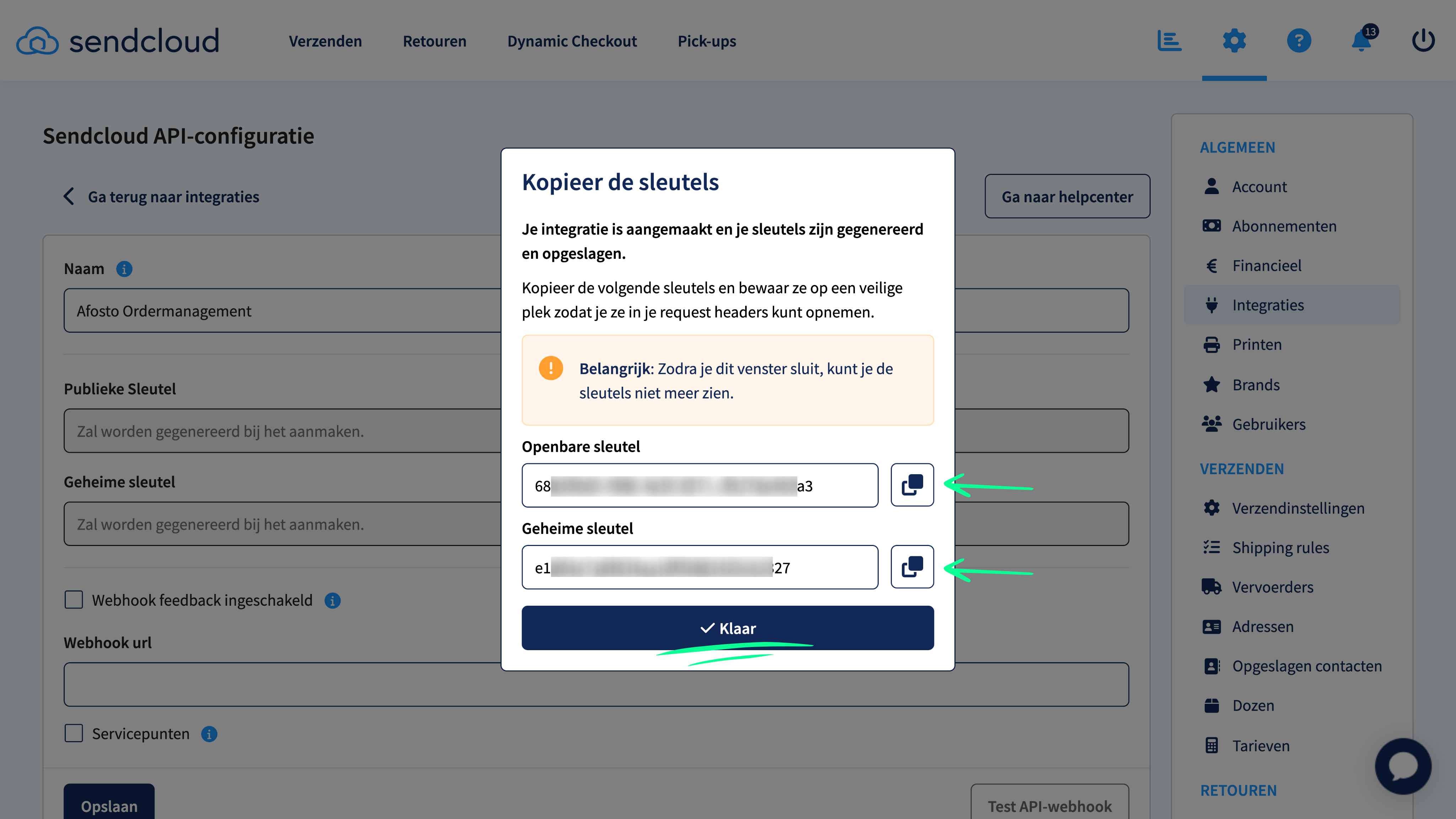
A pop-up opens in which both a 'public key' and 'secret key' have been generated. Copy these and store them safely. You will need them in your Afosto account. Then click 'Done'.
About Afosto
Till, webshop, bol and Kaufland on one stock.