

Discounts and Price Rules
To set up specific discounts or promotions that apply when an order meets certain conditions, Afosto provides price rules.
You can find these price rules in the Admin section of Afosto. Go to Orders and select Discounts (or click on this link).
When adding a price rule, you can choose between two options:
-
Custom Setup
-
Create Based on Template
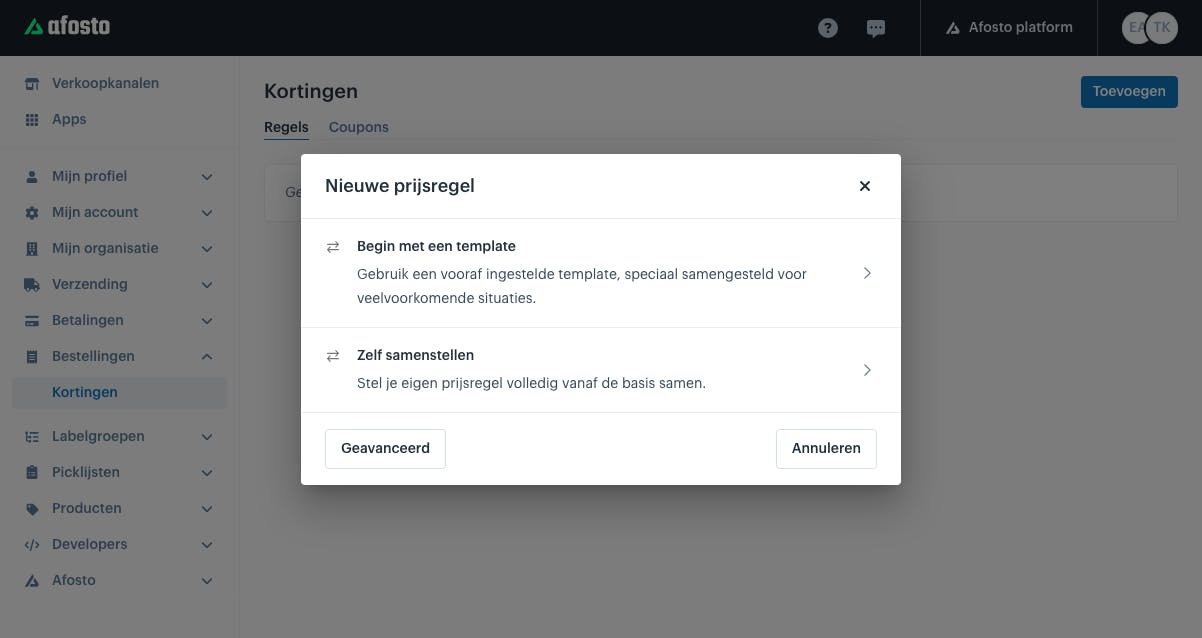
Custom Setup
A price rule is built from a few key elements. The basics are:
If Customer This is the condition the customer must meet to receive the discount.
Click “Add Condition” to add one or more conditions. You can choose between “and” or “or.”
-
“And” – all conditions must be met for the rule to become active.
-
“Or” – only one of the conditions needs to be met for the rule to become

Then the Customer Gets
This defines what the customer receives once the condition is met.
Click “Add Condition” to add one or more conditions. You can choose between “and” or “or.”
-
“And” – all conditions must be met for the benefit to be applied.
-
“Or” – only one of the conditions needs to be met for the benefit to be applied.

Wanneer actief
Actief vanaf:
Dit kan je gebruiken wanneer de kortingsactie vanaf een bepaalde datum en tijd moet werken.
Einddatum en tijd:
Dit kan je gebruiken wanneer de kortingsactie vanaf een bepaalde datum en tijd niet meer moet werken.
Templates/Kortingstypes
De meest gebruikte templates voor kortingen hebben we klaargezet. Deze zijn te selecteren bij het aanmaken van een kortingsregel. Het is niet noodzakelijk om deze templates te gebruiken. Deze templates kan je ook zelf samenstellen.
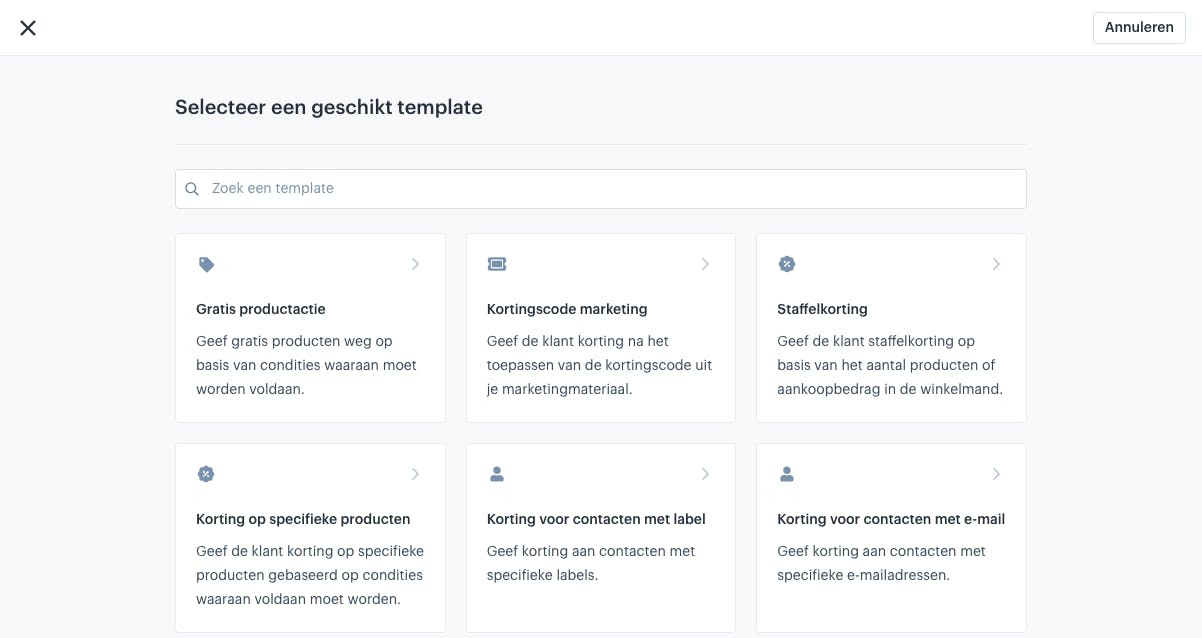
Free Product Promotion
Use this when you want to give away free products.
Marketing Discount Code
Use this when you have issued discount codes and want to set up a discount for them.
Tiered Discount
With a tiered discount, you can set an increasing discount when customers order larger quantities.
Discount on Specific Products
This template allows you to apply a discount to specific products under certain conditions.
Discount for Contacts with a Label
Give a discount specifically to contacts with a certain label. This is especially useful for B2B applications.
Discount for Contacts with an Email
With this template, you can apply a discount to contacts with a specific email address.
About Afosto
Till, webshop, bol and Kaufland on one stock.
Related documentation
Add manual payment
Lees deze handleiding om te leren hoe in Afosto handmatige betalingen kunnen worden toegeveogd en deze vervolgens op betaald kunnen worden gezet.
Discount vouchers and promo codes
Creating discount vouchers and promo codes is a process that depends on your specific situation.