
Delivery Requests
A delivery request is an important part of Afosto’s logistics workflow. The explanation below describes what a delivery request is, what it is used for, and how it contributes to efficient inventory management.
What is a delivery request?
A delivery request is an internal request to move stock from one location within your organization to another.
When is a delivery request used?
Delivery requests are mainly used when an item from one location is needed to complete an order at another location.
A typical example: You receive a webshop order, and one of the required items is only available in your physical store. The rest of the order is fulfilled from your central warehouse. In this case, Afosto automatically generates a delivery request to your store.
How is a delivery request processed?
When a delivery request is generated:
Staff at the relevant store receive a notification to collect the specific item.
The process is supported by a mobile app where employees confirm that the item is present and has been picked.
The item is then sent to the central warehouse, where it is added to the rest of the order.
Using delivery requests ensures smooth order fulfillment, even when required items are spread across multiple locations. This leads to more efficient inventory management and faster order processing.
How-to
Important things to know before reading:
-
A delivery request is automatically created when products need to come from a different location than the picking location.
-
Delivery requests are automatically updated as soon as an order is placed.
-
You can close delivery requests. Once a delivery request is closed, a new list will be created when a new order comes in.
-
You can create receiving lists from a delivery request, allowing you to process the items to be delivered in your warehouse.
-
An item on a delivery request may or may not be in stock. You must indicate this per item at the location it needs to come from.
-
This functionality works both in the platform and in the scan app.
Platform
You can find Delivery Requests in the left-hand menu of the platform, under Purchasing. See the screenshot below.
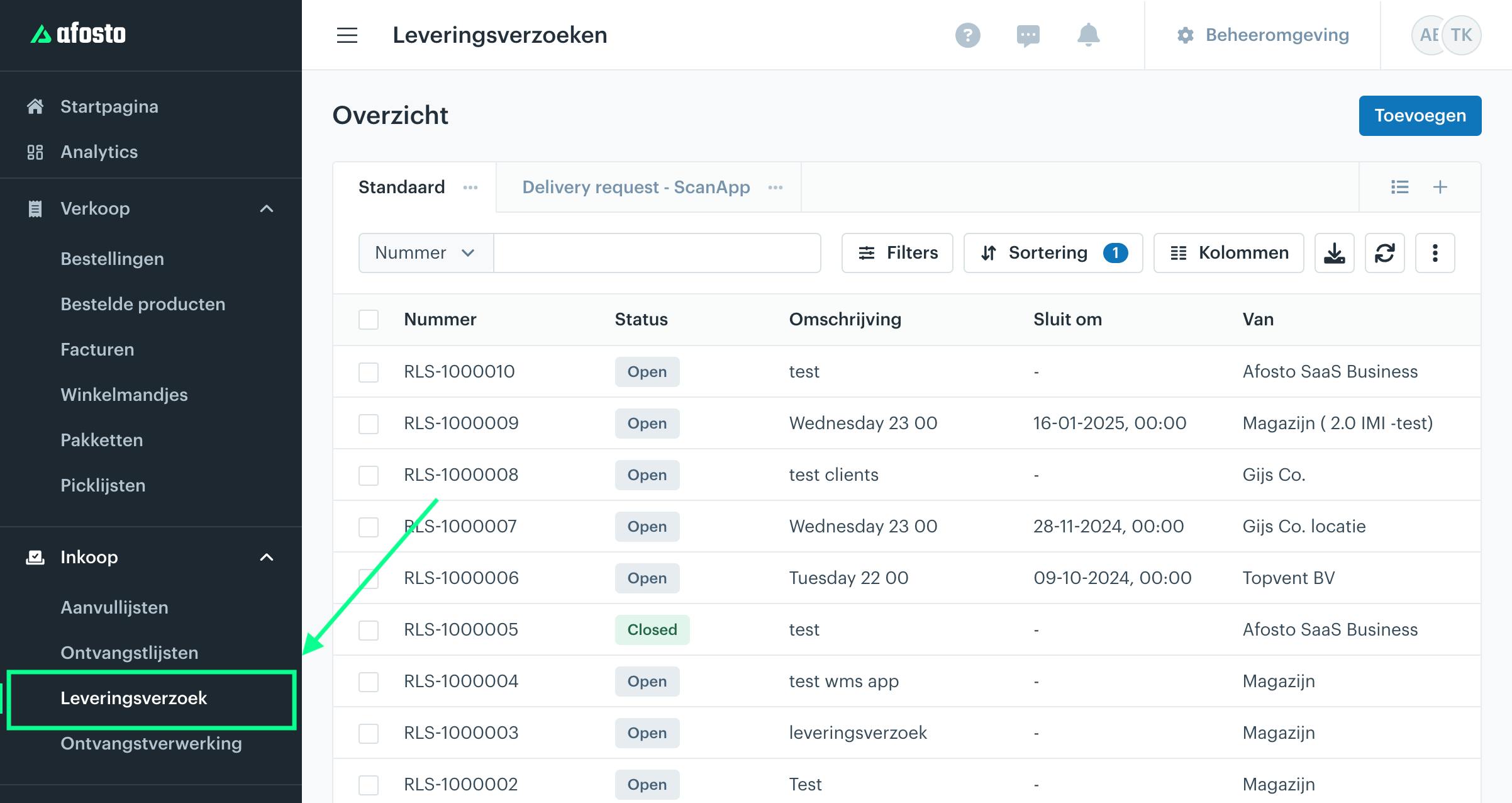
Once you click on it, you will see an overview of all delivery requests. When you click on a specific row, the delivery request will open.
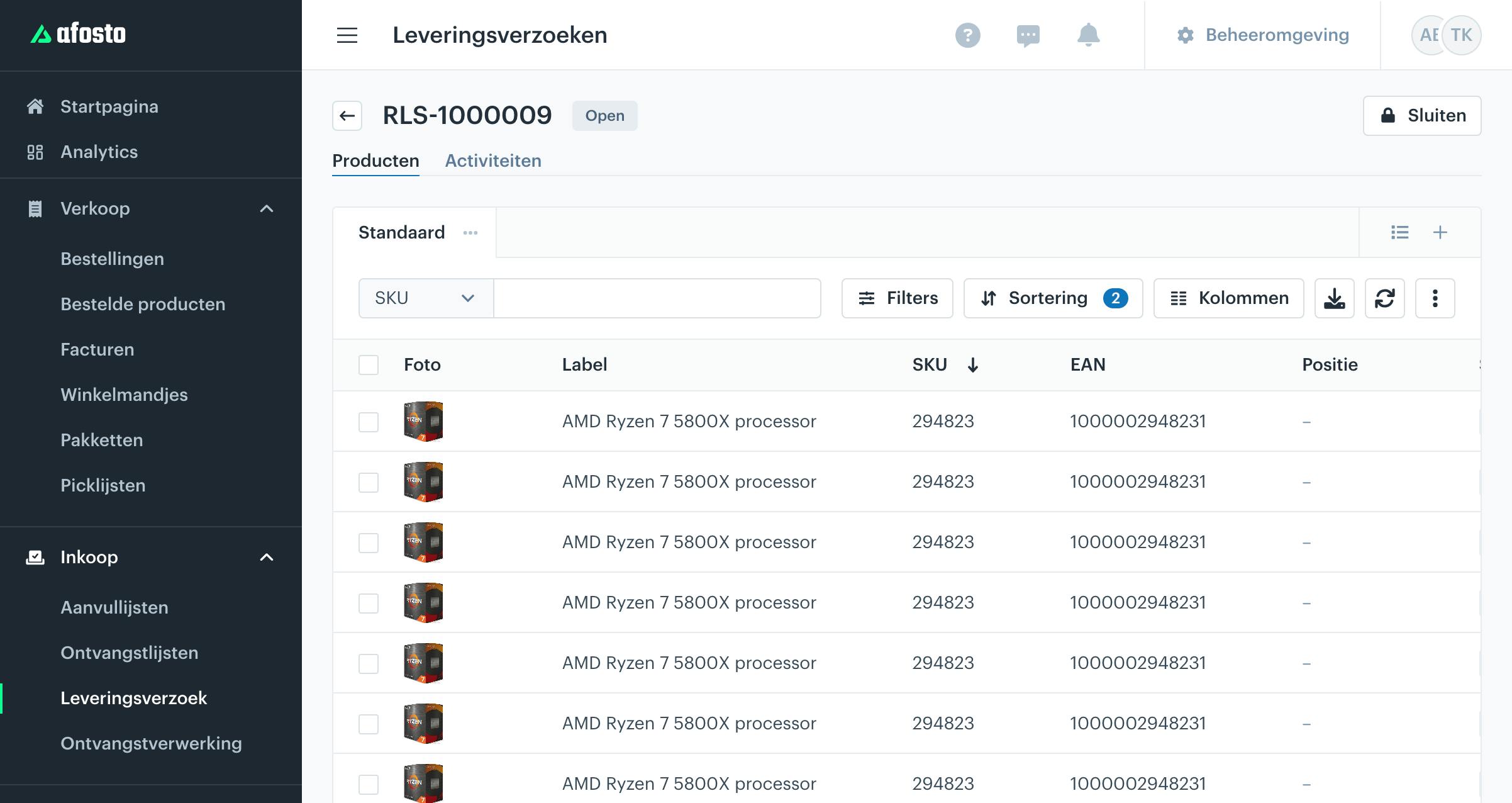
After opening it, you will see the items that need to be collected.
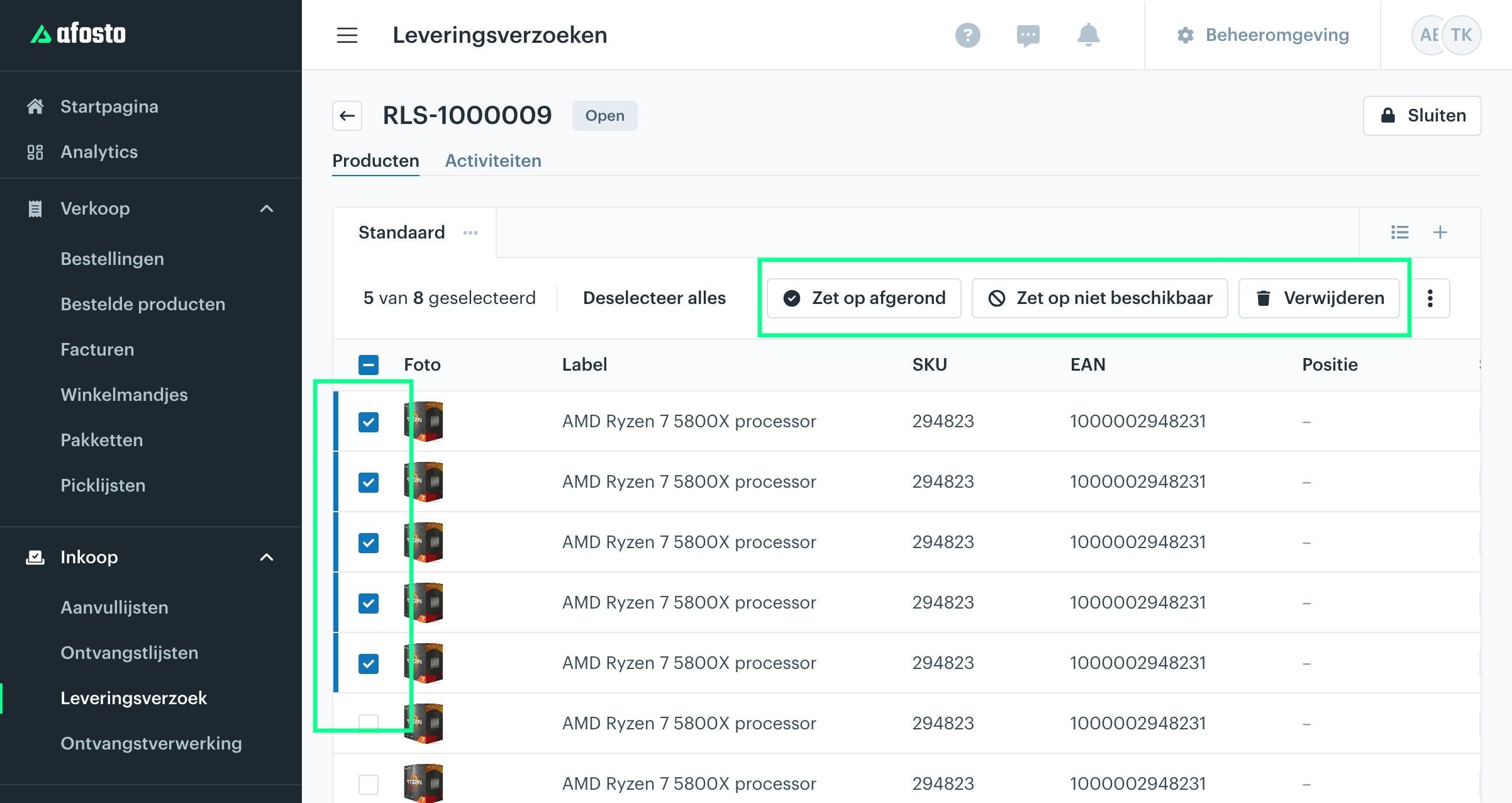
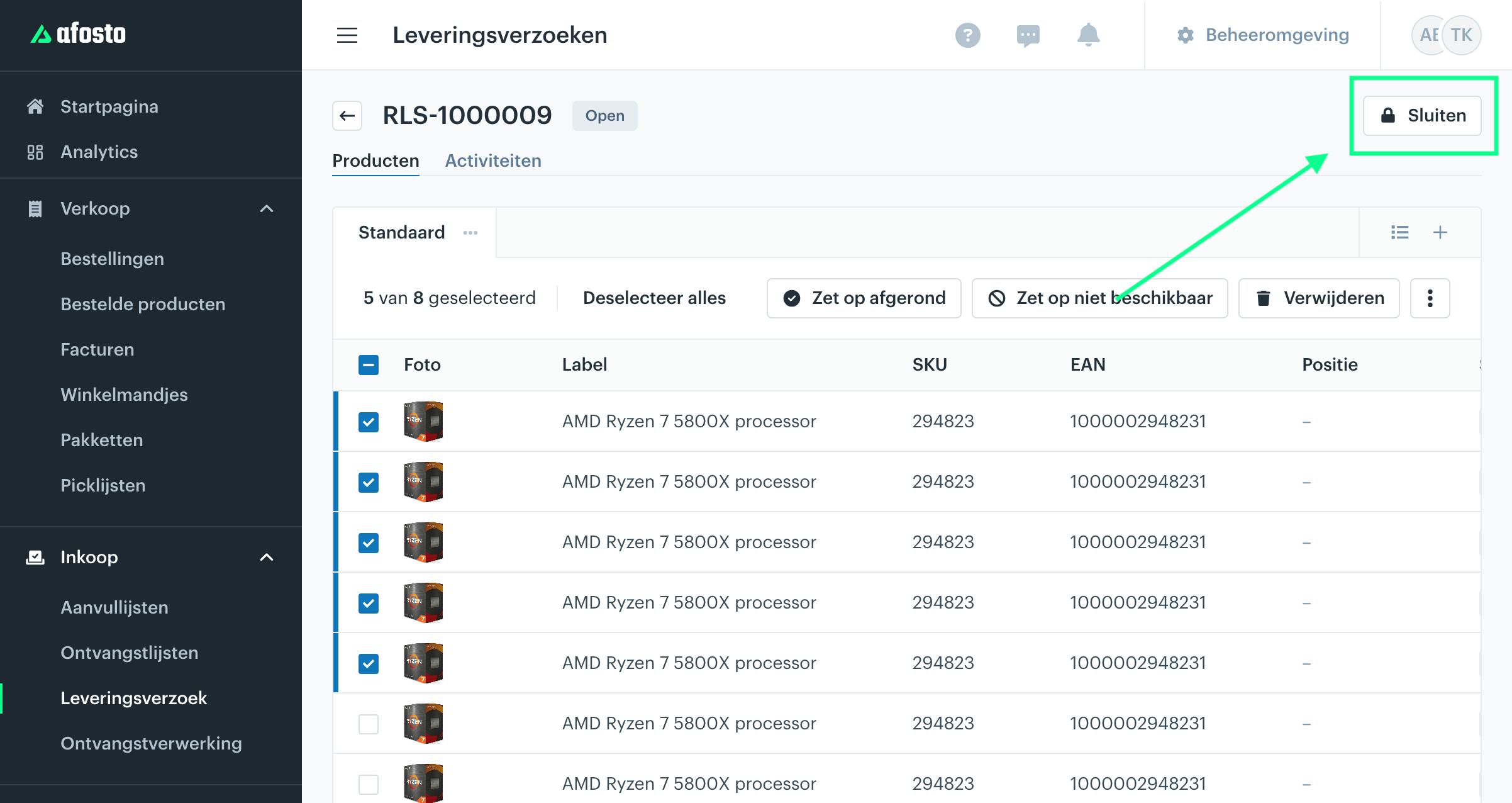
Next, you need to indicate for each product whether it has been collected or if it is not available. You can do this by clicking on the relevant product line. The available actions will then appear at the top.
Once the full list of items has been collected, you can close the delivery request.
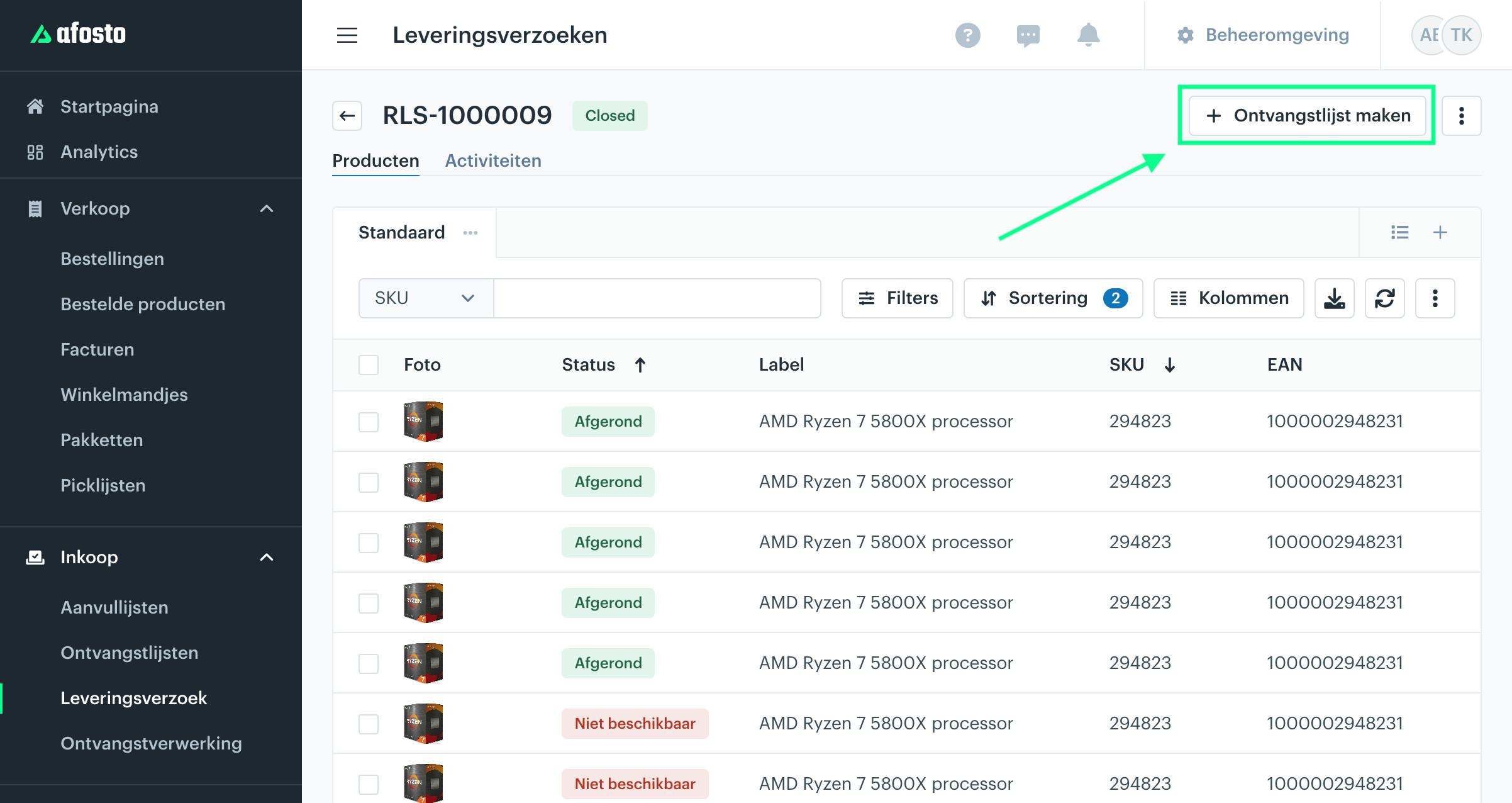
From a closed delivery request, you can easily create a receiving list. This places the products on a list that you can process in the warehouse.
To do this, click “+ Receiving List.”
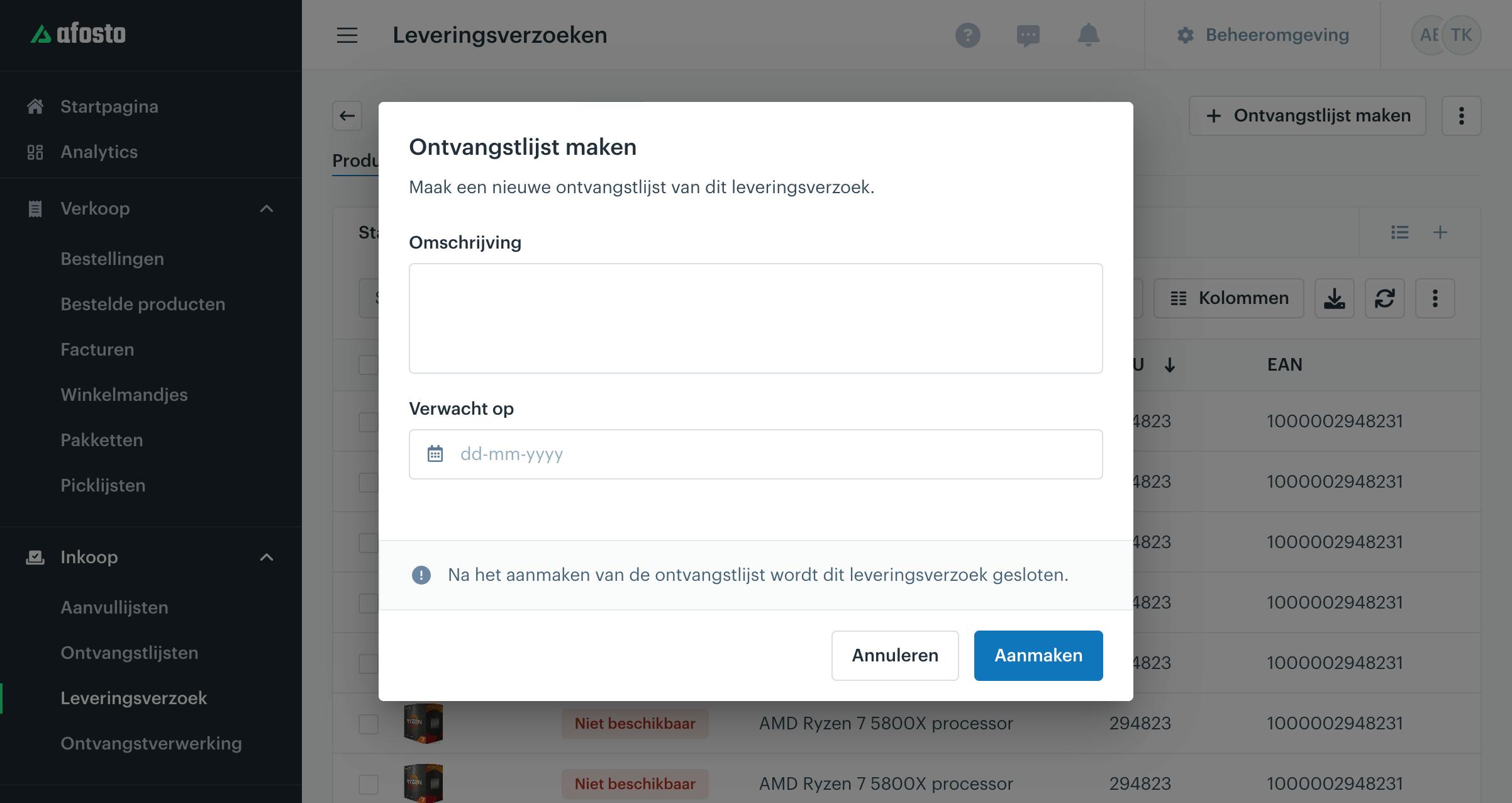
Once you click on it, the window below will appear. Here, you can enter a description and an expected delivery date. The date field is optional.
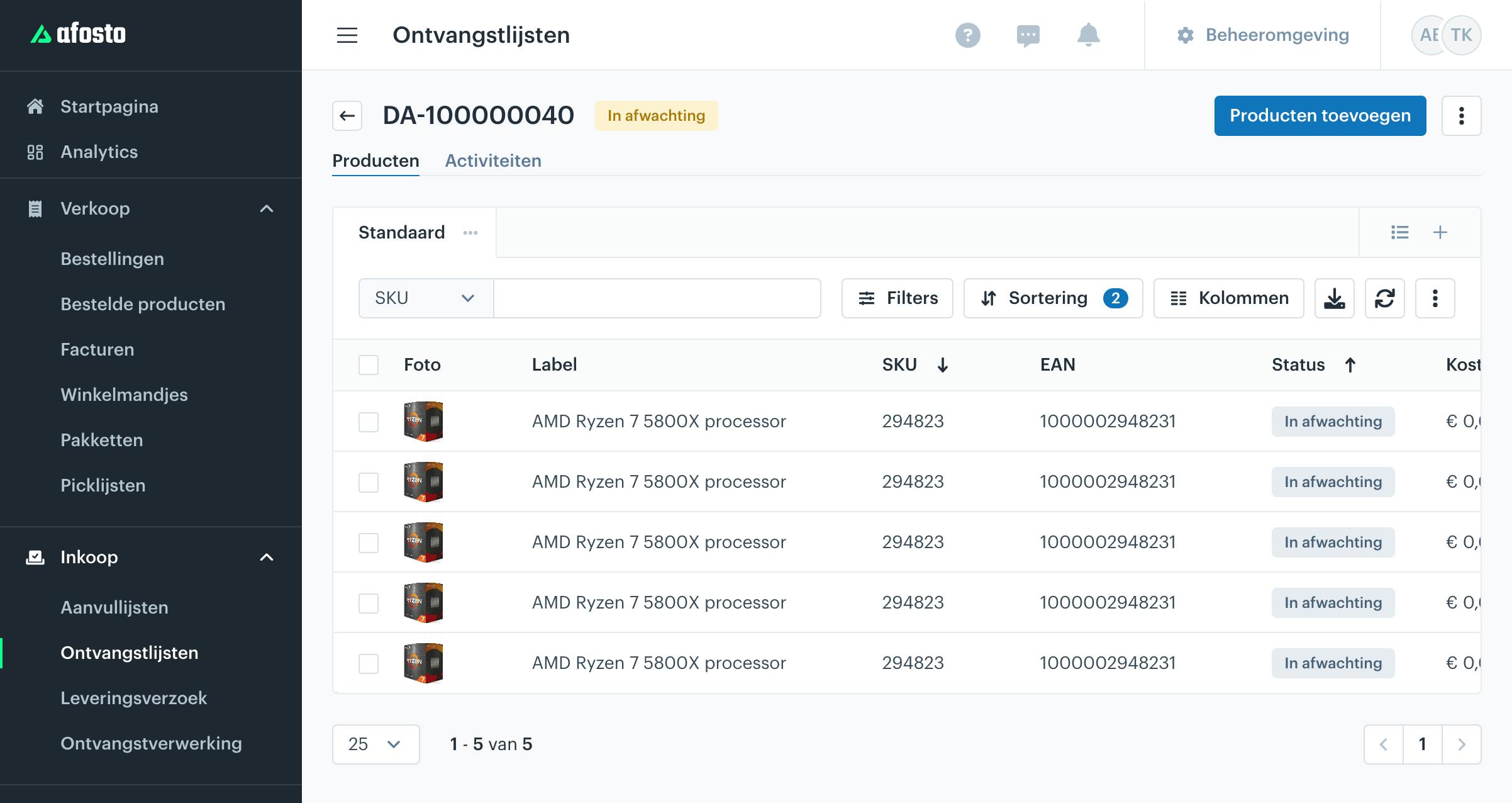
When you click “Create”, the items will appear on a receiving list. Please note that only the items marked as available will be added to the receiving list. The receiving list will open automatically, as shown below.
In the Warehouse
In the warehouse, you can process the receipt of items through a receipt processing. To do this, you need to open a receipt processing with one of the following options:
-
With receiving lists (select the list from your store).
-
Based on outgoing orders (since without an order, the items would not have appeared on a delivery request — this way you can link them correctly).
You can now process the items according to the receipt processing manual.