
Stock Mutations
In the overview below, you can see the updates that occurred after each stock mutation.
The update (message) sent to other channels has a status, ranging from pending to processed. Initially, all relevant channels (those that retrieve their stock from the same warehouse where the mutation took place) are marked as pending. Once all related channels have been notified, the update status changes to processed.
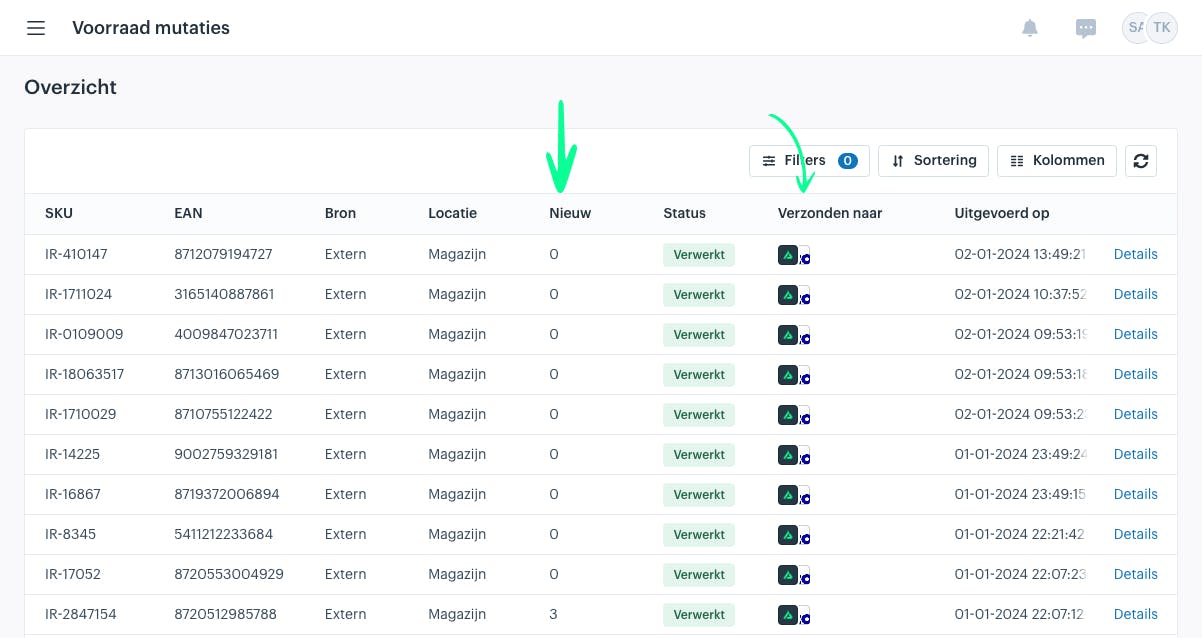
The following columns are relevant and important to understand:
Location
The origin of the stock mutation for the SKU — in other words, where the mutation took place.
New
The new stock level.
Status
The status of processing the update to other interested channels. Sales channels can retrieve their stock from one or multiple locations. To determine which channels are interested in the update, the system checks whether they use stock from the specific location where the mutation occurred.
Sent to
These are the channels that were behind in processing the update.
An update to another channel can be sent in two ways:
-
As available stock per location (warehouse)
-
As total available stock across all participating locations (warehouses)
For example:
-
Shopify updates are always sent per location.
-
Bol.com updates are sent as the new total available stock across all participating locations.
An update toward a channel can have one of the following statuses:
-
Disabled (the channel does not receive updates due to its settings)
-
Processed
-
Pending
-
Failed
Stock Update Details
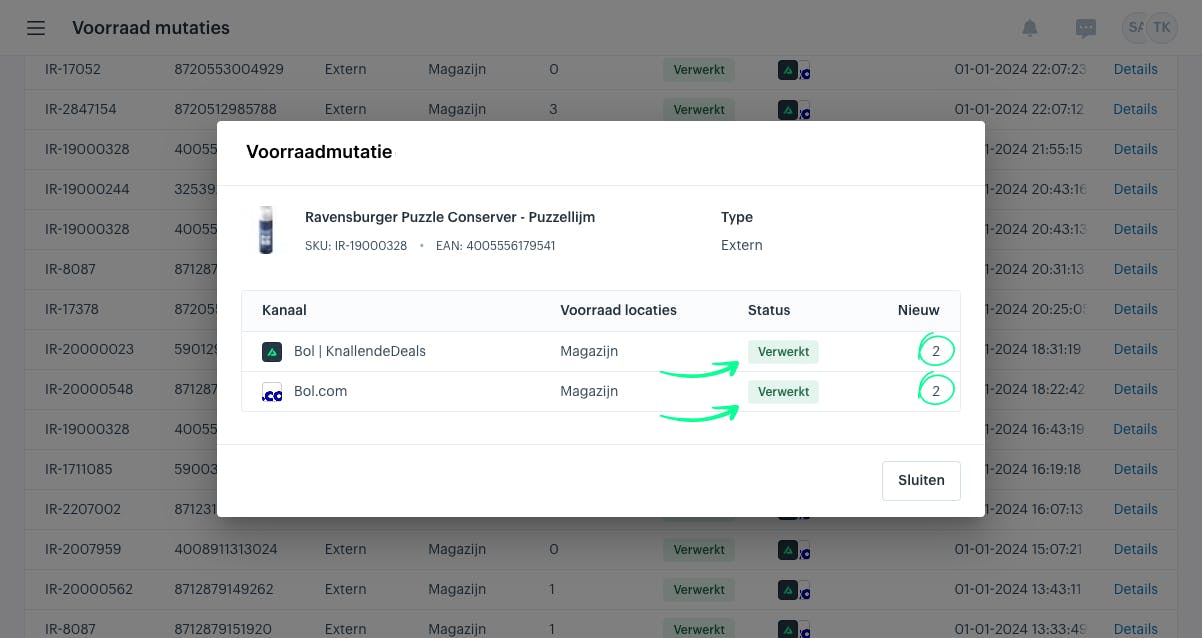
It is also possible to view the details of stock updates. To do this, click Details in the row of the update.
The window below will open. As you can see, the new stock level of 2 has been synchronized per connected channel.