

Sell the service with it, from embroidery to gift wrapping
Let customers choose personalisation, gift wrapping or assembly while they order. Every chosen service becomes a task in your warehouse, with the customer details attached at the moment you need them.




The webshops and wholesalers running their order flow on Afosto
Trusted by ambitious retailers












What are services (value-added services)?
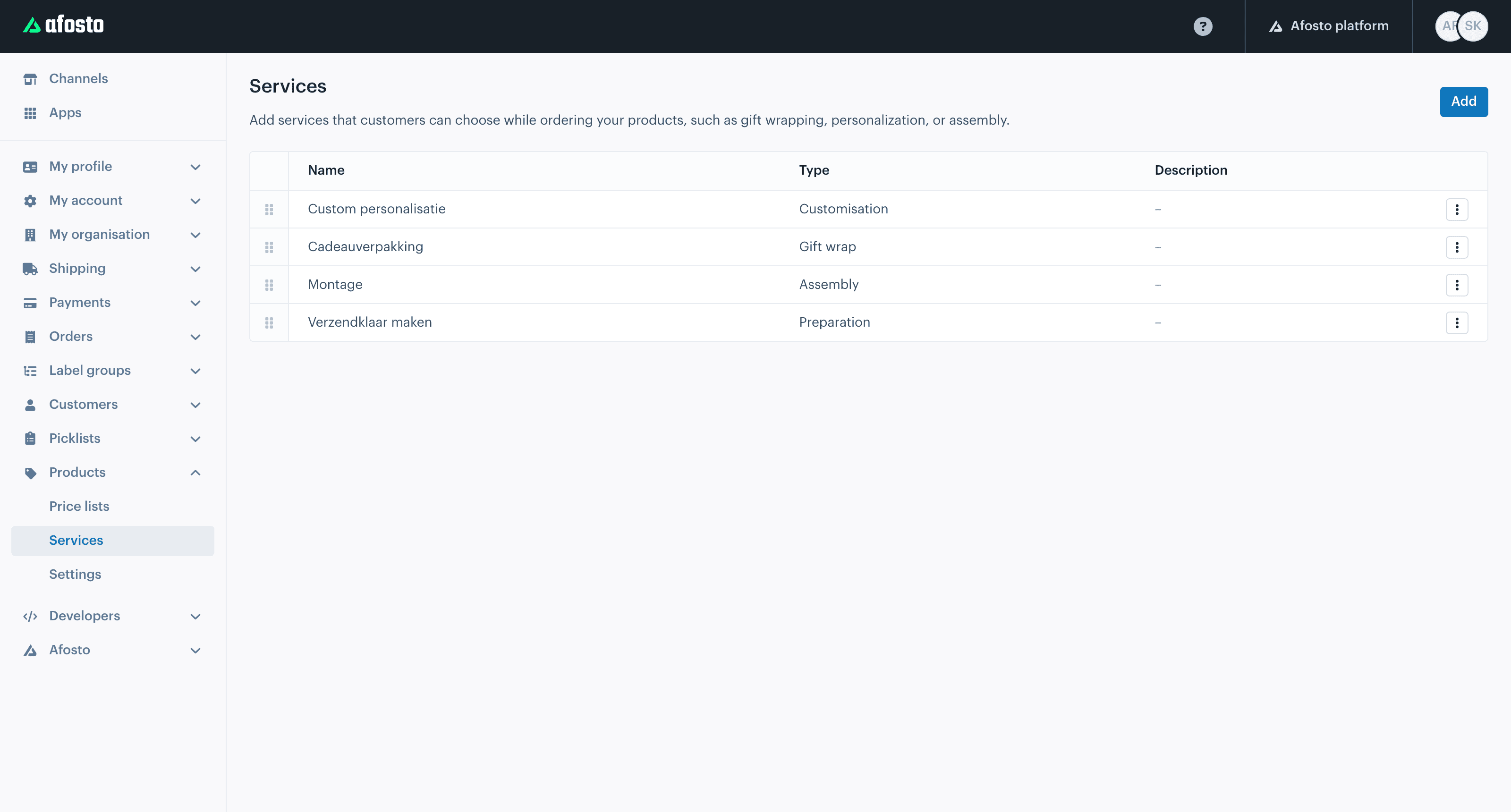
Services are jobs you carry out on an ordered product before it goes out the door: embroidering a name on a bathrobe, engraving a watch, wrapping an order as a gift, assembling a bike or making an item ready to ship. In logistics they are called value-added services. In Afosto they are part of the platform:
Services run on the same platform as your warehouse management and your order picker: not a separate personalisation system next to your webshop, but a task in the same flow as picking and shipping.
The customer picks the service at checkout
, per item, with the fields you set up for it, such as name, font and colour
Every chosen service becomes a service task
on the order line, so your warehouse knows exactly which item needs which job
The work is part of pick and pack
your colleague sees the task with all the customer details on screen and completes it before the parcel moves on
How it works
From an order with a wish to a parcel with a personal touch
No emails asking "can you put Lisa on it?" and no separate list next to your packing slips. This is how a service runs from webshop to workbench.
- Step 1
Define your service
Create a service of the type personalisation, gift wrapping, assembly, preparation or packing. You decide which fields the customer fills in, for example name, font and colour, and you give your warehouse a fixed instruction. Translations are set per language.
 admin.afosto.app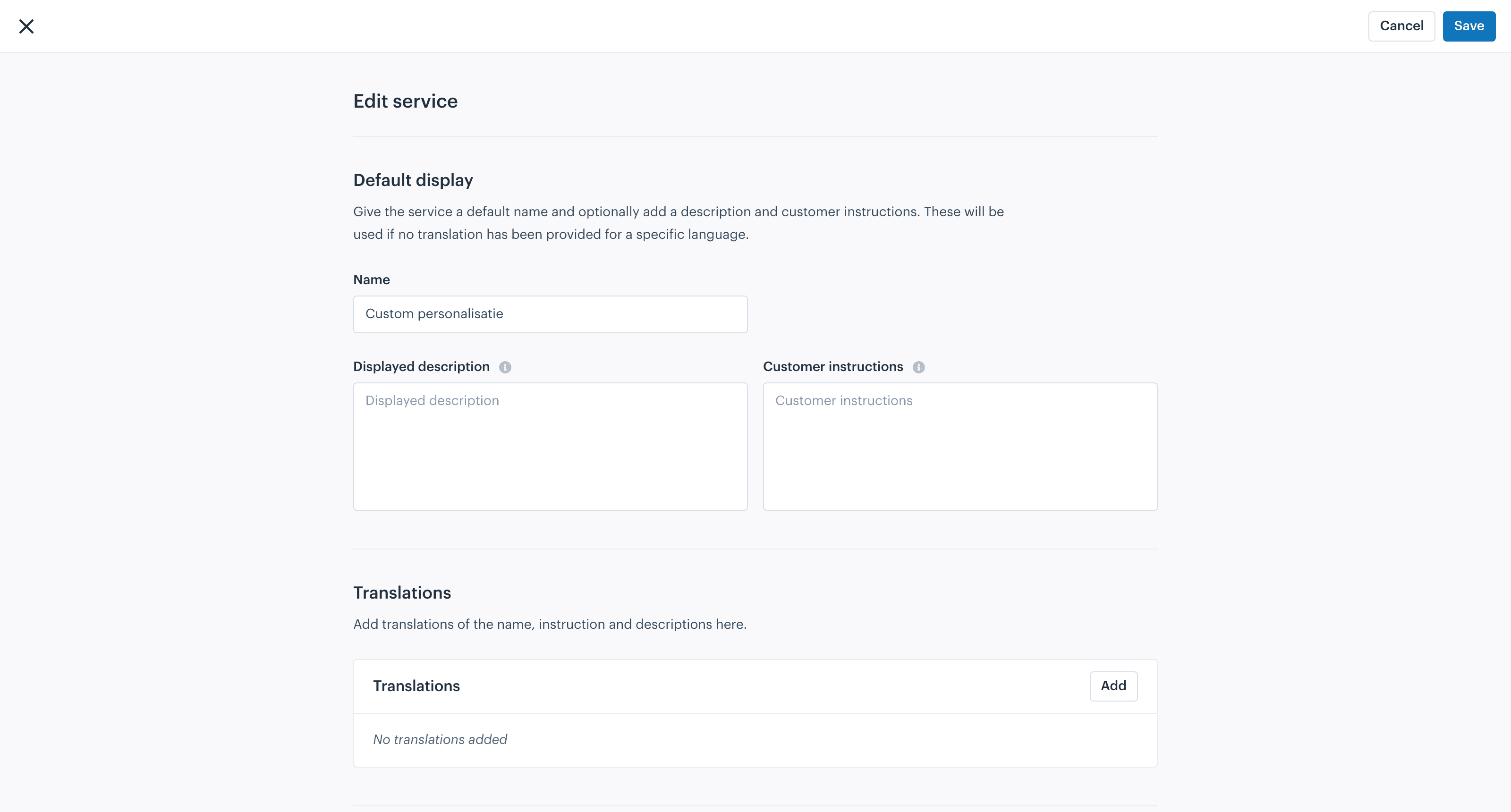
- Step 2
The customer orders the service with it
In your webshop the customer picks the service with the item and fills in the fields you set up. Those details land on the order line, so not in a comments box that someone has to retype.

- Step 3
Your warehouse is guided through it
During pick and pack the service task appears with the item. Your colleague sees which job needs doing and with which details, carries it out at the workstation and completes the task. If something goes wrong, they mark the task as failed and you see that straight away.
 scan.afosto.app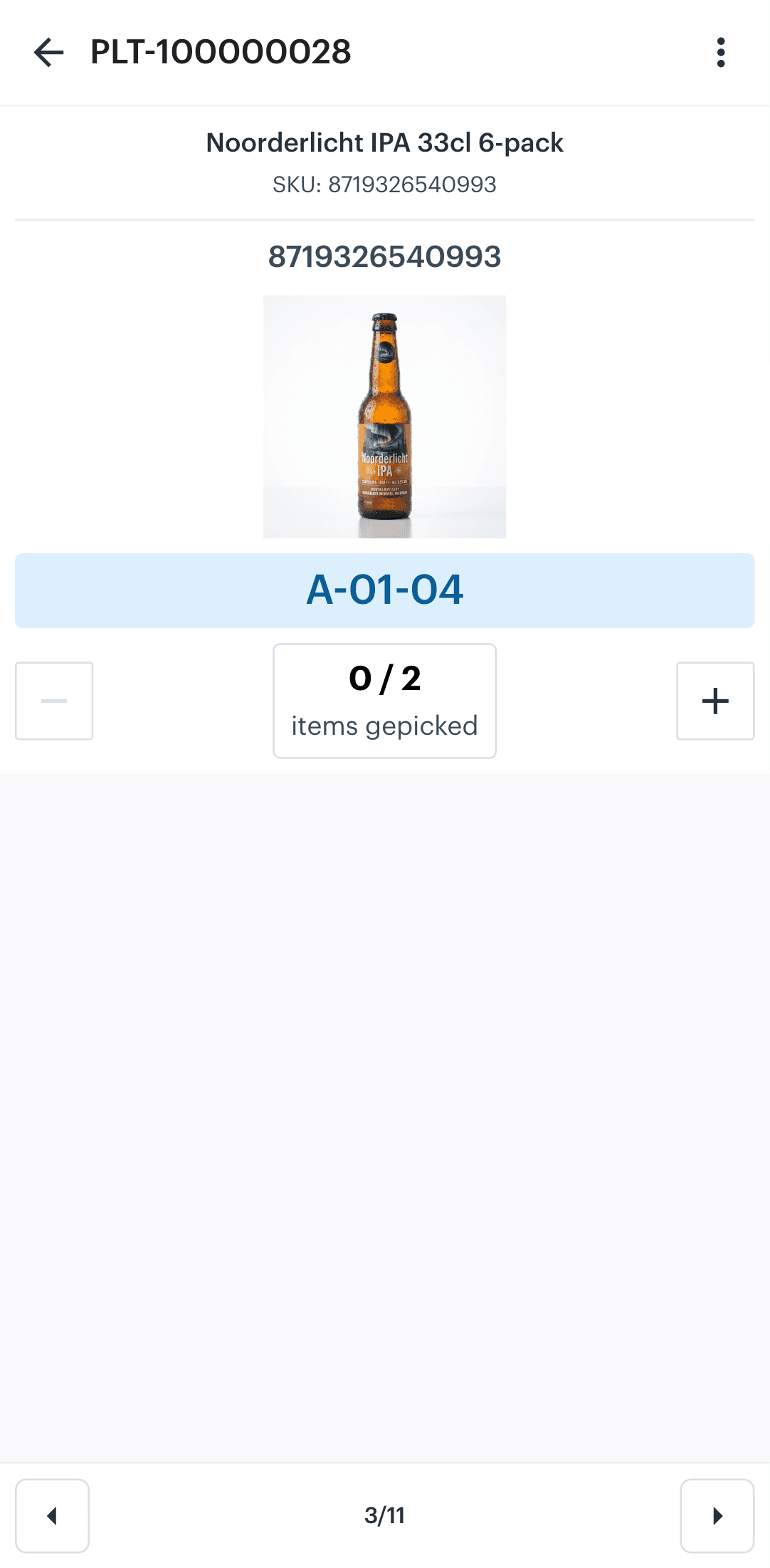
- Step 4
Stock and shipping stay correct on their own
You keep a generic item in stock, the bathrobe without a name. On sale that item is deducted and the personalisation lives on the order line. No separate SKU per variant, no stock drifting out of line, and after the job the parcel simply moves on to shipping.

Services and service tasks can also be managed and read through the API, per order, status, type, colleague or location. Handy for your own workstation screen or an integration.
What you use it for
Four kinds of work, the same process
Every service you define follows the same route: chosen at checkout, carried out during pick and pack. These are the forms we come across most.
The building blocks
Services live in the platform, not in a plugin
Kinds of service, from gift wrapping to assembly
Own fields
You decide what the customer fills in per service
Statuses per service task, from open to done
API
Services and tasks fully manageable through the API
Your own process, not a standard flow
Every webshop does this work a little differently: one has an embroidery machine on the floor, another a wrapping corner for the holidays, a third assembles bikes before shipping. That is why a service in Afosto is not a fixed checkbox but a definition you put together yourself:
That way the process fits your shop floor instead of the other way around. The tasks run in the same environment as your order management and warehouse process, so without an extra system alongside it.
Your own fields per service
you decide which details the customer fills in, from a name to a font to a colour choice
Your own instructions
the text your warehouse sees with the task, set per language
Your own order
you decide the order in which services are shown and handled
Through the API
create services and read out service tasks, filter on order, status, type, colleague or location, and start or complete tasks from your own tooling
FAQ
Frequently asked questions about services and personalisation
The questions webshops ask us most often about value-added services.
What are value-added services?
Jobs you carry out on an ordered product before it is shipped, such as personalisation (embroidery, engraving), gift wrapping, assembly or making ready to ship. In Afosto you define them as a service: the customer picks them at checkout and your warehouse gets a task per order line with the matching details.
Which kinds of service can I offer?
The platform has five types: personalisation, gift wrapping, assembly, preparation and packing. Within a type you decide the name, the description, the instruction for your warehouse and the fields the customer fills in. You can have several services active side by side.
How does my warehouse know what needs doing?
Every chosen service becomes a service task on the order line. During pick and pack your colleague sees the task with the item, with the details the customer filled in and the instruction you set. They start the task, carry out the job and complete it. If something goes wrong, the task is marked as failed so you can act on it.
Can I decide which details the customer fills in?
Yes. You set the input fields per service. For an embroidery that could be the name, the font and the thread colour; for gift wrapping a card message. The customer fills in those fields at checkout and they travel along on the order line all the way to the workstation.
How does stock work for personalised products?
You keep the generic item in stock, for example the bathrobe without a name. On sale that item is deducted and the personalisation sits on the order line as a service. So you do not need a separate SKU per variant and your stock figures stay correct.
Can I use services through the API?
Yes. Services can be created and managed through the API, including the input fields and translations. Service tasks can be read out and filtered on order, status, type, colleague and location, and you can start, complete or mark tasks as failed. That way you can build your own screen for the workstation, for example.
Set up your first service today
Create a free account and define a service for your own range. Or book a demo and we will walk through how your personalisation or wrapping process fits the flow together.