
Every channel, one order management system
Orders from your webshop, bol.com, Kaufland and your own point of sale land in one overview. Afosto reserves the stock straight away, sends the track and trace code back to the channel the order came from and creates the invoice.




Trusted by ambitious retailers


Multichannel order management software for retail
Afosto is retail order management software for brands that sell through a webshop, marketplaces and their own point of sale. Every order lands in one overview, the stock is reserved straight away and the follow-up runs by itself. New to the term? Read what an order management system is first. Without one system, a retailer with three channels works in three separate screens. In practice that leads to:







Afosto connects Shopify, WooCommerce, Lightspeed eCom, ePages, Magento 2, bol.com, Amazon and Kaufland directly, plus marketplaces on Mirakl and more through EffectConnect. Stock changes go out to every connected webshop and marketplace, and the track and trace code goes back to the channel the order came from. Your team works with the same figures, without double entry.
How it works
From order to invoice, without the steps in between
Retyping orders, updating stock, copying track and trace codes, creating invoices: Afosto takes those steps off your hands. This is the route every order travels.
- Step 1
An order comes in, wherever from
Orders from Shopify, WooCommerce, Lightspeed eCom, ePages, Magento 2, bol.com, Amazon and Kaufland come in automatically and appear in one overview, next to the receipts from your own shop. Every status change you make later goes back to the channel from there.

- Step 2
Stock reserved straight away
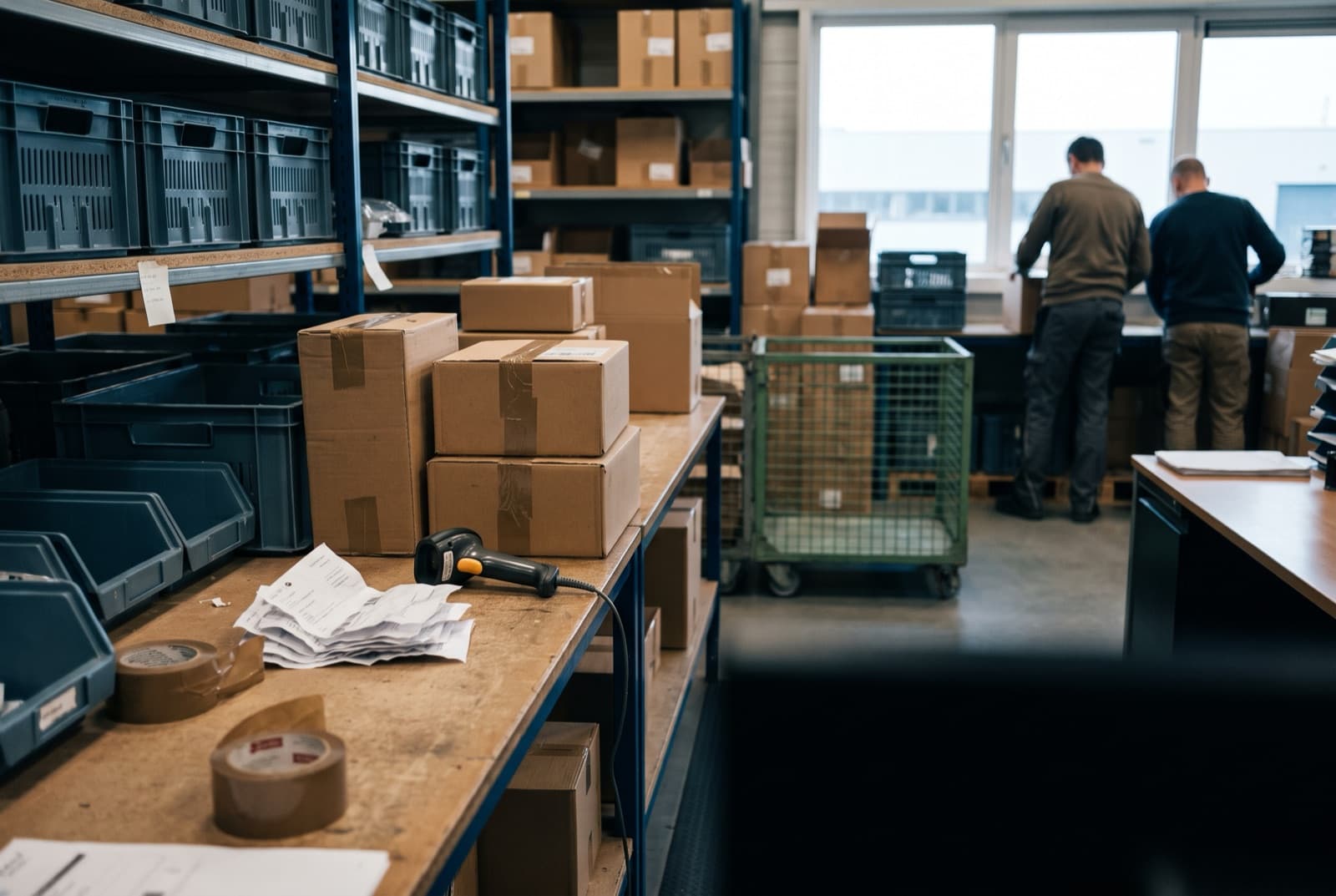
As soon as the order is in, Afosto claims the items in your stock. What is reserved can no longer be sold through another channel, so you avoid overselling. Per channel you decide whether orders go straight to the pick list, need approval first or wait while the address is invalid.

- Step 3
Pick lists for every team
Pick-list presets bundle the released orders by location, channel or shipping method, so every team gets its own list. Print it as a PDF or pick paperless with the scan app. Warehouse management with locations and pick and pack comes with OMS/WMS Pro and up.

- Step 4
Shipped, with track and trace sent back
At shipping, Afosto creates the label with your carrier and the track and trace code goes back to the sales channel the order came from. Your customer gets an email and follows the parcel, without you copying anything.



- Step 5
Invoice and bookkeeping handled
Once the parcel is on its way, Afosto creates the invoice and emails it to your customer. For pickup orders that happens once the order is collected. For bol.com and Kaufland the invoice PDF goes to the marketplace too, and your invoices flow on to a bookkeeping package such as Exact, Billit, Jortt or Silvasoft.


Every order follows this route, from the first of the day to the last. This is how more than 75 retailers and wholesalers run their multichannel order processing on Afosto.
Beyond order processing
The details that make the difference
Order management goes wrong on the exceptions: partial deliveries, returns, business customers. That is exactly what Afosto is built for.





Afosto in numbers
Built for retailers who sell through more than one channel
75+
Retailers and wholesalers in the Netherlands and Belgium
60+
Integrations you switch on yourself in the app store of your back office
(Almost) daily
New releases, for every customer at the same time
20
Warehouses on the largest plan. Grow from the free plan without switching systems
When is your shop platform's order screen no longer enough?
With one webshop and no marketplace, the order screen of your shop platform often does the job. Add a marketplace, a second warehouse or a physical shop, and every channel brings its own screen and its own stock count. That is common: in 2024, 45% of EU businesses with web sales sold through an online marketplace (Eurostat).
| Feature | A separate tool per channel | Afosto |
|---|---|---|
| Order inbox | One per platform | Every channel in one overview |
| Stock across channels | Kept in line by hand | One stock, reserved when the order comes in |
| Shop and webshop | Two stock counts | One shared stock (OMS/WMS Pro) |
| Partial deliveries | Sorted out by hand | Per order line, with one channel setting |
| Track and trace to the channel | Copied by hand | Sent back automatically |
| Invoicing | Separate bookkeeping step | Created when the parcel ships, through to Exact, Billit, Jortt or Silvasoft |
Afosto works with a fixed monthly price per plan, without transaction fees or costs per user. Comparing several systems side by side? See our overview of order management software.
FAQ
Frequently asked questions about order management systems
The questions retailers ask us before they centralise their order management.
Which sales channels and marketplaces does Afosto connect?
Afosto has direct order connections with Shopify, WooCommerce, Lightspeed eCom, ePages and Magento 2, and with the marketplaces bol.com, Amazon, Kaufland and Mirakl. More marketplaces connect through EffectConnect. Orders come in automatically, stock changes go out to every connected channel and the track and trace code goes back to the channel the order came from. For bol.com and Kaufland the invoice PDF goes along too. See all integrations.
Is Afosto a good fit for my business?
Afosto is built for retailers and wholesalers in the Netherlands and Belgium who sell through more than one channel: online retailers with a webshop and marketplaces, and retailers with physical shops next to a webshop. More than 75 retailers and wholesalers work with it, and your data stays in Europe. Do you sell through a single webshop only? Then the order screen of your shop platform may be enough for now.
Is Afosto an ERP for my webshop?
Not a full ERP. Afosto has no production planning, HR or payroll. It covers what a webshop or retail business needs from an ERP day to day: orders from every channel, stock per location, warehouse, point of sale and invoicing. Your bookkeeping stays in your own package, such as Exact, Billit, Jortt or Silvasoft.
Can I use Afosto alongside my existing Shopify webshop?
Yes. Afosto can run alongside your current Shopify webshop. Your shop stays the front end, while Afosto pulls in the orders, manages the stock and drives fulfilment. Cancellations sync both ways. You do not have to migrate: you start by connecting one channel and add the rest step by step.
What is the difference between multichannel and omnichannel order management?
Multichannel means you sell through several channels: webshop, marketplace, point of sale. Omnichannel goes a step further: the customer notices no difference between those channels. Ordered online and exchanged in the shop? To the customer it is one brand. Operationally, omnichannel starts with multichannel order management: one shared stock and one order overview. Afosto delivers that layer, with stock reserved as soon as an order comes in.
Can Afosto handle partial deliveries and backorders?
Yes. With the setting "Order items automatically ready for shipment" switched on for a sales channel, whatever is in stock goes to the pick list right away and the rest stays open as a backorder. You see per order line what is out of stock. When new stock arrives, you allocate it from the order.
How does Afosto handle returns from marketplaces?
A return request from bol.com lands on the order by itself. You approve or reject it in Afosto and the decision goes back to bol.com. Returns from Shopify and Magento 2 come in on the order too, and cancellations sync both ways with Shopify and Magento 2. A credit invoice is a separate step, so you decide when the money goes back. In the EU, consumers can withdraw from most online purchases within 14 days (Your Europe).
Do I need warehouse management on top of order management?
Not always. The order management system handles orders from intake to shipping label. Warehouse management adds locations, pick lists and pick and pack with the scan app, and lets your shop and webshop share one stock. That comes with the OMS/WMS Pro plan and up. Shipping from one simple stockroom? Then the OMS alone can be enough to start. Read more about inventory management.
How long before everything is connected?
You switch on a standard integration such as Shopify, bol.com or WooCommerce yourself in the app store: you grant access and Afosto sets up the rest. How long the whole move takes depends on the number of channels, the historical data you bring along and any links with your bookkeeping or other systems. Our specialists run the onboarding, or a partner does, and the documented Afosto API covers anything custom.
Does Afosto connect with bookkeeping packages such as Exact?
Yes. Afosto connects with Exact Online, Billit, Jortt and Silvasoft. With Exact, orders go across as sales orders by default, and invoices have their own settings. Afosto can also send every invoice in bcc to an address of your choice, or export all invoices per month, quarter or another period. Other packages connect through the Afosto API.
How do you choose an order management system for multichannel retail?
Start with your own channels: does the system connect directly to the webshop and marketplaces you sell on? Then check whether stock is reserved the moment an order comes in, whether track and trace and returns go back to the channel, whether your shop runs on the same stock, and how the price grows with your order volume. For a side-by-side look at twelve systems, see our order management software comparison.
What does Afosto cost?
Afosto works with a fixed monthly price per plan, based on the number of order lines per month and the number of warehouses. You don't pay per user and there are no transaction fees. You start on the free plan with a small number of order lines and move up without switching systems. The OMS and WMS pricing shows every plan.
How FrancisbyFB processes 300 to 400 orders a day
“Afosto really listened to our feedback and built the system so it truly works for us. Almost everything a webshop needs is in there now.”
See your own orders in a single overview
Create a free account and connect your first sales channel. Rather look first? Book a demo: we follow up within one working day with a walkthrough on your own data.