

The webshop that runs on the same platform as your till and warehouse
The Afosto Storefront is the webshop your customers see: hosted by Afosto, on your own domain, in your own branding. Prices, stock and checkout rules come live from the same platform as your till and order management.





What is a storefront?
A storefront is the customer-facing part of your webshop: the product pages, the cart and the checkout. Where "webshop" often means the whole package, administration and stock included, the storefront is specifically the front end your visitor clicks through. With traditional webshop software the front and back are one whole; with Afosto the storefront is a sales channel on a shared backend:
Because the checkout runs on the same engine as the rest of the platform, customer-specific prices and price rules work through automatically as well.
Hosted by Afosto
the storefront runs on your own domain and pulls language, currency and branding from the sales channel you set up in Afosto
One source for price and stock
the same pricing engine calculates for webshop, till and API orders, and the stock comes from the same administration as your warehouse
B2C and B2B side by side
each channel has its own price list and its own payment and shipping settings, and all orders land in the same order management
Headless if you build it yourself
the same APIs are reachable with the Storefront JavaScript Client, for teams who want their own front end
Two kinds of customers
Selling B2C and B2B from the same platform
You set up a storefront channel for consumers, for business customers or for both side by side. The backend stays shared, the settings differ per channel.

The consumer webshop
A webshop where your customer checks out without friction: pick a payment method, pick a delivery option, done.
- Payment methods like iDEAL, credit card, Klarna, Apple Pay and Google Pay, each with your own PSP
- Delivery options per shipping method: pick-up point, evening delivery or same-day, filtered on country and zone
- Prices including VAT through a dedicated B2C price list

The business ordering environment
Business customers order on the same platform, but calculate with their own price agreements.
- Customer-specific price lists and volume discounts work through automatically in the checkout
- Prices excluding VAT through a separate B2B price list
- Per channel you set which details are required, such as company name or VAT number
How it works
From setting up a channel to an order in your warehouse
You set up a storefront in Afosto as a sales channel. This is the route from setup to first order, without plugins or synchronisation jobs between separate systems.
- Step 1
Set up your sales channel
A storefront is a sales channel in Afosto with its own domain, language, currency and branding. You link a price list to it, for example including VAT for consumers and excluding VAT for business customers, and you decide which customer details are required.

- Step 2
Switch on shipping and payments
Choose your own integration per shipping method, from your own PostNL contract to a broker like Sendcloud or MyParcel, and your own PSP per payment method. With rules you decide when a method is visible and what it costs, such as free shipping above an amount.

- Step 3
Your customer checks out
The cart is recalculated live by the same pricing engine as your till: price rules, discounts and VAT are right in it straight away. The checkout shows only the shipping and payment methods that apply to this customer and destination.

- Step 4
The order lands in your operation
After payment the cart becomes an order in your order management, next to the orders from your till and marketplaces. You see per order which channel it comes from, and the stock counts towards all your channels straight away.

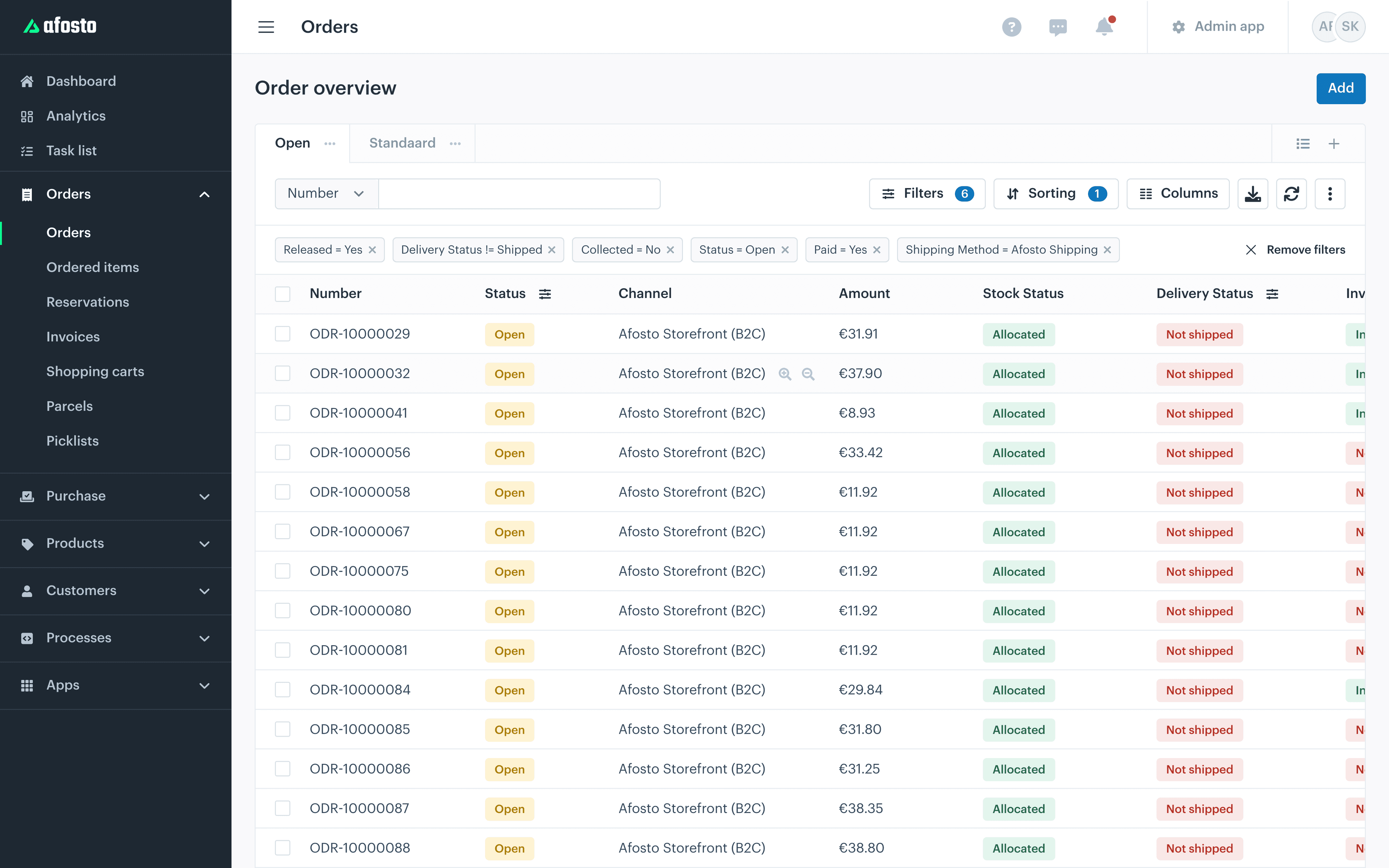
Every step can also run through the API. The storefront uses the same channel-bound token for that as a headless front end of your own would use.
A free gift from a set order amount
With a pricing rule, your customer chooses a free gift once the cart reaches a set amount, for example from €50. The same pricing engine that prices the cart sets the chosen gift to €0.00.
- Set up yourself: in the pricing rule you choose the minimum amount and the products your customer can pick as a gift. Does a gift come in flavours or sizes? Then add each variant.
- Chosen in the cart: once the cart reaches the amount, your customer is offered the gifts and picks one. Tell us how you want that choice to look in your webshop and we'll add it.
- Visible on the order: the gift appears on the order as a €0.00 line, with the name of the promotion. Your warehouse sees which gift to pack.





Is your own team building the webshop? The free gift guide explains how to set up the pricing rule and how the gift choice works. We're also happy to show you how other customers do it.
The storefront in numbers
One platform behind your webshop
1
Pricing engine for webshop, till and API orders
2
Price lists side by side: B2C including and B2B excluding VAT
3
PSPs to choose from: Pay., Mollie and Adyen
€ 0
Transaction fees on top of your own PSP contract
Building headless on the same APIs
The hosted storefront is the shortest route to live. If your team would rather build its own front end, you talk to the same commerce APIs as the hosted variant:
Hosted and headless do not rule each other out: you can start with the hosted storefront and build the front end yourself later. The sales channel, the orders and the data stay the same.
Storefront JavaScript Client
an open client with predefined GraphQL queries and mutations for carts, checkout and orders, straight from your front end (documentation)
fast search results and filters for your product catalogue
product images resized and optimised automatically through a CDN, afosto.com runs on it itself
Channel-bound access
the front end works with a token that can only reach its own sales channel, not your whole administration
FAQ
Frequently asked questions about the storefront
The questions retailers and wholesalers ask us most often about the webshop side of Afosto.
What is a storefront?
A storefront is the customer-facing part of your webshop: product pages, cart and checkout. With Afosto the storefront is a sales channel on the platform: the domain decides which channel is loaded, and that channel supplies the language, currency, branding and price list. The back end (orders, stock, customers) is shared by the storefront with your till and order management.
What is the difference between a hosted and a headless storefront?
With the hosted variant Afosto serves the webshop front end on your domain: you set up a sales channel and build nothing yourself. Headless means your own team builds the front end and talks to the same commerce APIs through the Storefront JavaScript Client. The sales channel and the data are the same in both cases, so you can start hosted and go headless later without migrating your backend.
Do price rules and customer-specific prices work through in the checkout?
Yes, automatically. The cart is calculated by the same pricing engine that also serves the till and order management. A price rule you activate, such as a volume discount or a promotion for labelled customers, appears in the checkout at the next recalculation. Customer-specific price lists are resolved per customer and channel, so a logged-in business customer calculates with their own prices.
Which payment and shipping providers can I connect?
You choose your own PSP per payment method: Afosto works with Pay., Mollie and Adyen. Methods you can switch on include iDEAL, credit card, Klarna, in3, Google Pay, Apple Pay and AfterPay. For shipping you connect your own integration per method: your own contract with PostNL or DHL, or a broker like Innosend, Sendcloud, MyParcel, QLS or ParcelPro. Afosto charges no transaction fees on top of that.
Can I serve B2C and B2B with the same storefront?
Yes. You set up a sales channel per audience on the same backend: a B2C channel with prices including VAT and a B2B channel with prices excluding VAT and its own price agreements. Per channel you decide which details are required, such as company name or VAT number. All orders come into the same order overview, with the channel shown per order.
Do I have to replace my current webshop straight away?
No. Afosto has connections with Shopify and WooCommerce, among others, so you can first run your order management and stock on Afosto while your current webshop stays in place. The move to the Afosto Storefront can follow after that, at your own pace, on the back end that is already running by then.
Put your storefront next to your till and warehouse
Create a free account and set up your first sales channel. Or book a demo and we will show how webshop, till and order management work together on one platform.