

Apps 4.0 - Spooler - Print packing slips automatically
Afosto offers the possibility to automatically mail or print packing slips of incoming orders. This can save a considerable amount of time and effort.
Automatic e-mailing of packing slips
To be able to automatically mail packing slips, the following is required:
-
The ‘Mail/print packing slips automatically’ app (this must be activated by Afosto)
-
Spooler
Automatic printing of packing slips
To automatically print packing slips, the following is required:
-
The ‘Mail/print packing slips automatically’ app (it must be activated by Afosto)
-
Spooler
-
A printer with PCL support
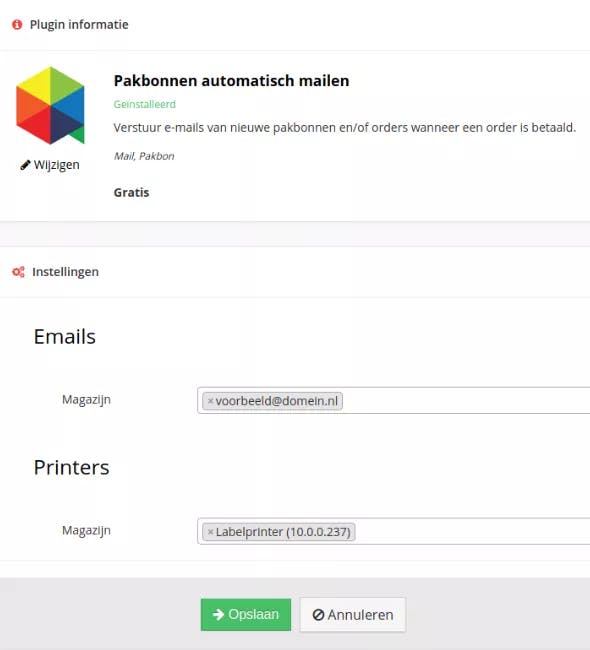
When the app is activated, you can use https://app.afosto.com/plugins/67-pick-notification to set per warehouse where the packing slips should be mailed to or on which printer they should be printed.
If you are interested, please contact Afosto.
050 711 95 19
Related documentation
Apps 4.0 - Spooler - Picker app: Automatically print shipping labels
Afosto Spooler supports automatic printing of shipping labels when the order is picked. This tutorial explains how the Picker app works that makes this possible.
Apps 4.0 - Spooler - Spooler troubleshoot (EN)
Read all about how to set your Star Printer to ESC/POS here
Apps 4.0 - Spooler - Compatible hardware (EN)
Read here which hardware is compatible with our Spooler software