

Apps 4.0 - Spooler - ESC/POS settings (Star printer)
STAR TSP650
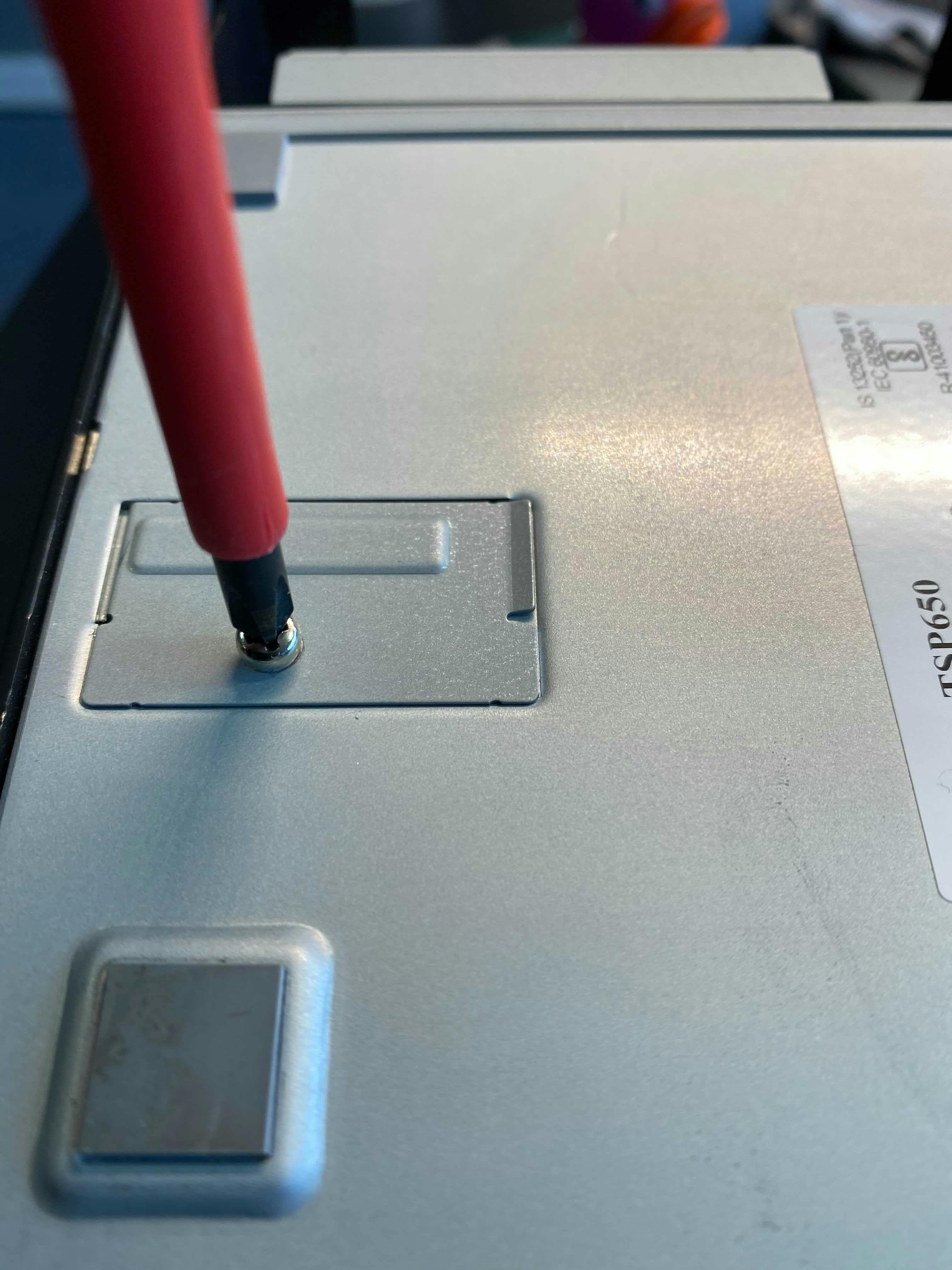
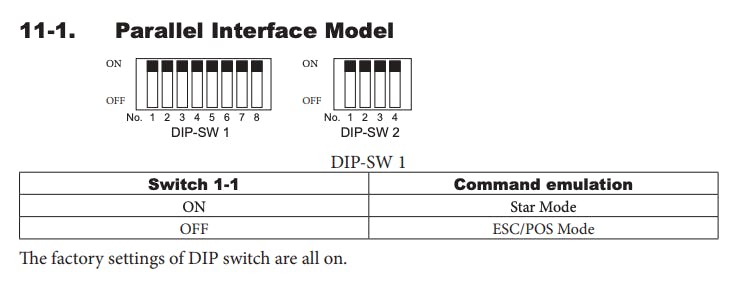
On the back of the printer you will find a cover that can be unscrewed. Under that cover you will find a row of switches that can be turned on or off. On the second picture you find the configuration as it should be for the printer to work properly. This means that the first switch in the row from 8 down should be.
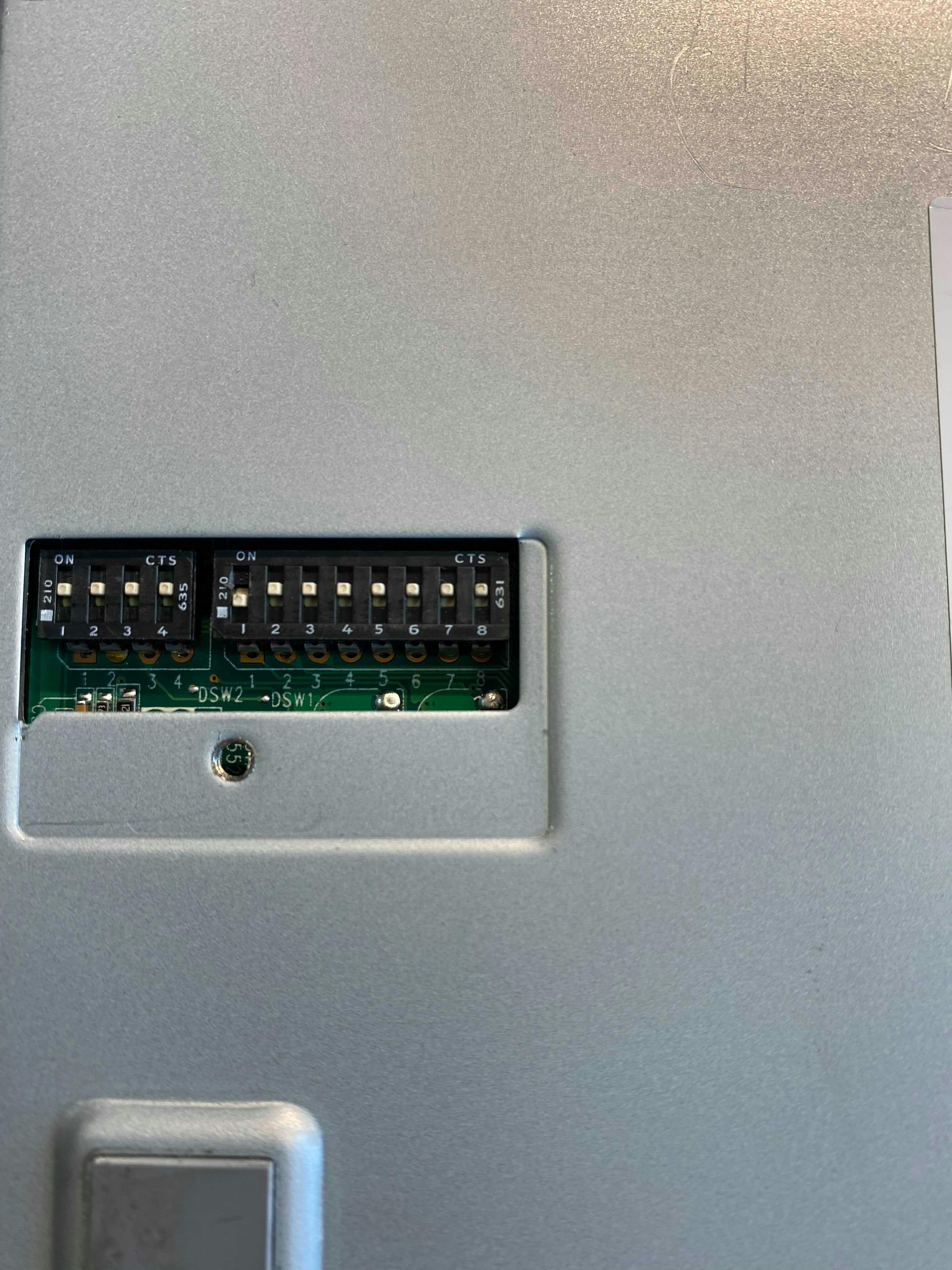
For additional explanation, see the image below which is from Star’s own manual.
Related documentation
Apps 4.0 - Spooler - Print packing slips automatically
Afosto Spooler offers the possibility to print packing slips automatically with an incoming order. Here is explained how to enable this feature.
Apps 4.0 - Spooler - Picker app: Automatically print shipping labels
Afosto Spooler supports automatic printing of shipping labels when the order is picked. This tutorial explains how the Picker app works that makes this possible.
Apps 4.0 - Spooler - Compatible hardware (EN)
Read here which hardware is compatible with our Spooler software